We are Reuss we are full-service Internet marketing and SEO company.

Our Gallery

contacts

92 Bowery St., New York, NY 10013, USA

reuss.seo@mail.com

+1 (800) 123 456 789

Category: WordPress Web Design Work

4 Signs That You Need better Web Designing

Is Your Website Due for a Redesign? Here Are 4 Signs
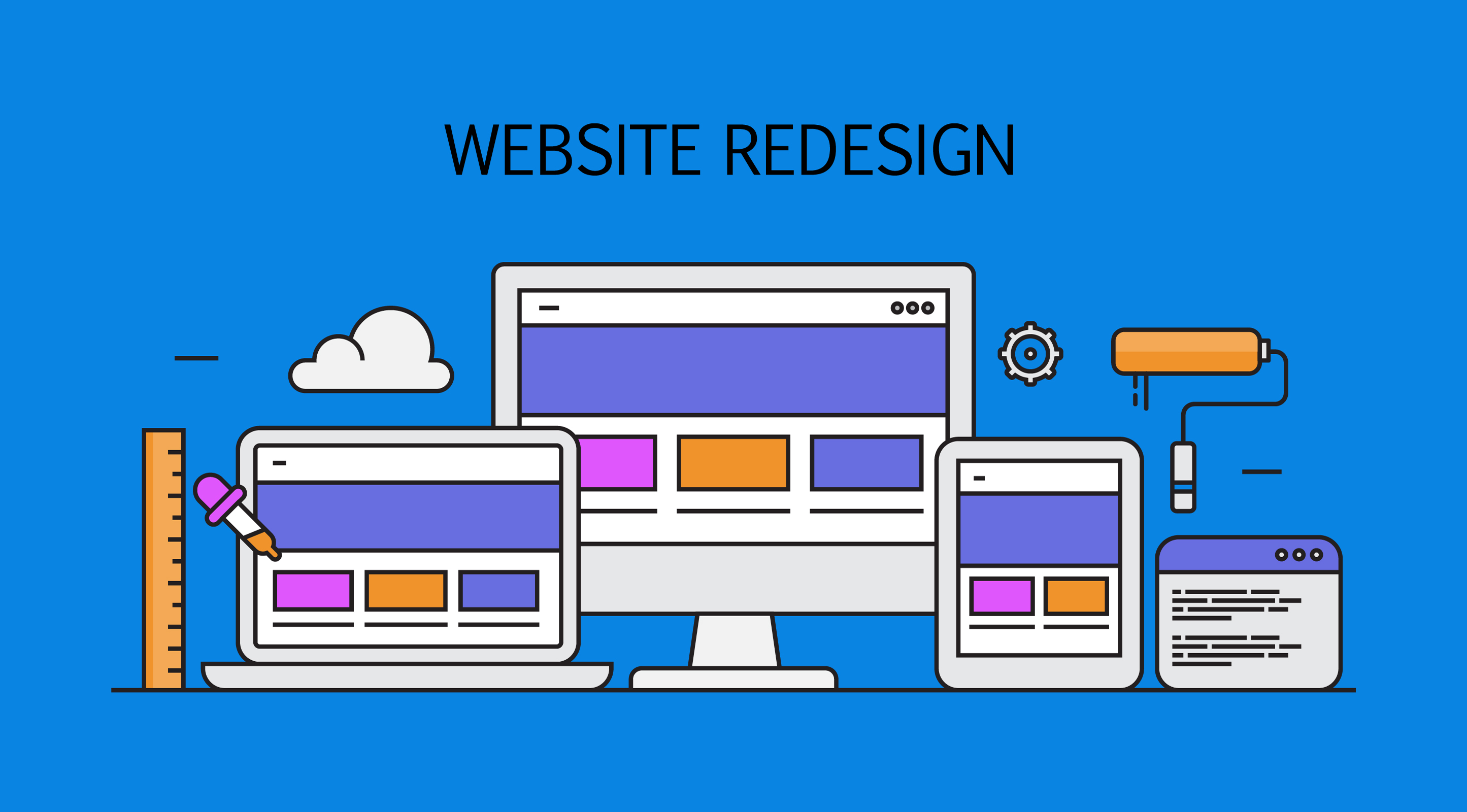
Website Due for a Redesign

An official website has become an integral part of online marketing. It gives people a legitimate platform to turn to for details about the company, its services, contact information, etc. However, that’s not all there is to it. Several other web designing features make a website effective and beneficial for a company.

A company has to be esthetically pleasing and also tick all the necessary boxes to rank high in search engines. All it takes is a glance for people to pass a judgement on a particular website and decide whether to move on or continue reading up on it.

Here are a few signs that indicate that your website needs a makeover immediately to become effective.

Sending An Unclear Message

When you start a business, it’s natural to have an overflow of ideas and services to offer to your customers. While it’s not wrong to provide many services, there should always be one overarching message that embodies your company’s whole gist or purpose. If that idea isn’t clear at first glance, there’s a chance people might turn away from it.

To judge whether you fulfill this requirement, you can use Forbe’s “4-second test”. Ask people to open your website and close it in exactly 4 seconds. If they return with a coherent message or idea of what the company is about, then you have succeeded.

Not Keeping It Clean

If there is a lot of information on your website, in the form of texts and images, shapes, etc., it becomes hard to navigate and follow through entirely. Moreover, make sure you don’t miss out on covering essential pages in your website while incorporating other things.

Ideally, a clean and effective website should have an ‘about us page, ‘services’ page, a ‘blog,’ and ‘contact us page.

Not Search Engine Optimized

Through search engine optimization, a website aims to rank high chronologically in search engines with the help of using specific keywords that appeal to your target audience. SEO has become a valuable asset for businesses to optimize their digital media strategies.

You might have great products and services that tick all the boxes for your target audience, but without SEO, it’ll be extremely difficult for them to find your website, and you’ll lose out on business.

Dull Esthetic Appeal

The layout of your website is just as important as all the information in it. While the services you sell bring in the money, the visual appeal of your website is what is going to bring in people.

A visually pleasing, minimalistic, and captivating web design will attract more people to it and force them to go over the entire website without break. Make sure it stands out from the rest and isn’t just an emulation of other websites.

If you need help in designing an exciting website that isn’t only a treat for the eyes but also incorporates SEO, contact Kallen Media. We offer web designing services for various businesses and ensure cost-effective, user-friendly, and effective web designs.

The Importance Of Web Design For Small Businesses

In today’s digital age, most people find businesses online, making websites the first impression they get. (more…)

Tips for Making Your Website More ADA Compliant

Founded in 1990, the Americans with Disabilities Act (ADA) is a civil rights law that aims to ensure that people with any disability are granted the same rights and opportunities as everyone else. This act protects American’s both in-person and online. But a lot of businesses don’t account for their ADA compliance on the web. Because of this today, Kallen Media is here with 5 tips for making your website more ADA compliant.

Our daily life revolves around using various innovations like elevators and ATMs in the technology- and innovation-driven era. Hence, making these elements accessible for persons with disabilities is crucial in ensuring a more inclusive community. For example, in an elevator, you’ll notice that all call buttons are a minimum of 0.75 inches in diameter, and there’s a braille on each floor number. Similarly, the ADA also requires websites to be accessible and user-friendly for people with disabilities. Here’s everything you need to know.


Why Is ADA Compliance Necessary?


Apart from being a law, websites that cater to all people, especially those who are differently-abled, show that your company focuses on inclusivity. Users will feel welcomed and encouraged to use your website knowing that your company has catered to their specific needs. This helps your brand rank higher in the industry and sets you apart from competitors while increasing your target audience.

Be Mindful When Curating Content


When adding content to your website, include various tools to ensure people with disabilities have no trouble accessing and navigating. Some standard tools are screen readers, which read the web content aloud, magnifiers to increase the visibility of the content, along voice recognition software. Try to include more pictures, audio, and videos for a more engaging experience.


Review the Website Standards Regularly


The standards can change as time passes; it’s essential to stay updated and introduce all these additions to your website. Keep a regular check on any new standards that you can add to make your website more user-friendly. The Website Content Accessibility Guidelines (WCAG 2.0) offer guidelines and recommendations on developing your website, ensuring easy accessibility.

A professional working to update a website according to ADA rules.


Add Alt Tags To Your Images


Add a descriptive alt tag to every image you upload on your website. These are particularly helpful as screen readers, and voiceovers use them to describe the image to users with disabilities.


Easy to Understand Content


When curating content for your page, try to keep it simple and the tone as conversational as possible. This will help make understanding content easier and simpler. Include headings and subheadings in bold to divide the content into smaller sections. If you’re using any acronyms, don’t forget to add periods so that the screen readers read them correctly.


Get Expert Advice


Ensuring your website is up to date with ADA standards is challenging; this is why it’s best to call in a professional. Making your website ADA compliant isn’t just a one-time thing; this requires constant maintenance and updating. Unfortunately, you’ll need more than just 5 Tips for Making Your Website More ADA Compliant. Our professionals at Kallen Media can help take this burden off your shoulder so you can focus on other important factors of your business. We offer affordable website design packages, blog writing and posting services, social media marketing services, and other SEO Services.

Give us a call today to learn more about our comprehensive services.

Web Design: a Basic Guide For Businesses

When it comes to web design, every designer has a different plan. Yes, there’s no standard checklist.

But it doesn’t matter what’s part of the plan as long as the website includes some basic elements.

From clear calls to action (CTAs) and search functionality to great images and plenty of whitespaces, certain elements lead to an excellent web design. (more…)

Updating Your Website: Tips From Professional Developers

An old website can make your customers wonder if they should shop somewhere else. A lot of great people are losing business because their web design is simply outdated. If you’re thinking about modernizing your website, you’ve come to the right place! Today we will help you decide if you should consider Updating your website. And we will provide all the information you need to decide on your site’s new look. Lastly, we will talk about how professional web designers can help you. So lets’ get started!

Updating your website can feel impossible if you’ve been stuck with the same design for a long time. But it’s easier than you might think if your company is clear about the redesign’s goals. So, where do you start? The first step of the process is deciding if you need a new site at all.

Should You Update?


When considering an update, you should decide why you need to change your site. A few of the key reasons for an update will be brand or data related. Let’s start by talking about the data side of things. Have you been looking for a way to learn more about how your customers feel about your product or service? Data collection online could help give you the answers you need. A professional web designer can help you design a site that learns from your customers! If you think you could benefit from learning more about the people you do business with, new web design could help.

code

If your current site doesn’t represent your company and its goals, you might need to update it. A website is your company’s first impression, so it’s important to make sure it reflects your company’s marketing goals. A chain is only as strong as the weak link, so make sure your web design hasn’t fallen behind. Similarly, it is important to keep your website inline with any brand updates. When modernizing your brand, you can’t forget about your online presence.

Modernize Your Brand


In the modern online market, a good website is oftentimes a sign to customers that they can trust the company. If you’ve modernized and are utilizing new online tools, you can’t forget about the basics. Whenever your brand is updated, a website change should show that new direction. The best-branded websites have subtle nods to their defining features throughout their web pages. Once you know what you want out of a website, you should always market test.

Modern web design doesn’t stop at Branding. It’s important to learn from the market research you did earlier. The research helps you understand what features make a web page feel modern and fast. Things like incorporating video content, regular blog posts, and other good SEO practices will help you build a new site! But once you have a new site, it’s important to check the work you did.

Test it Out


Any time you change your website, you should test it out. This doesn’t just include back-end tests; you should also get people’s opinions. A back-end test is required because a companies website should be bug-free. Poorly implemented design can scare your customers away! Whenever you Similarly, if your branded content isn’t palatable to your clientele, your business can suffer.

testing

Just like market testing, it’s important to get active and real-time information on how people feel about your company. By checking in with a sample pool of customers or reliable market sources, you can make sure your branded content works. Double-checking your web design against these standards is important to guaranteeing success. One classic example of this is people ignoring color blindness in their designs. While it’s possible to do all of these steps alone, a web designer can simplify the process.

Web Designers


A professional web development team should understand all of these principles and plan to implement them in any work they do. Whenever you are considering updating your website, you should think about hiring a professional web development team. These teams can make your life easy and implement your ideas very fast.

Like the changes to your site, you should research the people you consider for work on your site. Always double-check that the team you hire understands your goals and needs for your site. If you’ve done all your research, and you have a clear plan, the team you pick is well on their way to making your custom website!

Updating Your Website


Deciding on a web redesign can feel daunting, but its really easy once you know what to do. The first step is analyzing your current site and deciding what, if anything, needs to be refreshed. Updating your website can include more data collection paths, branded content, and even a whole fresh look! But any time you change your website, you need to test out the new page. If all of these things sound too complicated for your current team, you might need to hire a web designer. A professional development team can take your dreams to reality fast!

If you’re looking for an updated website, the Kallen medias web services team can help. Not only can we update your site, but we can also manage and track how it’s growing to meet your SEO goals too. Contact us today to get a quote for your web development needs.

Web Stories WordPress Plugin: Your Visual Story

Features of the Google Web Stories Plugin

Web stories, formerly known as AMP stories, are an interactive way to engage with your users. And recently, we got the Google web stories WordPress plugin. Today we will tell you about what web stories are and how they can help your SEO rankings. We will also talk about the new Google web stories plugin and what this means for your content. And lastly, we will outline how web stories are changing and what that means for your business.

glasses

It is undeniable that an official WordPress plugin is going to make web stories even more popular. But it will be hard to understand these changes without knowing about the basics of the medium. That’s why we’re going to start with the basics. So let’s define what web stories are and talk about how they can drive traffic for your site.

Web Stories and SEO

A web story is a full-screen visual storytelling medium. These projects take google search results and transform them into an interactive space to make information more visually compelling. The results of these projects are a breath of fresh air for users and, as a result, are highly engaging. This medium creates brand new ways for you to communicate with users. Instead of text, a web story helps content creators speak visually. This visual element can help build trust in your content because the user feels involved.

This visual and interactive experience helps draw-in users. But a user actively participating in a search means they are more likely to retain information too. A standard search result can drive traffic to your website, but a web story can make this process into a journey. When a user finds content via a web story, they are a part of that discovery. This inclusion creates invested users who are excited to engage with your website. Its no wonder why people are so happy to use the new plugin!

WordPress and Web Stories

The advent of this plugin hints that we will start seeing professional and sleek designs from thousands of more users than before. As we know, WordPress plugins can make seemingly impossible tasks very easy. This ease means anyone can now utilize this highly effective messaging platform! These stories might even become an industry-standard you can come to expect from a professional website.

Plugins also help create easy user interactions. This google-designed plugin should be no different; we can expect WordPress web stories to start standardizing themes and templates that users can become accustomed too. Web stories were always highly engaging, but now they will be easy to implement also! The addition of plugin support means web stories will become a new industry standard.

Web Stories Plugin for Business

The new plugin format will affect how content is made and consumed for everyone. On the web development end, we can expect a content boom. Any time the entry barrier gets lowered, people will flock to it and see if it can help their solutions. And a web story is a prime candidate for this. Businesses interested in using a web story can expect the price of implementation to drop. This change will mean affordable and breath-taking design.

story

For designers, this new tool will come with some required learning. While projects are in their early stages, web designers are often learning and unlearn the changing key features. But this education is vital for designers. With massive companies like google and major advertisers backing the project, it will be essential to know. Web designers have to stay on top of trends, and web stories are positively trending right now.

Google Web Stories WordPress Plugin

The new WordPress plugin support for web stories marks the changing of an era for digital marketing. From now on, web designers can quickly implement a web story into their campaigns seamlessly. This new tool means we can expect to see some changes in how we think about web story content. A web story is a full-screen interactive story that displays information similarly to an average google search. This medium lets people see results in a visual format rather than text. This additional layer of information will undoubtedly help your SEO ranking.

A plugin will also make these designs more comfortable with making and using. Because people can easily create their own web story now, we can expect to see more of them. Plugin support will also make designing easier. These factors mean we will begin to see a uniform and cost-effective web story designs all over the internet.

Using a new plugin can be a challenging endeavor and can feel like a serious undertaking. And any update to WordPress can be scary. But Kallen media can make the process easy. If you’re looking for help with adding a web story plugin to your website, contact Kallen media and let us help you.

WordPress 5.5 | What to Expect From The Update

A lot of people rely on WordPress to keep their businesses running smoothly. And now we’re only two short weeks away from a massive WordPress update! So it might be useful to know what’s coming. WordPress 5.5 is going to have some significant changes to the platform. Today, we figured we would give you a rundown of some of the most significant new features coming and what we’re most excited to see.

The technology space is seeing some fast changes in 2020. And WordPress is no different. A lot of the updates focus on themes and theme design. So if you’re a webpage designer, this update could change the way you do business! Every WordPress update brings new features to explore, and this one holds some fascinating tools. Let’s start with updates themselves.

Automatic Updates

WordPress

We’re personally very excited about this new feature. After the release on August 11th, WordPress will automatically update plugins and themes! That means that you can stop continually rechecking for the latest plugin and be confident you’re up-to-date. Automatic updates will also make general maintenance easier. Now, if a programmer has to patch something, they can automatically push this out instead of waiting for users to find it.

On the development side, this will make some changes. If you make plugins, this feature is optional. So you may have to prompt users to turn on automatic updates if they don’t do it naturally. Similarly, users don’t forget to switch on this feature to keep your theme current easily.

5.5 Accessibility


WordPress prides itself on ensuring every update has a focus on accessibility. And 5.5 is no different. This update brings with it a retooling of the widget navigation section. Previously accessibility tools had troubles sorting the unordered lists in widget menus, But now authors can ad navigation widgets to provide context and help users navigate! The new category system means that with some small changes, accessibility tools will be able to categorize menu options.

Similarly, the movement of meta boxes was adjusted. Now boxes can be move with keyboard inputs. Improving the meta window movement helps make these key features more accessible to people with limited input options. Similar features enable links to be copied by the click of a button. These features will help make sites more comfortable to use for some customers. Similarly, the efficiency updates coming in 5.5 will make WordPress faster and easier for everyone!

WordPress Site Efficiency


One of the many features which will make 5.5 faster is lazy loading image support. Lazy loading changes the way an image arrives at a viewport for a user. Loading images this way will make images load quickly and even save on bandwidth for users and hosts. Lazy loading image support means no more waiting for the product images to load on your e-commerce site. In addition to photos, some key design features are also getting makeovers.

WordPress media tab

Similarly, the update makes it easier for theme designers to create complex themes. By adding features like HTML support for custom logo and block patterns, designers can make complicated work easy to implement. These features mean we can expect to see even more sleek and efficient WordPress pages! These design tool changes don’t just help designers; block patterns will be publicly available to plug into websites. So even a small business site can look professional.

5.5 will also bring automatic enabling of XML site maps. These mapping functions will help improve the visibility of all of your content. These are just a few of the ways WordPress 5.5 is becoming a faster, more efficient design platform.

WordPress 5.5


With a release date of August 11th, WordPress 5.5 is coming at us fast. In two weeks, we will be seeing some massive changes to our webpage developer. One of our most anticipated features is automatic updating. No more searching for up-to-date plugin fixes! But they won’t be stopping there; WordPress is also adding changes to make design templates for themes easier to distribute. Features like line editors and block patterns will mean we get beautiful web-design even faster. Lastly, WordPress always features some key accessibility features in their updates. 5.5 features cataloging of menus so accessibility tools can help users navigate sites easier.

Are you looking to help WordPress develop the 5.5 updates? Testers are needed for the beta platform to find any bugs. WordPress is also looking for help to translate their new update into the hundreds of languages its users speak. Check out their project to see if you can assist.

Are you struggling to use some of the new WordPress features? If you’re looking for help preparing for the latest changes, Kallen media is here to answer your questions. Check out our website and contact us with any problems you have.

Responsive Web Design: Designing For Change

The days where your blackberry took fifteen minutes to load a website are gone. Today users expect their phones to connect to a polished, professional website. Statista reported around 50 percent of browsing is done on mobile devices. So how does a business make sure its content looks good no matter where customers find it. They turn to responsive web design.

Responsive web design creates websites that change based on the hardware they are running. Most people are familiar with this. Think deleting emails on your phone versus your computer. But how do you make sure your website is fluid like this? What are some standard practices of responsive web design?

Size Matters: Responsive Scaling


Most websites designed for computer screens plan for large monitors. And why wouldn’t they? If you have space, you should use it! But scrolling endlessly from side to side on the phone won’t do. Because of this, scaling is critical. So responsive web design focuses on identifying what’s essential to scale.

Menus are often oriented vertically for phones, and instead of complex series of popups, mobile designs often just load a new separate subpage. Similarly, it’s essential to put what’s important first. The limited space on mobile models shouldn’t sacrifice your message.

Scaling doesn’t mean a brand new website. The essential things are still just as important. So it is vital to prioritize what users will need the most. Because of this, it’s sometimes helpful to design your mobile website first. Once you have the critical information, it’s easy to expand. But developing your mobile site at a smaller scale can help companies solve design issues.

Responsive Design Aesthetics


A big screen generally makes it easier to see fine details. And that if a particular look is central to your brand? Sometimes these details are vital to the user experience. And you shouldn’t lose that in the mobile design. So how do we preserve these aesthetic choices while scaling? Responsive web design solves this in a few smart ways.

The first is scalable vector graphics or SVGs. These files are designed not to lose resolution at any size. This is huge for responsive design because it allows for almost every dimension of the screen without compromise for others. SVGs also tend to be smaller files, which will help loading speeds! But other design decisions matter too. In the past, we’ve talked about speeding up websites, and reducing graphics size is an easy way to do this.

Some fonts rely on size heavily to be read. And certain color combinations blend together if designs get intricate. Almost every aspect of a website matters when its changing size. An example of this is the buttons. A computer mouse is a fine point, but the human finger is not. Mobile web design accounts for touch screen operation with bigger buttons and sometimes having separate designs for the mobile and desktop versions.

Benefits Of Mobile Websites


Responsive design isn’t all drawbacks. Phones have an incredible range of functions that web browsers can activate. Creating engagement can be hard. But phones make it so easy. You can use a button on your mobile website that connects users directly to you via phone! Using the tools on the phone can help create a fluid and comfortable user experience. This also makes it easier to let users take action right away.

Another benefit of mobile design is a clear call to action. Because you have limited space, often, your call to action becomes very apparent. This is a good thing when combined with other mobile tools. Users can figure out what they should do and get it done. No more endless sticky notes or yellow pads, mobile design solves these problems.

Responsive Web Design


If you’re ignoring mobile web users, its time to reconsider your web design, a significant portion of users are mobile users, and they deserve consideration. So a website that can run on any hardware is a must-have in today’s business world. That’s why companies turn to responsive web design. By focusing on the issues that hinder scaling a website, responsive design helps create a smooth user experience.

Responsive web design tackles these problems by providing tools to help websites scale up or down. This tactic requires some critical decisions before it can start. Preserving the look and feel of your website is essential. So scaling can’t come at the cost of your branding. Tools like scaling graphics, button design, and layout all help make the website versatile.

Responsive web design requires a thoughtful approach to a companies needs and content. Sometimes responsive design even requires an entirely new plan. But the professionals are here to help. Kallen media focuses on ensuring our client’s content is high quality no matter what people use to find it. If you need help going mobile with your website, contact Kallen media via our website.

E-commerce: Running your store with WordPress

E-commerce is rapidly becoming the new normal in consumer markets. E-commerce stores are essentially any website that you go to buy goods entirely online. Amazon, for example, is the largest e-commerce store in the world. This business model is quickly becoming the “norm” when it comes to modern business. but how does a companies even make those websites? If you’re ready to make the jump to e-commerce or need some guidance, keep reading!


Making your online store stand out can be hard when competing against corporate giants. Companies that are inexperienced in the online space can benefit greatly from having a web hosting partner. Full-service partners, like Kallen Media, can help your website flourish with individually tailored packages to suit your needs as a business owner. before a store can be tailored to fit a businesses needs some simple groundwork must be laid.


Building Your E-Commerce Store


As stated above, any website that allows you to buy products online is an E-commerce store. There are many different types, and an even more significant number of platforms to choose from. Before setting one up, you’ll need a website. WordPress is an inclusive, comprehensive website builder. Many companies offer extensive guidance when it comes to setting up your WordPress website. A lot of times, you can find an affordable price to have your website built for you! Once your WordPress site is up and running, it’s time to get an e-commerce plugin that will accommodate your business needs.


When building your store, it’s crucial to pick expandable options. As your business grows, your needs will scale. A website can sometimes be very challenging to scale if the proper precautions aren’t taken. You want to make sure the platform you choose can scale with your ever-increasing requirements. failing to account for scale may result in poor customer experiences or even store closure. It makes the process a lot more simple to select the right e-commerce plugin at the beginning, instead of having to switch to keep up with increased demands. while there are plenty of options for these plugins, most businesses utilize the same ones.


WordPress E-commerce plugins


Once a company decides to start selling, it’s time to build the shop interface. The two of the biggest WordPress platforms for an online store are Shopify, and WooCommerce. Many web hosting partners prefer one of these two, although these are not the only options, they are the most trusted. Around 39% of all online WordPress stores use WooCommerce, so it’s clear they know what they’re doing. Once a company has chosen it plugin it’s time to start building. Setting up an online store can seem like a daunting task, but it’s a lot more simple than you would think. so what exactly do these plugins do and how does it affect a website?


WooCommerce and WordPress


running an E-commerce store no longer takes a tech genius. The great thing about WooCommerce is that you don’t need to be a coder or spend much time. It will do much of the work for you. It’s as simple as adding the plugin and following the directions. the user-friendly interface means changes can easily be made allowing for a more customizable webpage. Once you’ve added the plugin, WooCommerce will begin to help create an e-store.


the first thing the WooCommerce plugin does is load an installation wizard. The installation wizard will then walk you through the process step by step. It will first take you through the pages you’ll need, which is as easy as hitting continue. Then you’ll be taken through and asked about what currency you use for the website. Afterward, the wizard will help you set up shipping and tax rates. Luckily, you don’t need to know any of that, WooCommerce will help decide for you. The final step to getting up and running is choosing your methods of payment, and that’s it! (technically) building your online store is only the first step. Then the website is customized to fit individual needs and brand requirements.


Make Your Online Store Unique

So now you have an e-commerce store that is up and running, but there are many more things to consider. You want it to flow well, what’s the point in selling your products online if your customers can’t figure out how to pay for them? Additionally, you want it to look appealing. There is a multitude of plugins that can help your site pop but some of that can start to get confusing, plugins can seem endless and some are less intuitive than others. That’s where employing the right help comes in handy! A company that excels in building memorable WordPress websites can help bring your ideas to life! if you need help making or managing your store, contact Kallen media on our website here.

WordPress Website Design: Your Business Your Way

WordPress initially launched in the year 2003. Since then, it has completely revolutionized the way businesses had an online presence. We have fast websites now – more rapid than our mind’s ability to decide what we want to see later.  The Introduction of WordPress allowed for web development to be more accessible than ever. WordPress website design has revolutionized web design, but what sets it apart?


Why WordPress?


WordPress has millions of in-house as well as independent designers worldwide that contribute to the database of its themes and plugins. But, all of it is done so that you could do the best to maintain your personal and professional profile on this vast – World Wide Web. It’s a tremendous achievement that WordPress powers nearly 35% of the world’s total websites.


City connected together digitally


WordPress also takes pride in announcing that it has become one of the most significant sources of income for independent professionals. Hundreds of WordPress web designers in Phoenix are offering services on freelance platforms.  Here they design your website’s theme and help you extend the functionality of your plugins.

It is user-friendly, has an attractive user interface, and doesn’t require technical knowledge of coding, programming and back-end management, etc. Plus, WordPress website designs are highly adaptable. The websites can cater to all your changing demands and requirements. Giant, multinational corporations like Sony use WordPress. Similarly, new bloggers also use WordPress. It is highly-compatible for beginners. More than anything else, the most significant appealing factor for WordPress is its dependable community support.


The WordPress Website Design


This platform offers great design options. The significant fact here is that a WordPress design doesn’t only comprise what one sees on a limited screen. The fonts, themes, palettes, plugins, etc. all constitute a masterpiece WordPress website design. You can alter combinations, and so, users can enjoy a wide variety of options depending upon their purpose. That’s the reason WordPress can power sales pages, personal blogs, poetry pages, eBooks. Also, it can help you showcase your skills and act as a virtual CV if you want to opt for a technical career. You can display your portfolio, previous work experiences, and whatnot on your very-own, WordPress website.  These websites have become a second home for many world-class professionals now – who prefer their WordPress website over their business premises.


Personal Profiles on WordPress


Personal pages to offer small-scale services. Often, writers who want to share their opinion for pleasure or offer delicious recipes or want to voice their ideas for a more significant social or philanthropic cause use WordPress on a personal level. It is their bridge with which they connect to the global community and become part of the broader perspective.


Business and Professional Profiles on WordPress


It’s great to learn that the world’s biggest businesses and most influential organizations have powered a chunk of 14% of their websites via WordPress. That’s not only because of the built-in features but because of more than 55000 plugins available on the WordPress directory. There are, however, more significant reasons why people prefer showcasing their professional skills, portfolios, home businesses to giant corporate services on WordPress.

Firstly, the websites on WordPress are SEO-friendly. These pages get a higher ranking on Google, and so, businesses have higher chances of attracting clients and customers on this platform. Plus, people love customizing their websites their way – their brand’s approach. It has a drag and drops menus for simplest to complicated stuff on WordPress. The site gets secured once it’s powered here, and domain, hosting, etc. do not cost an arm or length.


How can a WordPress Web Designer help you?


Though it’s easy to start a WordPress website – like, it shouldn’t take more than 10 minutes to sign up and do all the specific tasks. But, hiring a WordPress web designer in Phoenix can wondrously aid any new or established business in getting a fabulous online presence. Also, if you’re in Arizona, especially in Phoenix, then you can get a bunch of commercial services from the best WordPress web designers.


Kallen Media LLC full logo


Because your WordPress website is your ultimate store-front, it deserves the touch by an artist. These service providers have more comprehensive experience, diverse portfolio, year-round discounts, and highly dependable customer service. Most importantly, they don’t give you their time; they dedicate their efforts to see your masterpiece adding value to your new-born or older business.  You can get in touch with us directly at (773)524-1483 or email Nathan@kallenmedia.com for more information on creating your WordPress website.

Get In Touch
close slider

    Get In Touch