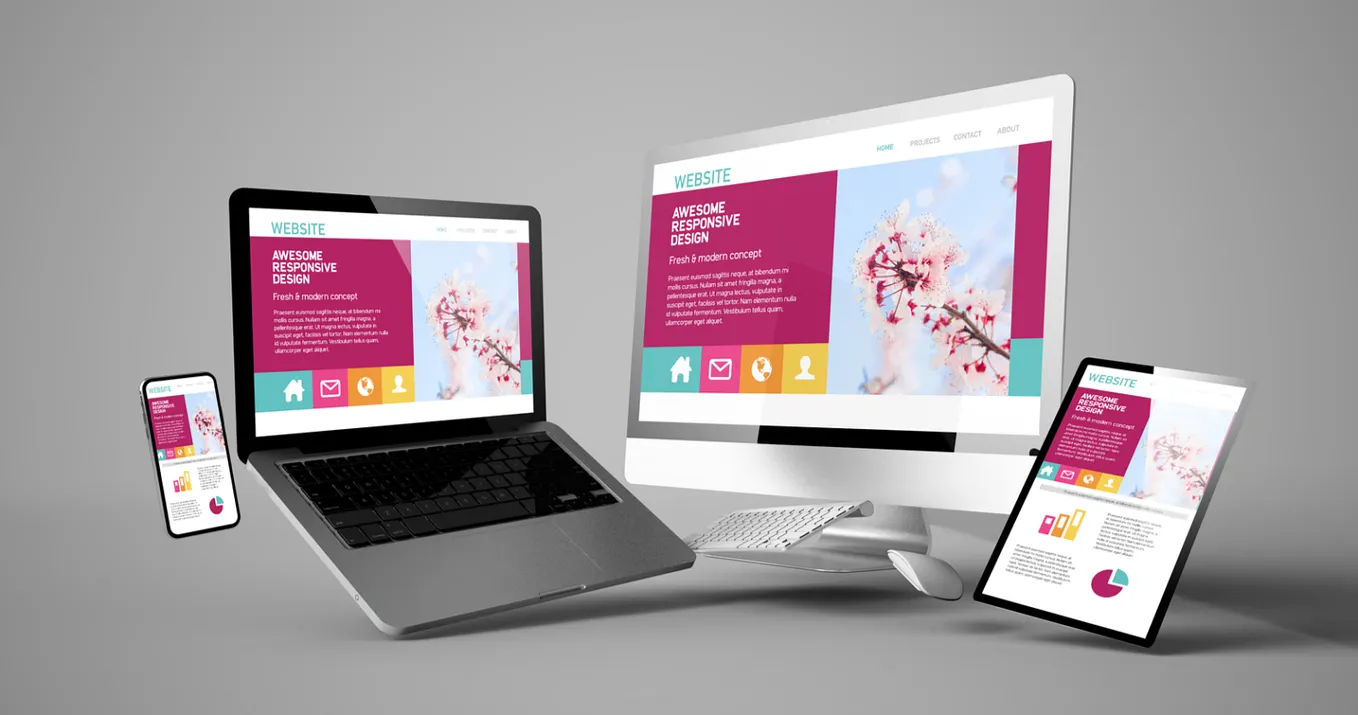
We are Reuss we are full-service Internet marketing and SEO company.

Our Gallery

contacts

92 Bowery St., New York, NY 10013, USA

reuss.seo@mail.com

+1 (800) 123 456 789

Category: WordPress Web Design Work

10 Easy Steps for How to Create a Website for My Business

By 2026, a business can no longer survive without its own website. This is essential to your success, establishing credibility, showing up on Google searches, and converting potential buyers to actual paying customers with the help of professional web design services for businesses. But the best part about creating a website for your business? It doesn’t require any special technology expertise or even any funding at all; it can be done by anyone in a week.

Why Every Business Needs a Website in 2026

how to create a website for my business

Let’s start with the question, “Why?” Indeed, there are many small business owners who aren’t sure whether it is necessary for them to build a website since they have already created their accounts on Facebook and Instagram. To put it briefly, the answer to that question is yes, absolutely.

Here’s an interesting statistic. According to various surveys, about 81% of people look for a company or product online before purchasing anything, which highlights the benefits of SEO for your business website. Thus, in case the customer hears about your business from a friend, they will immediately turn to search engines to learn more about it. If he doesn’t see any website there, he will most likely continue his search with a competing company having a website.

  • Businesses with a website

71%

But nearly half have poor traffic

  • Shoppers who research online first

81%

before buying from a business

  • Mobile searches globally

60%+

of all Google searches in 2026

  • WordPress market share

40%

of all websites on the internet

Social networking sites are ideal for fostering a community and conducting marketing, but you do not own them. You have no idea when the website will decide to modify the algorithm, limit your influence, or block your site altogether. When it comes to a website, on the other hand, you own the real estate. It’s the only place where you have absolute control over the entire package.

Apart from owning your digital property, a business website lends itself well to establishing credibility. The consumer expects a business to have one. A lack of such an asset may make you appear less trustworthy, even though you might offer superb products or services. In 2026, with search results based on artificial intelligence, visibility online will be more important than ever before, especially when supported by professional SEO services to improve search rankings.

Step 1: Define the Purpose and Goals of Your Website

how to create a website for my business

The mistake that most business people make when designing websites is not asking themselves the following question: “What do I want this website to achieve?”

Your website can be compared to a new employee. As an employer, before hiring an employee, you must first understand his or her role. Likewise, before choosing color schemes, designs, and other elements, it is crucial to understand the purpose of your website.

The most popular goals that business websites may have include:

  1. Generate leads through the capture of visitors’ contact information using forms.
  2. Sell your products/services via an e-commerce store.
  3. Display your portfolio or previous work to establish credibility.
  4. Supply information that allows people to locate you, your hours of operation, and what services you offer.
  5. Create an email list for marketing purposes.
  6. Attract visitors using blogging and search engine optimization (SEO) backed by a strong content marketing strategy.

After you have figured out what your goal is, you should consider your target audience. Who are they? What are their needs? What problems must be addressed by your business? All these things depend on your target audience. It determines what language you use, what images are used, and even what pages are built for your website.

The final stage is creating a website structure. For example, a simple business website usually requires 4-6 pages, such as Home page, About Us page, Services/Products page, Contacts page, and optional Blog page. A more complicated business may require other pages as well.

Step 2: Choose and Register a Domain Name
how to create a website for my business

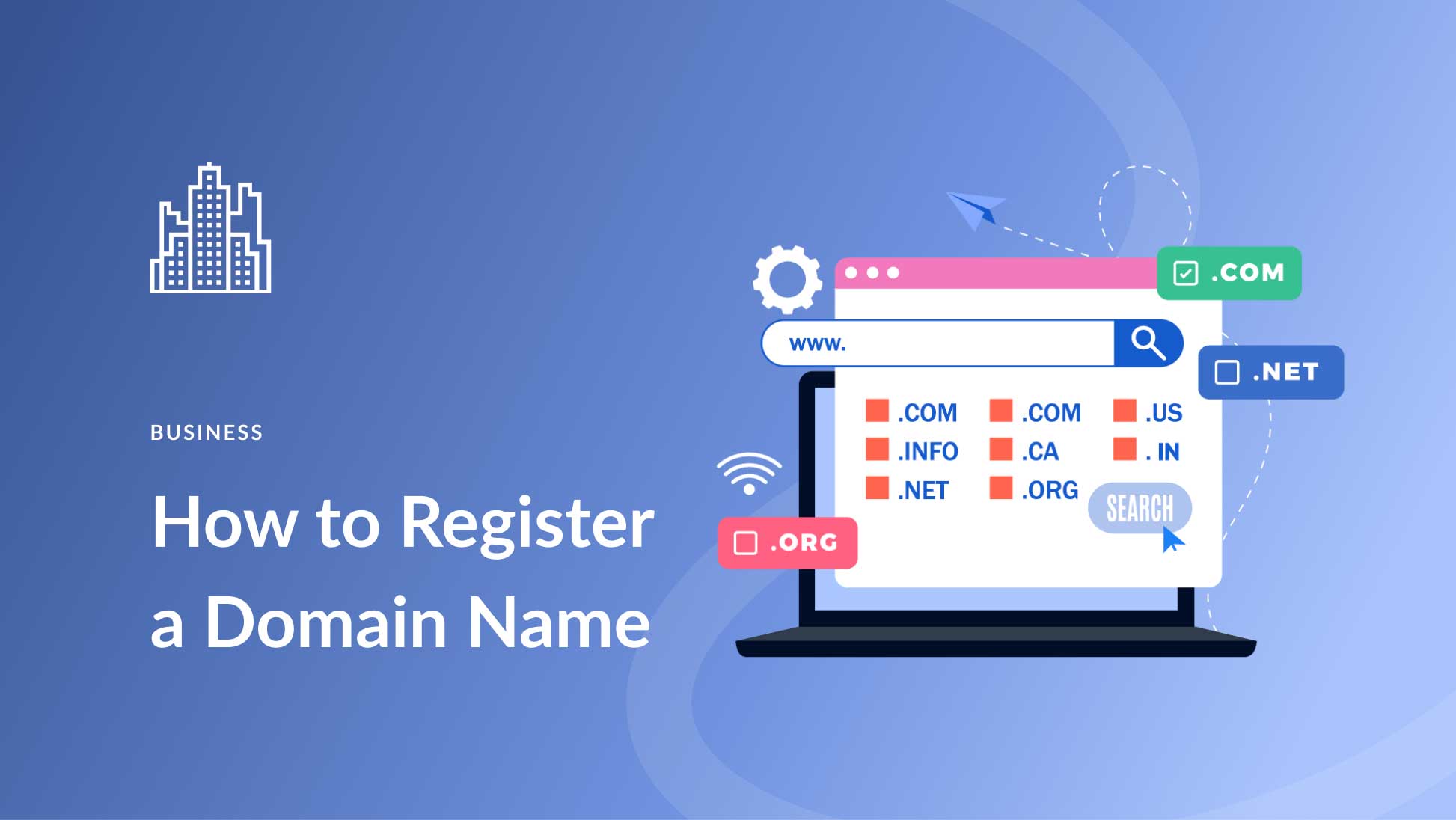
The ideal domain name should be short, catchy, and easy to remember. Try to keep it under 15 characters, if possible. Hyphens, numbers, and difficult spellings can create confusion, so avoid them. The business name is always the best choice to begin with. In case yourbusiness.com is already taken, you can consider yourbusinesskarachi.com or getyourbusiness.com.

A domain extension refers to the ending attached to the main name. The following information will help you understand the various extensions:

Extension Best For Trust Level
.com Any business — the gold standard Highest
.co Startups and modern brands High
.net Tech or network-related businesses High
.org Nonprofits and organizations High
.pk / .ae / .uk Local/regional businesses Good for local SEO

Try to register your domain using the .com extension if possible, since users will intuitively go for this one, as it commands the most credibility. The .co will be the next best option if the preferred .com cannot be used anymore.

Some of the domain registrars that you could consider for registration include Namecheap, GoDaddy, Google Domains, and Cloudflare, among other popular registrars. It will typically cost $10-$20 to register a .com per year, but this may vary from one registrar to another, depending on whether the renewal price increases significantly after the initial registration period. Also, most web hosts, such as Wix and Hostinger, provide a free domain name for your first year if you register annually.

Step 3: Choose the Right Web Hosting

how to create a website for my business

Your web hosting is the platform where your website files are stored and become available for everyone accessing your URL address. Imagine your website’s domain name as an address, while hosting can be seen as a house where your website files reside.

The hosting provider you choose will affect three crucial factors of your business website: speed, availability, and security. Slow loading speed not only drives people away from your website but also negatively affects its position in Google searches, which is why you should learn how to speed up your WordPress website. Uptime is a crucial factor that influences whether your website will work correctly – and whether your potential clients will even see it.

Types of Hosting Which Is Right for You?

Hosting Type Cost/Month Best For Performance
Shared Hosting $2–$10 New/small websites Good for low traffic
VPS Hosting $20–$80 Growing businesses Better speed & control
Managed WordPress $15–$50 WordPress sites Optimized performance
Dedicated Hosting $100–$400+ Large / enterprise sites Maximum performance
Cloud Hosting $10–$100 Scalable businesses Flexible and fast

Shared hosting is the ideal choice for small enterprises that are just beginning their online operations. Companies such as Hostinger ($2.99/month), Bluehost, and SiteGround provide reliable shared hosting services complete with an SSL certificate that you will require to ensure that your website’s padlock appears on the browser. As your website gains popularity, you may consider switching to VPS hosting. If you intend to create your website using a platform such as Wix or Squarespace, then hosting is provided through the monthly subscription fee.

Step 4: Pick the Best Website Builder or Platform
how to create a website for my business

This is probably one of the most crucial choices you will have to make as you start building your company’s website. Your choice will affect everything from the ease of building your website to its flexibility and how much freedom you will have. By 2026, your options will be greater than ever before, and we can now discuss the primary types of website builders available.

As their name suggests, drag-and-drop website builders provide you with the opportunity to build your website without any coding, by simply dragging and dropping various elements on the page. These are currently the quickest and easiest solutions, bundling everything into one subscription fee per month.

  • Best Overall

Wix:

Most flexible drag-and-drop builder with powerful AI tools, SEO features, and 2,700+ templates.

From $17/month

  • Squarespace

Beautiful design-first templates. Perfect for service businesses, portfolios, and creatives.

From $16/month

  • Hostinger Builder

Best budget option with AI-powered site creation. Ideal for startups and freelancers.

From $2.99/month

  • Shopify

The best choice if your primary goal is to sell products online with full eCommerce tools.

From $29/month

WordPress: The Most Powerful Alternative

More than 40% of all websites on the Internet use WordPress, making it a top choice for WordPress web design services. There are several reasons for its popularity. The platform allows you to create sites of practically any complexity, offers thousands of free templates, and provides full ownership of the domain name. In contrast to website builders, WordPress doesn’t tie users to any particular ecosystem.

The downside to using WordPress is a somewhat higher learning curve. You will need to purchase hosting, install the CMS, select and configure themes, and update them yourself. However, if your goal is to build a website with maximum control over its performance and unlimited scalability opportunities, WordPress will be an excellent solution. It works well together with page builder plugins such as Elementor or Divi.

AI Website Builders: The Easiest Way to Create a Website
In 2026, artificial intelligence has changed everything regarding website building for non-technical business owners. AI website builders such as Wix ADI allow you to write a brief description of your company’s mission, and the program creates a website with a fully developed design and relevant content almost instantly. Although it is necessary to further adapt and modify it, the result is ready in a few minutes.

Step 5: Choose a Professional Design Template
how to create a website for my business

After selecting the platform to use, you will choose a template to design your website. Think of a template as the skeleton of your website; it is the structure on which you build your website. It is a pre-built structure that gives your website its framework. Then, you add your content to it, including your branding and colors.

Choosing Your Template
When choosing your template, don’t just choose one that looks great. Rather, choose a template tailored for your business type. In most cases, the platform categorizes templates based on industries such as restaurants, law firms, photographers, retail, and consultants. This classification is done for a good reason. For instance, a template that was made specifically for a certain business will have all the necessary sections arranged in the correct manner.

Consider using templates that are simple, clutter-free, quick to load, easy to navigate, have testimonial sections, calls to action, and contact forms. Simple templates tend to outperform fancy templates, which reflects the importance of good website design for performance and conversions.

Mobile Compatibility is a Must-Have
More than 60% of web traffic generated in 2026 originates from mobile devices. Furthermore, Google employs a mobile-first indexing strategy, meaning it crawls and ranks the mobile version of your site, not the desktop version. Thus, if your website is aesthetically pleasing on a laptop yet dysfunctional on a phone, you will lose both your visitors and your Google rankings.

Before finalizing your choice, always test the selected template on a mobile device. All legitimate platforms provide mobile-compatible templates, but not all of them look equally good on smaller screens. It pays off to check.

Customize Colors, Fonts, and Your Brand Logo
After selecting a design template, make sure to customize it according to your needs. Firstly, change the template’s colors to those of your business branding. Secondly, select the appropriate font style that matches your company’s personality, from sleek and professional to friendly and welcoming. Lastly, insert your logo into the header section. Also, replace all default pictures with photographs depicting your company, your employees, or your products.

Step 6: Build the Essential Pages Your Business Website Needs
how to create a website for my business

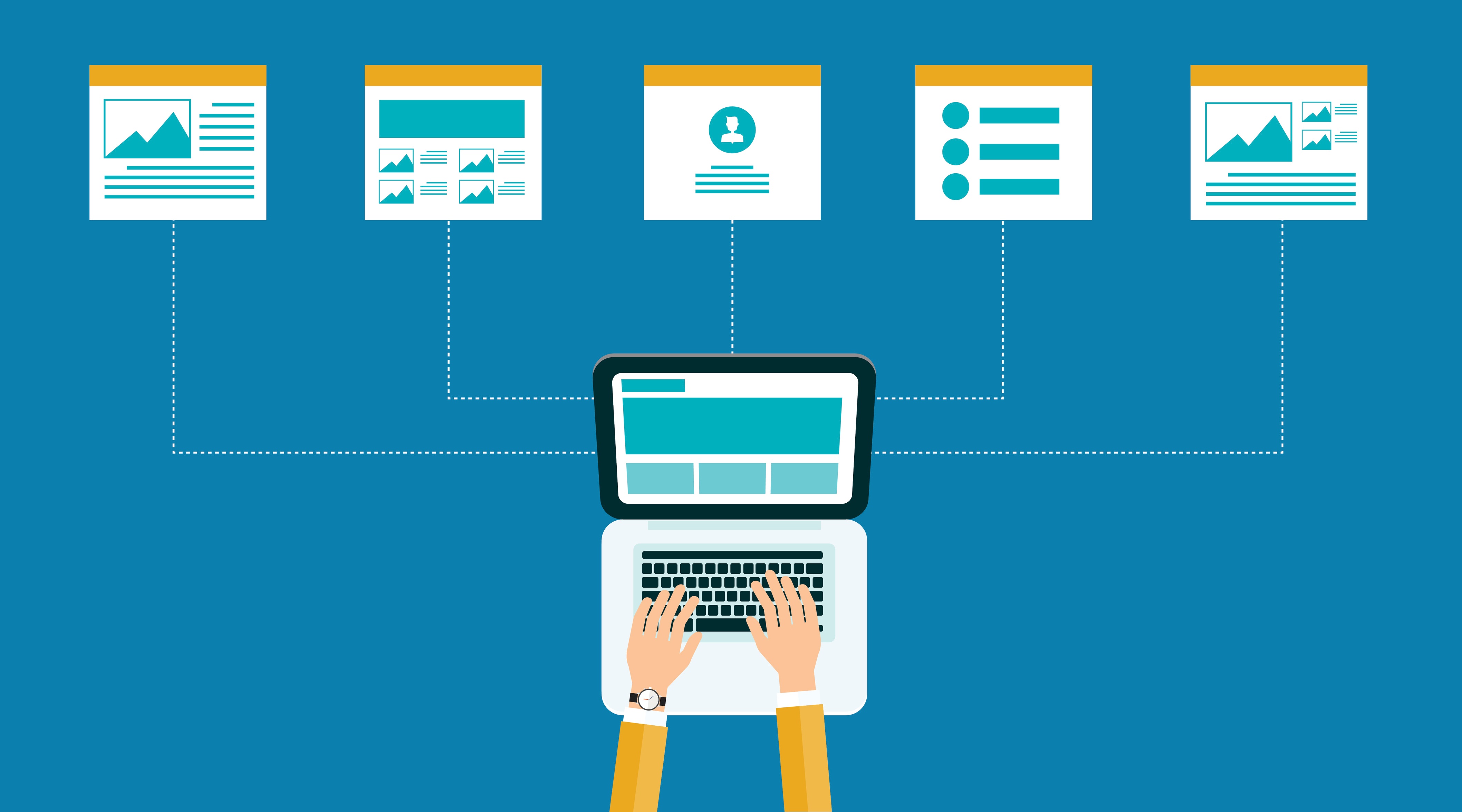
While every company site will be unique, there are certain pages that every website must contain. These are pages that a visitor will look for, and Google uses these pages to determine what your company is all about. Below is a breakdown of each page and its function.

  • Home Page

Your introduction. Make sure that you clearly identify yourself, what you provide, and what the person visiting needs to do next. The primary call-to-action should appear above the fold.

  • About Page

Your story. What motivated you to establish the business? Who is the founder? Here lies the trust factor. It will always pay off if you choose real pictures and write authentically.

  • Services / Products Page

List in detail the services you provide. List exactly what will be offered, who it is targeted at, and, most preferably, the cost of the same.

  • Contact Page

Ensure that your clients can easily reach out to you. Include your contact page, phone numbers, address, and even a Google Maps link, especially if you operate physically.

  • Blog (Optional)

The blog post is the strongest form of SEO you could have at your disposal when you consistently focus on writing quality blog posts. Regularly creating useful content with specific keywords will lead to sustained traffic.

  • Legal Pages

It is important to have both a Privacy Policy and Terms of Service page. In case you need emails or payments, you should have these pages by law.

The most important page is Your Home page. There must be three things that any visitor needs to understand when they land on this page; they are, what your business is about, who your business caters to, and what is expected from the visitor.

Step 7: Write Content That Converts Visitors into Customers
how to create a website for my business

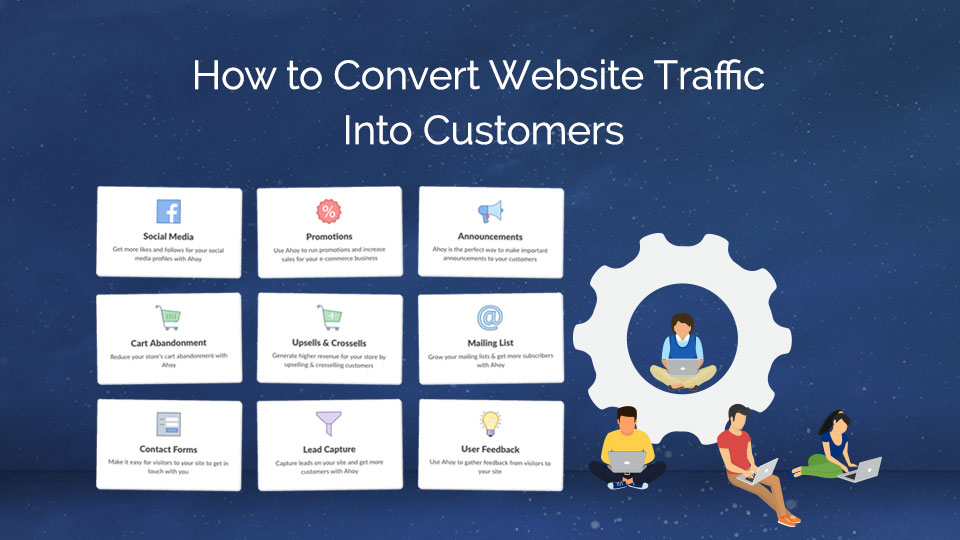
Beauty makes them stay. Content makes them do something. No matter how aesthetically pleasing a website is, if the message communicated by its copy does not appeal to the visitors, there will be no action taken from their side. Below are some tips on how to create compelling website content.

Write for Your Audience, Not for Yourself

The most frequent blunder in web copywriting is making the copy self-referential: speaking about one’s experience, one’s process, etc., instead of addressing the needs of the customer. People visit a website because they have a problem they would like to address. Each sentence on a website should focus on how the customer benefits, which is why many businesses invest in blog writing services for better conversions.

Wrong: “We are a ten-year-old company providing top-notch cleaning services with our professional team.”
Better: “Your house will be cleaned to perfection within three hours, or we will come for free!”

Use Clear Calls-to-Action (CTAs)

CTA is any button, hyperlink, or prompt telling the visitors what action they are expected to take. Every page of your website should contain at least one CTA. Otherwise, the visitors will read your content and leave your website because you didn’t offer them anything to do. Your CTA has to be specific and call users to action. For example, “Get a Free Quote,” “Book a Free Consultation,” “Shop Now,” and “Download the Guide” are effective CTAs. On the contrary, phrases like “Click Here” and “Learn More” are weak CTAs because they do not suggest an action.

Use High-Quality Images and Videos

Visual content on your website communicates with visitors in unique ways. Real pictures of your staff, products, working space, or services will convince them to purchase your products or services much faster than stock images used by many businesses today. Try as much as possible to hire professional photographers and capture several shots of your business. This is probably one of the most profitable investments you can make to improve the conversion rate of your website. Video content, such as an introductory video, will keep the traffic engaged and improve conversion rates.

Step 8: Optimize Your Website for Search Engines (SEO)

how to create a website for my business

Search Engine Optimization (SEO) refers to the process of optimizing your website for easy indexing, ranking, and promotion by Google. It is how your website will appear when people are searching for your product or service online. When done correctly, SEO provides you with a continuous stream of organic traffic year after year, especially when handled by professional SEO services. This is how you can get started.

Do Basic Keyword Research

Keywords are the specific terms and phrases used by your prospective clients, and understanding what SEO is helps you use them effectively. When they search for something on Google. Your goal is to determine which phrases are relevant and integrate them appropriately within your web pages. You can identify potential keywords using several free tools such as Google Keyword Planner, Ubersuggest, and Google Search Console. Ensure that your list of keywords is not only relevant but has reasonable monthly searches and low competition levels.

Optimize Your Page Titles and Meta Descriptions

Every webpage on your site has a title tag (clickable blue header in Google) and a meta description (text snippet underneath it). These elements are crucial not only for ranking but also for click-through rates. The title tag should contain your primary keyword and be less than 60 characters. The meta description needs to have 150-160 characters, include your keyword organically, and have a call-to-action at the end. It is what a prospective client will see in their search engine results – make it as appealing as possible.

Set Up Google Search Console and Google Analytics

The Google Search Console is a free service that lets you monitor the performance of your site within Google search. It provides data about keywords you rank for, the number of organic clicks, and technical errors identified by Google. Google Analytics monitors your traffic: visitors’ demographics, sources of traffic, behavior on-site, time spent on individual webpages, etc. They are both completely free services and mandatory tools. You need to set up Google Search Console and Google Analytics on the very first day. The data

Focus on Page Speed and Mobile Experience

Page speed and Core Web Vitals are two ranking factors used by Google that determine how fast your website will load and the performance quality of your webpage. A website that does not load quickly not only irritates visitors but can negatively impact your SEO efforts. Before uploading images on your website, make sure you optimize them (using tools such as TinyPNG or Squoosh), go for the fastest hosting services available, and try not to add any superfluous scripts or extensions on your webpages.

Step 9: Test Your Website Before You Launch

how to create a website for my business

Before hitting that publish button and letting everyone see your website, be sure to do some testing to ensure it works perfectly. Having broken links, typos, or an inoperable contact form on your website gives users a bad impression, and they won’t easily forget it. Here is a quick checklist you can follow before launching your website.

Technical Testing

  1. Click every link on all pages, making sure there are no broken links.
  2. Complete a test transaction for any payment system or booking form.
  3. Confirm that your contact form sends emails.
  4. Ensure every image displays without distortion or pixelation.
  5. Ensure that your SSL certificate works and that there is a lock icon in your browser.

Device and Browser Testing

  1. See your website on a computer, tablet, and smartphone to ensure proper responsive web design performance.
  2. Test across different browsers like Google Chrome, Apple Safari, Mozilla Firefox, and Microsoft Edge.
  3. Ensure all menus, buttons, and forms operate properly on touchscreen devices.
  4. Make sure there’s no text overlapping or getting cropped on smaller devices.

Content Review

  1. Review each page for any spelling or grammatical mistakes.
  2. Verify that your business name, contact number, and email address are consistently displayed correctly throughout the site.
  3. Ensure all pages have a call-to-action.
  4. Ensure that all pages have title and description tags completed.

Step 10: Launch and Promote Your Business Website

how to create a website for my business

Well done! Your website is now live. However, launching your website is only the beginning. A website that no one knows about isn’t going to do you much good. The following are ways to gain your first website visits and create your online presence right away.

Announce It Everywhere

Let’s begin with what you already know. Share your website details with all of your social media accounts or invest in social media marketing services for better reach, including your Facebook, Instagram, LinkedIn, and Twitter pages. Write a brief description of your website and its value proposition in your post. Email your current customers and contacts to inform them about your website. Make sure to add your website URL to your email signature and everywhere else it would be appropriate.

Set Up Google Business Profile

A Google Business Profile is an important component of any local SEO strategy, and you can learn more about it in this guide on Google My Business listings. This tool creates a free listing that allows you to see your company in Google Maps and other Google results. When someone asks Google “[Your services] near me,” a properly optimized Google Business Profile will allow you to be ranked on top of all other pages in Google. Be sure to set it up right away after creating your website.

Start Publishing Blog Content

Once you’ve created your blog, write posts that can be useful for people who will be looking for them. Articles that help solve problems, provide information about your services, or offer your expertise in your industry will attract people’s attention. Each post is an additional chance to be found in the top results on Google, reaching potential clients who don’t know about you yet.

Build Your First Backlinks

Backlinks refer to links that other sites have directed toward your website, which is a core part of off-page SEO services. Backlinks are among the top criteria that Google utilizes when determining the level of trustworthiness and credibility of your site. The process should begin with your company’s listings in free directories such as Yelp, Yellow Pages, and industry-specific directories. You can consider contacting other local businesses and complementary companies in order to arrange a cross-linking arrangement between the two.

  1. Promote your website on all your social media accounts on your launch day.
  2. Create a verified Google Business Profile as soon as you can.
  3. Make sure your website’s sitemap is submitted to Google Search Console for rapid indexing.
  4. Register your website in 5-10 relevant web directories.
  5. Send an email newsletter to your contacts.
  6. Post your first blog article or add new content to your website.
  7. Review Google Analytics stats once a week.
How Much Does a Website Cost? A Complete Pricing Guide for Businesses

The first question that companies tend to ask when deciding to create a website is the following: How much would a website cost? Understanding this is especially important when investing in professional web design services that align with your business goals. However, the answer to this question cannot be given by stating a particular sum, as the cost of creating a website may vary depending on several factors.

By the year 2026, websites will have become not just an option but a necessity for any organization, as they will serve as the digital face of your company. As a result, learning the possible expenses involved will help you plan and budget your money correctly, especially when combined with a strong SEO services strategy to maximize your website’s ROI. When discussing website costs, it should be noted that a website should not be perceived as something that is bought once but is rather a constantly evolving part of your business.

Average Cost of a Website in 2026

how much does a website cost

In 2026, the expenses incurred when creating a site will be determined by its features. However, it is estimated that the amount may vary anywhere between a few hundred dollars and tens of thousands of dollars.

Small Business Website Cost

For instance, a small business website may have only a handful of webpages, such as the homepage, about page, services page, and contact page. Small businesses usually develop such websites so as to create their presence on the web as well as to offer useful information to potential customers. The approximate cost of a small business website may range from $500 to $5,000, depending on whether you choose basic templates or professional solutions like WordPress web design services.

This means that the website may be developed at the low end using website builders or simple templates and at the high end through custom website design and optimization techniques like SEO.

eCommerce Website Cost

An e-commerce site is more complicated as it requires features like product listings, shopping carts, and payment systems, which can be built using expert ecommerce web design services. These extra capabilities contribute to higher development expenses and development time.

In most cases, an e-commerce site may cost anywhere from $2,000 to $20,000 or even more. The expense will depend on the number of goods, design modifications, and other third-party applications.

Custom Website Development Cost

Custom websites are developed from scratch to fulfill specific business needs, often requiring professional web design services and advanced functionality. Such projects are often characterized by unusual design, complex features, and user experience customization.

The starting price of developing custom websites begins from $5,000 and might be even higher than $50,000. This solution is obviously more costly, but it provides more opportunities to businesses with special needs.

Factors That Affect Website Cost

how much does a website cost

Design and UI/UX Costs

Website cost is greatly influenced by the design aspect. The cost of website creation through the use of a templated design will be low compared to designing UI/UX from scratch, which takes a lot of time and skill. Design not only concerns how good your website looks but also how it functions when used by visitors. A good design is a valuable asset for increasing efficiency of usage, decreasing bounce rates, and improving conversion rates.

Development Costs

Costs associated with development depend on complexity and technology, which is why businesses often rely on professional technical SEO services and development optimization. The more advanced features it has, the more expensive its development will be.

Also, the level of experience of the developers themselves plays a role. While hiring more experienced professionals can be a bit expensive, their work is usually more trustworthy and scalable.

Content Creation Costs

The content on a website is crucial and demands effort and time, which is why many businesses invest in professional blog writing services. Content may include not just text, but also graphics, images, and even videos.

Companies that build websites sometimes prefer to do everything on their own, whereas others seek professionals’ assistance. In addition, content plays an important role in SEO.

Maintenance and Hosting Costs

Website creation is simply the start, as maintaining the website is crucial in making sure that it runs without issues. The amount you will need to pay for the hosting service varies based on the hosting company you choose and how much performance you need. This includes updating your website, securing it, and optimizing its speed, among others.

Hidden Costs of Building a Website

how much does a website cost

Apart from these primary costs, there are many secondary costs, which many companies do not consider at all. They can be associated with such things as registration of the domain, premium plugins, third-party integration, and security measures. Additional marketing, analytics, and SEO also have their own price tags. The other very important factor to consider is time. Time spent on managing the website, keeping the content updated, and fixing any problems is always an important factor.

Website Builder vs Hiring a Developer

how much does a website cost

Whether to go with the website builder or choose the developer is based on one’s budget, objectives, and needs. The websites, such as Wix, Squarespace, or Shopify, will give you an easier and more cost-effective way out. These websites are suitable for those who have just started their business.

On the contrary, custom web development services offer full customization, especially when using expert web design services. It is recommended for those companies that want to create a professional website. The website builders will cost less than web developers; however, the latter give better results.

Cost vs Value – Why a Website Is an Investment

how much does a website cost

It is essential to realize that the creation of a website does not represent just expenditure but rather an investment in the future success of the business. An appropriately designed and optimized website will result in acquiring leads, increasing sales, and building brand awareness.

If the sole criterion used to make a decision about investing in the development of a website is the price tag associated with the process, there is a possibility of making suboptimal decisions, such as selecting the most affordable alternative without taking the quality into account. However, A top-notch website will eventually pay off through increased traffic and business growth, particularly when combined with strong content like what is a content marketing strategy.

What Is Front End Development? Everything You Need to Know


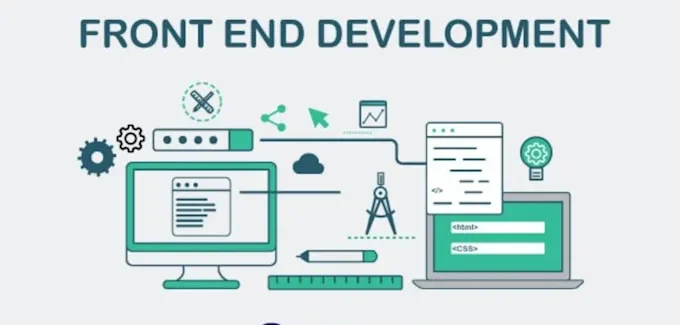
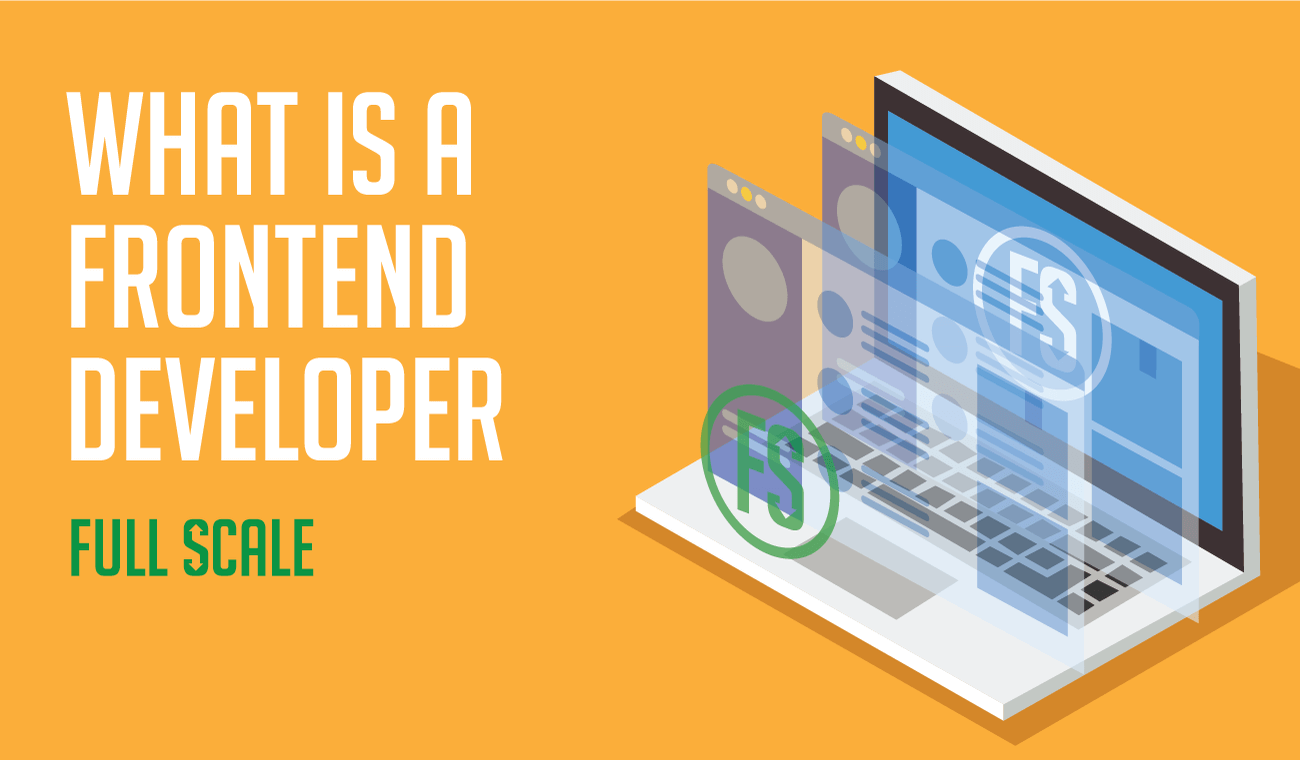
Front-end development is the aspect of web development that deals with everything on a website or web application that is visible to the user. Everything that is displayed on the screen is part of front-end development. Front-end development also plays a crucial role in search visibility. To understand how websites rank, you can explore our guide on what is SEO.

Front-end developers are responsible for taking the idea of what the website will look like, as designed by UI/UX designers, and turning it into an interactive screen experience. This includes writing code that determines how the website displays content on the screen, how the user navigates the website, and how different elements respond to user actions, such as clicking or scrolling. In simple terms, front-end development is about making websites look good and function well for the user.

Why Front-End Development Is Important

what is front end development

The front-end development is an important factor in creating the first impression in the user’s mind while visiting the website. If the front end is well designed and developed, the website looks professional and is easy to use, giving the user the impression that the website is reliable and trustworthy. However, if the front end is poorly designed, the user gets frustrated and leaves the website immediately.

User experience is considered to be the most important factor in modern-day web development, and the front end development plays an important role in this regard. The factors that make the user experience better are the high speed of the website, ease of use of the website, and the visual appearance of the website. All these factors not only keep the user engaged but also enhance the conversion rate.

Another important factor related to front-end development is search engine optimization (SEO). Another important factor related to front-end development is search engine optimization (SEO). Search engines consider factors like speed, responsiveness, and user engagement. You can also learn more about Google SEO ranking factors to understand how front-end impacts rankings.

If you’re looking to build a fast, responsive, and visually appealing website, our professional web design services can help you create a powerful online presence.

Key Technologies Used in Front-End Development

what is front end development

HTML (HyperText Markup Language)

HTML is the basic building block of every website. It is used for structuring the content on a web page, like headings, paragraphs, images, etc. HTML can be considered the “skeleton” of a website, where it specifies where a particular part of the website is located.

Without HTML, a website would be like an empty shell, and it would be impossible for a web browser to display content properly. HTML is also crucial for Search Engine Optimization, where it helps in understanding the content on a particular web page.

CSS (Cascading Style Sheets)

CSS is used for styling and arranging the look of a website. It allows developers to style HTML tags and elements, such as colors, fonts, spacing, and positioning, among others. Using CSS, a simple HTML page can be transformed into a beautiful and professional-looking interface.

CSS has also evolved to allow developers to build responsive websites, ensuring that a website has a perfect look and feel regardless of the screen size. This is a core part of modern design, often referred to as responsive web design principles, which ensure consistency across all devices. whether desktop, tablet, or smartphone, among others, in this digital age.

JavaScript

JavaScript is a programming language used for adding interactivity to websites. It allows developers to implement dynamic features like sliders, pop-ups, and form validation without requiring a page reload.

JavaScript makes websites more interactive and responsive to user actions. However, excessive scripts can slow down performance, so it’s important to optimize properly. Here are some ways to speed up your WordPress website and improve load times.

Popular Front-End Frameworks and Libraries

what is front end development

React

React is one of the most popular JavaScript libraries used to create user interfaces. It was created by Facebook and enables the creation of reusable components of code, which makes the development process quicker and more efficient. React is widely used to create dynamic and high-performance web applications.

React’s component-based structure enables the creation of clean and organized code, which is important in large-scale applications.

Angular

Angular is a powerful front-end framework developed by Google. It offers a complete solution for developing complex front-end web applications, including tools for routing, state management, and handling forms. The framework uses a structured approach, making it ideal for developing complex applications, especially for enterprise use.

Although the framework has a steeper learning curve compared to other front-end frameworks, it has scalability and performance advantages.

Vue.js

Vue.js is a progressive JavaScript framework that is simple and flexible in nature. It is easy to learn and can be considered a good platform for beginners and experts alike. One of the greatest advantages of using the Vue.js platform is the fact that it can be gradually integrated into the project, making it highly flexible in nature.

How to Become a Front-End Developer

what is front end development

Learn the Basics

The first step towards becoming a front-end developer is to get familiar with the fundamental technologies: HTML, CSS, and JavaScript. These three form the base of web development. Learning from these basics will give you a solid understanding of structure, design, and functionality.

Build Projects

Practical experience is crucial in becoming proficient in front-end development. Creating projects helps you apply your knowledge and gain practical experience. Basic projects like building a personal website or a landing page can help you develop your skills. As you advance, you can work on more complicated projects to further enrich your knowledge.

Learn Frameworks

Once you are comfortable with the basics, learning front-end frameworks such as React, Angular, or Vue will enable you to develop more complex applications. These are tools that will help streamline the development process. Selecting the correct framework will depend on what you want to achieve and what type of projects you are interested in.

Create a Portfolio

Having a strong portfolio is vital in showing off your skills to potential employers or clients. Your portfolio should have a variety of projects that show you are capable of creating user-friendly interfaces. Having a well-presented portfolio is important, as it shows not only your skills but also your creativity and attention to detail.

Tools Used in Front-End Development

what is front end development

Front-end developers use different tools to boost productivity and simplify development processes. For instance, code editors such as Visual Studio Code enable developers to create a comfortable environment for coding and managing code. On the other hand, version control tools such as Git enable developers to collaborate and track changes.

Browser developer tools enable developers to debug and inspect code directly in the browser, hence simplifying development processes. Build tools and package managers, such as Webpack and npm, enable developers to boost performance and manage different dependencies. These tools are important in ensuring development processes are efficient and organized. Similarly, using the right SEO tools can help improve your website’s visibility, performance, and ranking on search engines. To ensure your website performs at its best in search engines, consider investing in technical SEO services that optimize speed, structure, and indexing.

Front End vs Back End Development

what is front end development

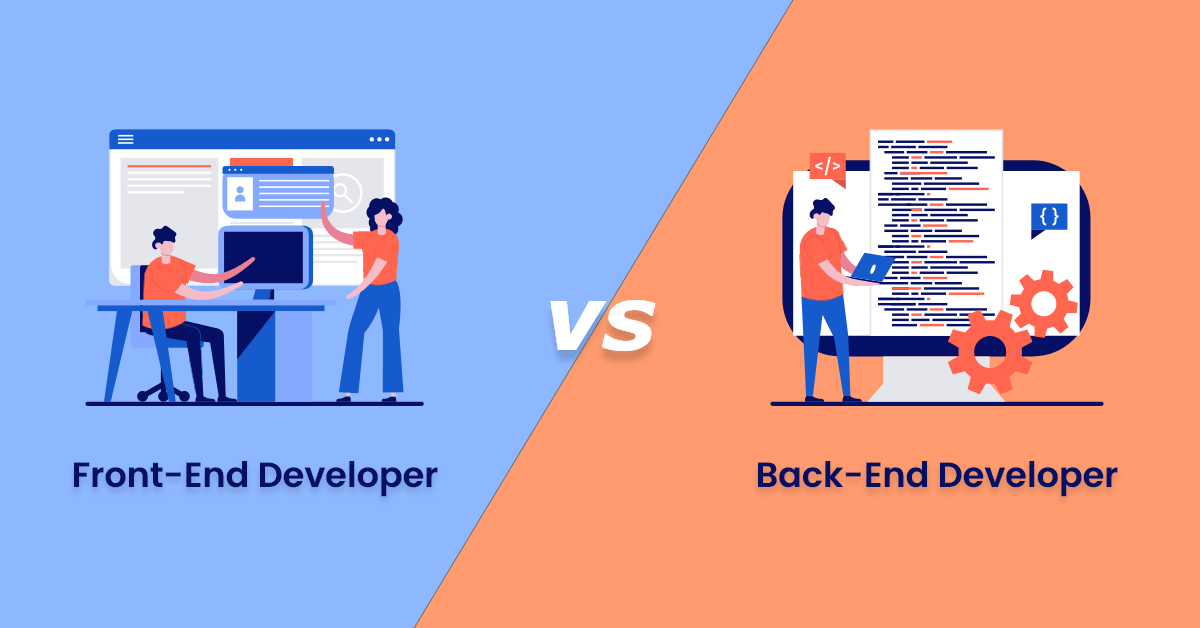
The front-end and back-end development are two important aspects of developing a website, and they play different roles in developing a website. Front-end development involves developing a user interface and a user experience, ensuring a nice look and feel for a website.

Back-end development, on the other hand, involves developing a server, a database, and an application, and includes activities such as data storage, request handling, and user management.

While front-end developers are concerned with what a user sees, a back-end developer works behind the scenes, ensuring everything works properly, and both aspects are important and play a vital role in developing a complete web application. If you’re building a business website, it’s important to combine both effectively. Here’s a helpful guide on websites for small businesses.

Future of Front-End Development

what is front end development

The future of front-end development is always changing, and this change comes from improvements in technology and changing user behavior. Some trends in front-end development, such as progressive web development, artificial intelligence, and performance optimization, are defining its future. These trends also align with evolving digital marketing trends that shape how businesses grow online.

As businesses continue to focus on digital, the need for front-end developers is also likely to increase. Keeping abreast of new technologies and constantly striving to improve your skills in front-end development will be important for your success in this field.

Website Redesign SEO: How to Redesign Your Site Without Losing Rankings

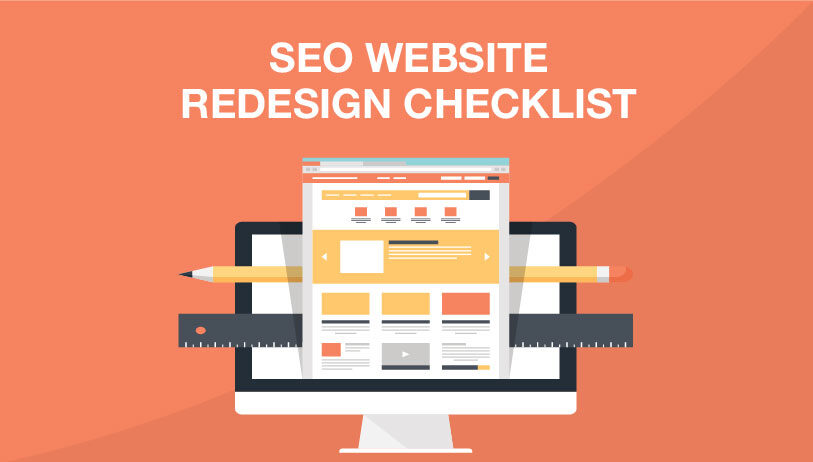
Website redesign SEO is the process of modifying a website’s design, structure, or functionality without compromising or even enhancing its search engine ranking. A website redesign may include changing the website’s layout, platform, user experience, or branding. However, if not done correctly from an SEO perspective, even a very attractive website redesign may cause a major drop in website traffic. To avoid this, it’s important to follow proven strategies used in professional SEO services.

Search engines such as Google use website URLs, content, internal links, and website structure to identify and rank your website.  This is why understanding the fundamentals of what is SEO is essential before making any major changes. However, if these are changed without a proper plan in place, search engines may not be able to identify your website, which may cause a dip in website rankings. Website redesign SEO helps to ensure that all important SEO components of a website are not compromised during a redesign and are actually enhanced for better performance.

Why SEO Matters in a Website Redesign

website redesign seo

SEO is an essential part of any website redesign process because your existing search engine rankings, traffic, and overall authority are important assets that should not be squandered. Indeed, most websites have spent considerable time and effort building their presence online and could either improve or ruin what is already built if not done correctly.

If SEO is considered an integral part of a website redesign process, it is essential in ensuring continuity. This is because it will ensure that your website is crawlable and indexable by search engines and that users will not be negatively impacted by the redesign. A website redesign is also a good opportunity to correct any existing problems, such as loading speeds. You can also improve performance by learning how to speed up your WordPress website. mobile usability, and overall content quality, which could also have a positive effect on a website’s search engine ranking. Not taking into account SEO during a website redesign could result in a website having broken links and losing existing keywords.

Common SEO Mistakes During Website Redesign

website redesign seo

Ignoring URL Structure Changes

One of the most common errors made during a website redesign is changing the URLs without proper planning. URLs are considered unique identifiers for your website pages. Search engines use URLs to index your website pages. When URLs are changed or deleted without proper guidance, it may lead to a loss of rankings and broken links.

The best solution is to maintain your existing URLs. However, if changes are required, proper documentation should be made so that search engines and visitors can access the correct pages. Proper planning is part of a strong technical SEO service strategy that ensures your site structure remains intact.

Missing Redirects

Failure to use redirects is another serious mistake that may negatively impact your SEO performance. When a webpage’s URL changes or is deleted, a 301 redirect should be used to direct visitors and search engines to the new location. Without redirects, visitors may be unable to access the webpage and may be shown a ‘404 not found’ error message. Search engines may also remove these pages from their index.

Correctly implemented redirects will help maintain link equity. This is a core part of both on-page SEO services and off-page SEO service strategies. which is the value transferred from one webpage to another. This will prevent your hard-earned rankings from being lost.

Losing Existing Content

It has also been noticed that some website owners delete or update content during the redesign of the website without considering the SEO benefits of the content. Sometimes, the content of the website might look outdated, but it could have been generating considerable traffic. Deleting such content can impact your overall visibility on the internet. It is essential to review the content before making any changes. Instead of deleting, you can update your content. Instead of removing content, businesses should focus on improving it with a strong blog writing service.

Poor Mobile Optimization

As most users access websites through mobile devices, mobile optimization is not optional anymore. If you launch your redesigned website without giving enough priority to mobile optimization, you might not achieve a good user experience. Your ranking will also suffer. Google follows mobile-first indexing. It means that your website is crawled by considering the mobile version first. It is very important to ensure that your redesigned website can function on all devices. A well-structured and responsive layout is a key part of a professional web designing service.

Pre-Redesign SEO Checklist

website redesign seo

Conduct a Full SEO Audit

It is vital to carry out a thorough SEO audit. This process is typically handled by experts offering technical SEO service. on your existing site before commencing any redesign process. This will help you identify what is already working well on your site and what needs improvement. This will give you vital information on your site, which will guide you in decision-making, hence avoiding any loss of vital information in the redesign process.

Backup Your Website

Backing up your website is a crucial step that should never be overlooked. It ensures that you have a complete copy of your existing site, including content, images, and data. In case anything goes wrong during the redesign, you can quickly restore your website without losing important information. This step provides peace of mind and acts as a safety net throughout the process.

Identify Top-Performing Pages

Not all pages on your site are equal in performance. Some pages on your site are responsible for most of your traffic. Knowing these pages will help you concentrate on them during the redesign of your site. Make sure these pages are not changed in terms of content, structure, or SEO. They play a significant role in maintaining your site’s performance. You can track these insights using the tools and strategies explained in Google SEO ranking.

Keyword Mapping

Keyword mapping is the process of mapping your targeted keywords to your website pages. It is useful in making sure your website pages are targeting the right keywords to avoid cannibalization. When redesigning your website, using keyword mapping can help you maintain consistency and ensure your website pages continue to rank for your targeted keywords.

SEO Best Practices During Website Redesign

website redesign seo

Maintain URL Structure (or Plan Redirects)

Maintaining your existing URLs is one of the most effective ways to defend your rankings. If changes are inevitable, a comprehensive redirect plan will help you guide users and search engines to the correct pages. This step will help you provide continuity and sustain your authority.

Optimize On-Page SEO

This is an ideal time to improve your on-page SEO. This includes optimizing your meta title, description, headings, and content to fit your latest keyword strategies. Optimizing your pages not only improves their performance but also improves the overall user experience.

Improve Site Speed

Page speed is a significant factor in search engine ranking and directly influences user experience as well. During a redesign, images can be optimized, redundant code can be minimized, and hosting can be optimized to improve page load time. For deeper insights, check this guide on website speed optimization.

Ensure Mobile Responsiveness

Having a mobile-friendly design is a crucial aspect of a modern website. This is because a mobile-friendly design ensures better usability and improved search engine ranking. This aligns with best practices in responsive web design. Testing a website on different devices can help you identify any problems associated with your website.

Post-Redesign SEO Checklist

website redesign seo

Test All Redirects

Once you have launched your redesigned website, it is important to test all the redirects to ensure that they are functioning correctly. This is because incorrect or improper redirects can lead to a loss of traffic. Testing can help in identifying and resolving problems.

Submit Updated Sitemap

Uploading a new version of your XML sitemap to various search engines will enable them to crawl your new pages faster. This step will ensure your newly designed site is recognized. It will help in faster indexing as well. Structured data can further enhance visibility, as explained in the introduction to structured data.

Monitor Rankings and Traffic

Monitoring your website’s performance after the redesign is a must. You may monitor your website’s keywords; regular tracking is essential to maintain your SEO ranking over time. organic traffic, and user behavior to assess if your redesign is negatively affecting your website. You may make the necessary changes and continue your SEO performance.

Fix Crawl Errors

Crawling errors can also happen when the search engine is not able to access some of the pages on your website. Errors can impact your ranking in a negative way. Crawling errors can be easily fixed by using tools such as Google Search Console.

How to Retain and Improve Rankings After Redesign

To maintain and even improve your rankings after the redesign, it is important to continue updating your content and building quality backlinks. This is a key part of off-page SEO service strategies. and enhancing the user experience. Analyzing your website can help you identify growth opportunities.

It is important to note the importance of consistency. By continuing to maintain quality SEO strategies and being responsive to changes in search engine algorithms, it is possible to not only maintain your current rankings but also increase your visibility. A successful redesign should not only maintain your current performance but also lay the groundwork for future growth.

When Should You Redesign Your Website?

The need to redesign a website arises when your existing website does not fulfill your business or user needs. This could be because your website design is old, you can explore more insights in importance of website designing not performing well, or because of a lack of conversions. Another reason to redesign your website could be that your website is not responsive or mobile-friendly, or that it loads too slowly.

However, it should be noted that a website redesign should not be taken lightly. While redesigning, it should not be forgotten that the redesign should be aligned with your website’s SEO and business needs. A website redesign, when executed correctly, can help improve your website and business.

Unlocking the Potential of Scottsdale Web Development with Kallen Media

In today’s digital age, having a robust online presence is essential for businesses of all sizes. For those located in Scottsdale, Arizona, the key to achieving this lies in exceptional web development services. This is where Kallen Media steps in, offering top-notch Scottsdale web development solutions tailored to meet the unique needs of local businesses.

Why Scottsdale Web Development Matters

Scottsdale is known for its thriving business community and vibrant economy. As more businesses move online, the competition intensifies, making it crucial for companies to stand out. A well-designed and functional website is no longer a luxury but a necessity. It serves as the first point of contact between a business and its potential customers, reflecting the brand’s identity and values.

The Kallen Media Advantage

Kallen Media specializes in providing comprehensive Scottsdale web development services that go beyond just creating aesthetically pleasing websites. Our team of expert developers and designers work collaboratively to build websites that are not only visually stunning but also highly functional and user-friendly.

Custom Web Development Solutions

At Kallen Media, we understand that each business is unique, with its own set of goals and challenges. Our Scottsdale web development services are fully customizable, ensuring that your website is tailored to meet your specific needs. Whether you require an e-commerce platform, a content management system, or a simple informational site, we have the expertise to deliver.

Responsive Design

In a mobile-first world, having a responsive website is critical. Our Scottsdale web development team ensures that your website looks and functions flawlessly on all devices, from desktops to smartphones. This not only enhances the user experience but also boosts your site’s search engine rankings, as Google favors mobile-friendly websites.

SEO-Friendly Development

A beautiful website is of little use if it can’t be found by potential customers. Kallen Media integrates SEO best practices into every stage of the web development process. This includes optimizing site structure, improving load speeds, and ensuring that your website is easily crawlable by search engines. Our goal is to help your business rank higher in search results, driving more organic traffic to your site.

E-Commerce Expertise

For businesses looking to sell products or services online, our Scottsdale web development team offers specialized e-commerce solutions. We build secure, scalable, and easy-to-manage online stores that provide a seamless shopping experience for your customers. From payment gateways to inventory management, we’ve got you covered.

Why Choose Kallen Media?

Choosing the right partner for your web development needs can make all the difference. Here’s why Kallen Media is the preferred choice for Scottsdale businesses:

  1. Local Expertise: We understand the Scottsdale market and what it takes for local businesses to succeed online.
  2. Experienced Team: Our team of developers, designers, and SEO experts bring years of experience and a wealth of knowledge to every project.
  3. Client-Centric Approach: We prioritize our clients’ needs and work closely with them to ensure their vision is realized.
  4. Proven Results: Our track record speaks for itself. We’ve helped numerous Scottsdale businesses achieve their online goals.

Conclusion

In the competitive Scottsdale business landscape, a professionally developed website is a powerful tool that can set you apart from the competition. At Kallen Media, we are dedicated to providing Scottsdale web development services that drive results. From custom solutions to responsive design and SEO integration, we have the skills and experience to help your business thrive online. Contact us today to learn more about how we can elevate your online presence.

A Comprehensive Guide to Glendale Web Design

Understanding Web Design in Glendale

In the ever-evolving digital landscape, a captivating and user-friendly website is no longer a luxury but an indispensable tool for any business or organization seeking to thrive. Glendale web design plays a pivotal role in establishing a strong online presence and attracting potential customers. This comprehensive guide will delve into the intricacies of Glendale web design, providing you with the knowledge and insights necessary to create a website that exceeds expectations.

Key Elements of a Successful Website

  • User Experience (UX): A user-friendly website is essential for a positive browsing experience. Web designers prioritize intuitive navigation, fast loading times, and responsive design to ensure that users can easily find the information they need.
  • Visual Appeal: First impressions matter. Web designers leverage high-quality images, videos, and graphics to create visually stunning websites that captivate the attention of potential customers.
  • Content Strategy: Compelling content is the backbone of any website. Web designers collaborate with clients to develop informative and engaging content that provides value to users and establishes the business as a thought leader.
  • Search Engine Optimization (SEO): Visibility in search engine results is crucial for driving traffic to your website. Web designers optimize websites for relevant keywords and implement SEO best practices to improve search engine rankings.
  • Mobile Optimization: With the majority of internet users accessing websites on their smartphones, mobile optimization is non-negotiable. Web designers create websites that adapt seamlessly to different screen sizes, ensuring a consistent user experience across all devices.

Benefits of Professional Web Design

  • Increased Brand Awareness: A professionally designed website acts as a powerful marketing tool, enhancing brand recognition and establishing a positive brand image.
  • Improved Lead Generation: A user-friendly website with compelling content encourages visitors to take desired actions, such as contacting the business or making a purchase.
  • Enhanced Customer Engagement: A well-designed website fosters interaction and engagement, building stronger relationships with customers and fostering loyalty.
  • Increased Sales and Revenue: By optimizing your website for conversions, you can increase sales and generate more revenue for your business.
  • Competitive Advantage: In a crowded online marketplace, a professionally designed website gives you an edge over competitors and helps you stand out from the crowd.

Choosing the Right Web Designer

Selecting the right web designer is crucial for the success of your website. Consider the following factors when making your decision:

  • Portfolio and Experience: Review the designer’s portfolio to assess their skills and experience in web design.
  • Industry Knowledge: Choose a designer who understands your industry and can create a website that aligns with your business goals.
  • Communication and Collaboration: Effective communication is essential for a successful project. Look for a designer who is responsive, collaborative, and willing to listen to your ideas.
  • Pricing and Value: Determine the designer’s pricing structure and ensure that it aligns with your budget. Consider the value they offer in terms of services, expertise, and support.

Conclusion

Web design is an investment in the future of your business. By partnering with a skilled and experienced web designer, you can create a website that meets the needs of your target audience, drives traffic, and achieves your business objectives. Embrace the power of a professionally designed website and unleash your digital potential.

What Does a Web Designer do?

The world of web development is complicated and can be confusing for untrained people. There are lots of different builders and hosting platforms. And once you have made all those decisions, you need a plan for long-term maintenance. These factors become even more incoherent when you try to figure out how to tailor your site toward your customer base. But every day, professionals design sites for companies that draw users in and convince them to buy products. So what does a web designer do?

The short answer is web developers connect users to companies who want to use the internet like a store. These programmers are the people who work to make sure you have something to do with that wifi! Today we will give you a top-to-bottom outline of a web design work and how they make beautiful landing pages! We cover the basics like front and back-end builders, hosting, link building, and so much more! Let’s start by discussing designers’ main web development tools and builders!


Front End vs. Back End


The easiest way to understand these two camps is to distinguish what users see. The client-side is things a user will notice or be able to click. Includes graphics, the buttons, and anything else that comes up when you click the link. But what does a web designer do for these different jobs? Client-side developments come from front-end builders training in fields like graphic design. Conversely, back-end builders are more robust in areas like coding and have experience with programming for connectivity-based languages.

Back-end development is unique because while people don’t see it, the effects are often more impactful. Programmers in this field use Languages like Java, C#, and python to connect various landing pages and elements. After they have the bare bones of a site, these teams begin optimizing and refining your website to ensure it’s fast and easy to use. The catch is making sure new optimizations don’t harm your user experience. Back-end coders spend a lot of time reducing load times and optimizing user functions.


Hosting


A host server houses the data which makes up your website. Host platforms can be hugely influential to how your site runs. Popular choices include Amazon, Hostinger, and Bluehost; Bluehost works great for new WordPress development, but Amazon is the best value overall. These aren’t the only services in the game, though! hundreds of smaller companies host websites. It’s also possible to host for yourself, but the costs of servers are expensive, and these days cloud-based hosting is standard.

Hosts are also responsible for the maintenance and security of these servers. This upkeep includes protection from physical threats like water damage or other corrupting forces and data maintenance like firewall upkeep. All this work ensures you can reach your secure website anywhere in the world! But now, you need to link all that data with landing pages!


Link Building


Now that you know how to make landing pages and where they live, we need to talk about links. Any time you go to a new part of a website, a link takes you there. These are essentially the only way people can find your pages, so web designers spend lots of time ensuring they are all connected. We call this process link building. A good web designer’s work will feel like a roller coaster with marked progression through a clear linear path. These websites connect with pages that lead to clearly defined destinations. But they don’t all have to be your site!

There are thousands of other websites, so link building can also take place externally! You can do this by providing a utility other designers can’t afford or don’t want to make, like a calculator or other open source tools. Or you could even do collaborative work that lives on both sites. But how are links prioritized?


Keywords and SEO


Search engines are the most common way people find sites, and optimization is an easy way to get their attention. Services like Google are open about ranking sites, so following these steps can help give your site exposure. In Web Design, we call this SEO, and it’s an ongoing process. SEO can only optimize around specific goals, and that’s where keywords come in.

Keywords are the direct search you want to rank. They can be short phrases or whole sentences, which will dramatically influence your optimization tools. These tags can also help you target people in particular areas. Using location tagging, web designers can make your website more appealing and familiar wherever you do business. After you have your target keywords, use the optimization practices we discussed to outshine other websites.


What Does a Web Designer Do?


That’s Everything you need to have a firm grasp on web design. We covered the basics by describing the different types of devs and the maintenance and storage hosts. Next, we moved on to link building, where we talked more about landing pages and how to make a website that does the work for you. Lastly, we discussed how users find content and what you can do to be the most attractive site on the internet! So what does a web designer do? We make your site! Learn more by contacting Kallen Media for our web designing services today.

Professional eCommerce Web Design

Transform Your Online Store with Professional eCommerce Design

For an e-commerce website, the design allows you to make a positive first impression. It directly impacts how much time users spend on a specific e-commerce store. However, a website is not only about how it looks. So what can you do? We recommend you look into professional eCommerce web design.

A website is your chance to demonstrate to users the value of products and keep customers interested in your brand. But people need a reason to visit a website, and the design can serve that purpose.

Despite the importance of online presence, just 64 percent of businesses in the United States had a website until recently. With each passing month, this figure continues to rise as more companies realize the value of having a solid e-commerce platform. The need for websites only grew with the emergence of covid. The popularity of online purchasing has exploded, and business owners can no longer ignore it.

That is precisely why it has become critical to understand how to create an e-commerce website to succeed in the e-commerce industry. So without further ado, let’s have a look at the most important things to think about while designing a unique e-commerce website:

Optimize Product Photos 

We have seen it all, from blurry photographs to gigantic image renderings and even sites with no product photos whatsoever. Do not go along with the crowd. Often well-reputed e-commerce designers use high-quality pictures on content pages. This practice will improve the performance of your web store page and the user experience of your clients.

The most crucial step in user experience improvements comes with images quality. You can leverage Adobe Photoshop for this job. However, this tool is on the expensive side. If you do not have a sufficient budget, you should stick to Affinity Photo and Luminary, as these two are less expensive options.

Incorporate Links To Your Social Profiles 

Social media is a marketing medium that no business can afford to overlook in this day and age because social media networks are home to an estimated 3.72 billion active users. That is about a quarter of the world’s population!

At a minimum, social media platforms allow potential customers to communicate with their peers. Internet users spend roughly 74 minutes on social media platforms, including Instagram and Facebook. These minutes are critical for your brand because they allow you to build genuine customer interactions and promote client loyalty.

As a result, you can use social media to grow your business’s following and communicate with your customers on a more personal level. Visitors will find it easier to follow you by adding links to your social profiles.

You can also enthrall your social media profiles with fantastic material and provide more customized customer service via direct messaging. Seasoned e-commerce web design companies follow the practice of adding your social media accounts to your website’s sidebar or header is a terrific method to promote them.

Create A Mobile-Friendly Design

Keep in mind that most people access your website on tablets and mobile devices rather than desktop computers. This level of engagement is why addressing your user experience from a mobile-first perspective can often increase conversions. Google provides a handy tool for determining whether or not your site is mobile-friendly.

According to a recent survey by Adobe, 38 percent of website browsing was through smartphones in the United States. At the same time, the percentage was even higher in the United Kingdom – 52 percent. The report suggested simplifying and optimizing the mobile experience, an essential acquisition measurement, and landing page performance to improve your website’s conversion. 

Show A Unique Value Proposition On The Website

E-commerce web design companies figured out that online users will not linger on a site for long periods. So make sure you give your customers the reasons they need to stay to enhance your engagement and conversion rate. To entice visitors to stay, you must present a compelling value proposition. A clear statement describing the benefits of your product and how it fulfills a need is known as a unique value proposition (UVP).

Value propositions do not necessarily have to be fancy to get the idea across. Consider what sets your company apart from the competition while developing your UVP. Then, compose your text based on the factors that will highlight the benefits of using your items. Furthermore, a UVP does not need to belong, which increases the likelihood of it going unread. Instead, aim to be as concise as possible, underlining the importance in only a few words. You can stick to a professional eCommerce web design plan if you follow all these steps!

Digitization and Web Designing Services

Exclusive Digitization and Web Designing Services

XXL

Digitalization has taken the world by storm. Because of this development where you can find everything with just one click, businesses need to be accessible. Websites have become essential to growing your business because most purchases are online, and the trends emphasize the value of having a website. That’s why Kallen Media’s digital marketing agency has developed strategic ideas of providing cost-effective Digitization and Web Designing Services. We are a top web development company providing services in the USA because we partner with well-known web designers and developers.

Our services include:

  • Templates
  • eCommerce websites
  • Tailor-made sites

We are a team of web designers who focus on inspiring web designs with soothing color, visuals, and high-quality layouts. Kallen Media’s web design consultants create responsive, SEO-friendly, and eye-catching web designs to capture more visitors. You can rely on us for a website design because we have a crew of experienced designers and innovators in our business. Moreover, we offer our clients a medium to express their brand via templated sites that we have data to back up!

Why Should You Choose Us?

Creativity can be challenging, but it’s our overall approach. We make practical efforts to put our clients’ ideas as our utmost priority and convey precise outcomes by conjoining creativity and technology. Our team knows that a website is the first interaction audience has with your brand or business. And our use of verified open-source platforms helps set you up for success! Our expert web designers strive to engage potential audiences towards your product or service.

What Will You do With Our Web Designing Platform?

Strong Online Branding:

 Add a unique logo or signature to your online branding with our visual web designs promising a unique and quick navigation layout.

Best Branding Solution:

With our tailor-made, unique, industry-specific designs, you can create a slot for your brand and make a quick connection with your target niche. This will eventually help you grow your online business.

Credible Look:

We will offer you some of the most perfected web designs with great visuals. Besides graphics, you will get professional features and an effortless browsing structure.

SEO-Friendly Coding:

We create the codes that deliver the best performance and allow your website to rank higher on search engine pages.

Personal Identity Approach:

We make custom web designs, layouts, and attractive templates to gain customers because these strategies will help businesses mature.

Kallen Media’s e-Commerce Web Designing Service:

Many manufacturers with various products need the best way to engage users. A complete eCommerce website can be the basis of your online business. And we will help develop your eCommerce portal, apps, and web designing to sell your products. ECommerce websites have transformed the way customers shop online and therefore changed the course of selling and marketing products. Our online shopping trends force businesses to find the most suitable eCommerce web development and design service for boosting sales and enhancing growth.

Our eCommerce web designing serves as a platform to present your products and services to customers. The services we provide undoubtedly get quick exposure because we need to meet customers’ demands. The eCommerce business has become the biggest market, and that is where the vital role of user-friendly eCommerce websites comes into play.

 Suppose you are a vast thriving corporation looking to develop a custom and well-branded eCommerce website. In that case, Kallen Media’s digital marketing and web designing agency are here to help you achieve the goal on a larger scale. We push the limits because we want to bring your ideas to life. Your project is run professionally from initial consulting implementation to development.

There is a wide choice of blogging templates out there that allow you to start a simple site that is entirely cost-effective. But only our eCommerce web designing service will help you flourish your business. We can help you engage more audiences as we have a team of professional developers.

What is Our Strategy for eCommerce Web Development?        

We work on a simple strategy:

  • Meeting and research
  • Build and design
  • Testing
  • SEO friendly
  • Launch

Besides these, Kallen Media’s web designing team also provides you with a glitch-free and smooth eCommerce website with clear navigations, a sleek structure with qualified prospects that land on your website, and a search engine for crawling. The most prevailing thing to check in an online environment is a company’s experience. Therefore, your whole business depends on website performance. We are one of the top-notch website development companies because we have website designing and development expertise.

So, if you need a glitch-free website and want to present your product uniquely, then check out our Digitization and Web Designing Services. We are here to help out.

Advantages of Professional Web Design

Benefits of Professional Web Design

Picture background

Having a professional web design isn’t just aesthetically pleasing! It has many other amazing benefits, which can help a business grow. Many organizations prefer to use cheap drag-and-drop website designs, but those designs don’t offer the same advantages as building a professional web design.

Read how you can get some amazing advantages through a professional design for your website.

1- Better SEO Ranking

In the continuously evolving world, it’s almost impossible to rank your website or page on Google without following proper SEO strategies. One of the ways to ensure that your website can rank better is through a professionally designed website.

Google often bases SEO rankings on user experience, where artificial intelligence bots mimic human behavior. If more people leave your website after finding it hard to use, Google will detect that behavior and automatically lower your website’s ranking. Visitors are more likely to stay on your site and visit it more often if it has an interactive, professional design, boosting your SEO ranking.

2- Boosts Revenue

Another huge benefit of having a professional web design is a major increase in revenue. An engaging, creative, and user-friendly website will attract more visitors and compel them to go through your services or products. These visitors can turn into potential permanent customers.

Having more customers will generate more sales and increase the annual revenue of your business. If you want to see a noticeable increase in sales, you should immediately invest in a professional web design.

3- Gives You an Advantage Over Your Competitors

With technology being incorporated into the business sector, around seventy-one percent of small businesses have a website. This percentage is a major upgrade from the records of 2018, where only fifty percent of small businesses had a website. Having so many competitors in the web world means that your website should have to stand out! But how can you do that?

Having a professional, crisp, and engaging web design would draw in more visitors to your website and help your business outshine among all the competitors. A website with modern web design trends and techniques, alongside strong content, can turn those one-time visitors into regular or potential customers. Better marketing techniques will give you a direct advantage over your competitors.

4- Creates a Brand Recognition

Have you noticed people recognizing brands from a simple logo or color scheme? This recognition happens due to clever web designs. Through a creative web design, you will portray your products most appealing features. To put it simply, you can tell the story of your brand through a professionally-designed website.

The logo you put on your website, the colors, and the images you use will create your brand recognition. If you design your website through drag-and-drop tools or hire an unprofessional web designer, your website might get an unattractive final look with clashing colors and logos. This will create a negative impression of your brand where customers will avoid visiting your website due to the horrible user experience.

5- Getting an Interactive User Experience

Visiting a website filled with too much information or images creates a negative user experience. On the other hand, creating a website with a simple layout and just the page title with some text would also bore the visitors.

By hiring a professional web designer or creating a professional web design yourself, you’ll get a website that is free from clutter. Professional web design would make your website fun and create customers.

6- Minimizes the Bounce Rate

In simple words, bounce rate is the term used to define the percentage of customers who leave your site and visit another instead of exploring your website in-depth. Therefore you always want a low bounce rate. According to a study, ninety-four percent of people decide not to explore a website further based on the design aspects.

The bounce rate on your website is inversely proportional to your website design. The more compelling and professional your web design is, the lower is your bounce rate. Having a professional web design makes a good impression on your visitors, and they will spend time exploring your site.


Hire an Affordable Website Design Service

Without a proper website design, your business is likely to generate less revenue and attract fewer people. However, making a professional website design can be more complicated than you imagine. Therefore, hiring a professional web designer is the best option for your business!

At Kallen Media, our business website design services can help your business flourish. We can assist you in converting potential clients to long-term customers.

Get In Touch
close slider

    Get In Touch