We are Reuss we are full-service Internet marketing and SEO company.

Our Gallery

contacts

92 Bowery St., New York, NY 10013, USA

reuss.seo@mail.com

+1 (800) 123 456 789

301 Redirects: The Complete Guide to Understanding and Using Them for SEO

From changing domain names to switching protocols, from updating the URL of a single blog post to moving entire sites from one URL to another, you’ve had more than a brush with 301 redirects at least once in your online life. And the chances are high that you might have messed up the SEO of your website without even knowing it because of them.

301 redirects are one of the most basic yet most misunderstood topics in both web development and SEO. Get it right, and you’re all set – you will be safe from search ranking penalties, you’ll retain link juice, and most importantly, your users won’t complain. Mess them up, however, and you could be headed for disaster: from lower rankings to lost traffic to reduced sales.

So, here is the complete guide covering all you need to know about 301 redirects – from understanding their purpose to learning the best practices and common pitfalls. Whether you’re a novice trying to get to grips with the basics of 301 redirects or a seasoned developer in need of an implementation reference point, you’re in luck.

Let’s dive in.

What Is a 301 Redirect? (Simple Explanation)

301 redirects

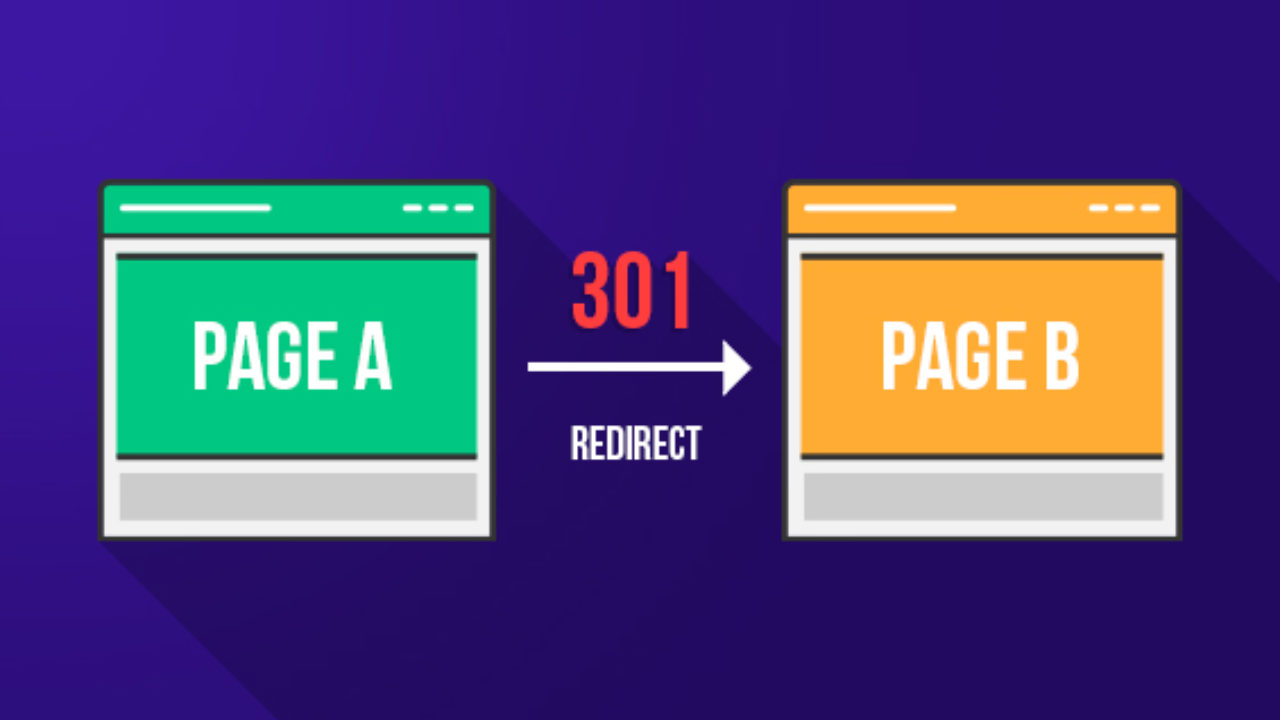
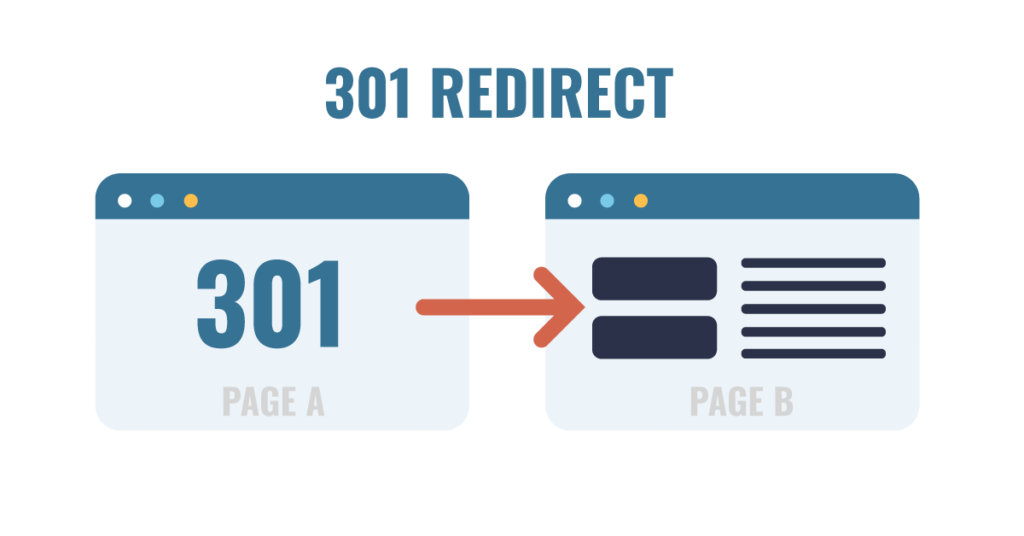
A 301 redirect means redirecting users and search engine spiders from an old URL of a webpage to the new one. In other words, a webpage will be informed of the **change of location through a 301 redirect, which automatically redirects visitors to the updated address of the website.

As a rule, an HTTP status code is associated with a specific redirect type. HTTP status codes are numeric combinations used by web servers for communication purposes. Some of them might be known to you, including 200 (OK), 301 (Moved Permanently), and 404 (Page Not Found). Thus, a 301 redirect is indicated by its status code.

Let us consider the concept of a 301 redirect from another perspective. Suppose you move to a new house. You should register a mail redirect, meaning your letters will be delivered not to your previous address but to the new one. There is no need to change your address in the sender’s contacts list because the mail will find you wherever you are. Similarly, if you use a **301 redirect**, all the visitors will be transferred from the outdated URL to the updated one.

301 Redirect vs. 302 Redirect: What’s the Difference?

This is one of the most prevalent sources of confusion when it comes to redirects, and you must understand it well, particularly in the realm of SEO.

In the case of a **301 redirect**, the browser and search engines are notified that the page has been permanently moved. They are asked to update their records and always point to the new URL going forward.

On the other hand, the message conveyed by a **302 redirect** is that the page is currently moved but that it will be back soon enough. As such, the search engine is instructed to keep the old URL in its database.

While this might seem like just another minor technical detail at first, there is actually an important implication in terms of SEO. In fact, the SEO value associated with the old URL would be transferred to the new URL by Google upon receiving the notification of a 301 redirect. The indexing would also be updated accordingly. However, the same could not be said of a 302 redirect.

The principle is very clear: if it is a permanent redirection, always choose 301. For temporary pages (e.g., a page under maintenance), you should use a 302 redirection. In any case, when you are in doubt, choose a 301 redirection.

Other Types of Redirects You Should Know About

In addition to 301 and 302, there are a couple of other redirect codes that can be helpful to know about:

303 (See Other): Used following the submission of a form to avoid resubmission upon refreshing. Of particular interest to developers rather than SEO professionals.

307 (Temporary Redirect): The HTTP/1.1 version of the 302 redirect code. It’s a temporary redirection code, just like 302.

308 (Permanent Redirect): This is a newer version of the 301 redirect code. Its function is essentially the same, but it uses the request method of the HTTP protocol.

Meta Refresh: Another kind of server-side redirect, but implemented through HTML coding. It is slower, provides a poor user experience, and is not considered to be part of SEO best practice. Avoid it.

In most cases when working with SEO and websites, you’ll only need to work with 301 redirects, although sometimes 302 redirects will come into play.

How Does a 301 Redirect Work? (Technical Breakdown)
301 redirects

Knowing about the concept of 301 redirects is a good starting point, but learning how the 301 redirect functionally operates will make you a more efficient developer and SEO specialist. We’ll explain the entire procedure in technical detail.

What Happens Behind the Scenes When a Redirect Fires

When a user types a URL into their browser or clicks a link, here is exactly what happens:

Step 1 — The Browser Sends a Request: The browser generates an HTTP request to the web server, which holds that URL. This request is basically a statement asking: Please provide me with the contents located at this particular location.

Step 2 — The Server Responds with a 301 Status Code: In case a 301 redirect exists for that particular URL, the web server will not respond with page content but rather with an HTTP response containing the status code 301, along with a Location header containing the new URL. The message conveyed through the response is: Page Moved Permanently. Here’s the new location.

Step 3 – The Browser Makes a Request to the New URL: After getting a response with the status code of 301, the browser requests the location pointed out by the header. It does this instantly, so much so that the user does not realize that something has taken place.

Step 4 – The Server Sends a Response with Content: The server sends a 200 OK response code and serves the content of the website at the redirected URL.

Step 5 – The Browser Caches the Redirect: Since a 301 redirect is permanent, the browser caches the URL. This implies that when a user tries to visit the website again using the original URL, the browser will use the cached information instead of requesting the server.

How Browsers and Search Engines Handle 301 Redirects

Browsers and search engines react to 301 redirects in different ways, and both methods need to be known.

The browser follows the 301 redirect automatically and behind the scenes. The user sees the destination URL displayed in the URL bar along with the destination web page; hence, the redirect is completely seamless for the user. As discussed earlier, browsers cache 301 redirects, making them even smoother when users visit again.

Googlebots, which are used by Google to crawl websites for indexing purposes, use 301 redirects in several ways:

  • It accesses the redirected page and crawls it instead
  • It transfers the accumulated link equity (PageRank) of the old page to the redirected one
  • It will update its index accordingly and replace the old URL with the new one in its index results
  • It stops indexing the old URL after it processes the 301 redirect

It is clear that this process, and especially the process of transferring link equity and updating indexes, is the reason why 301 redirects are so effective when it comes to SEO. They enable a seamless transition to a new URL without compromising your SEO efforts.

In addition, according to Google itself, it may take any period ranging from a few days to several weeks for the company to process a 301 redirect and update its index. In some cases, users might still see two versions of the same URL in their searches; this will not last long.

The way 301 redirects work is through the use of an HTTP status code that indicates to the browser or search engine that the site has been moved. The browser uses the redirect on its own and also caches it in order to be able to use it later. Search engines follow the redirect as well and pass on link equity.

Why 301 Redirects Are Critical for SEO
301 redirects

With your knowledge of 301 redirect concepts and operations now refreshed, the following section will explore why these redirects play such an important role in SEO optimization. This is where things begin to get serious.

How 301 Redirects Pass Link Equity (PageRank)

Every single webpage possesses link equity, which is also known as link juice or PageRank. Link equity refers to the SEO value that a webpage receives through the backlinks created on various sites. Webpages that are supported by many good backlinks possess high link equity, which is considered one of the main ranking factors for Google searches.

By not using a 301 redirect when changing the location of your webpage, you will automatically lose all the link equity that it has been accumulating since its launch. Every person clicking the old URL of your site will receive an error 404. This means that the search engine no longer sees the page. Therefore, all the backlinks pointing at the old URL become useless as the link equity vanishes.

By creating a 301 redirect, you preserve your link equity. Once you do this, Google transfers the link equity from the old URL of your page to the new one. In other words, your backlinks now work in favor of the new webpage. You can be sure about protecting your ranking positions.

According to Google, 301 redirects will pass “most of the link equity,” although it is possible that there is a slight reduction in link equity as opposed to hosting the same content at the source URL forever. The reason for this is that it is always good to redirect to the best possible destination page and not use chained redirects.

How 301 Redirects Affect Crawl Budget

Crawl Budget is the number of web pages that Google’s crawler will be able to crawl on your website in a certain period of time. For sites with thousands of pages, crawl budget becomes an important issue in SEO.

Each redirect requires a part of your crawl budget, since the crawler should make two requests: to the old page and to the new one. Although a couple of redirects have little effect on crawl budget, a site with hundreds of useless redirects, chain redirects, or endless redirects may cause significant issues in crawling.

That is why it is important not to have useless redirects; to redirect from old pages to their destination, to change the links on the internal pages to new URLs, and to remove all useless redirects.

The Broader SEO Impact of Proper Redirect Management

Apart from link equity and crawl budget, a well-managed 301 redirect can help your SEO in the following ways as well:

User Experience: A good redirect makes sure that any visitor accessing the previous URL via bookmark, old link, or search engine ends up at the correct destination without hitting any error pages. User experience is always a good ranking factor for Google.

No 404 Errors: Error pages like 404 are bad for user experience, waste crawl budget, and show that the website isn’t updated. Redirects can be used to avoid 404 errors when pages are moved or deleted.

Consolidation of Signals for Ranking: By using 301 redirects when having several different URLs pointing to the same content, all signals for ranking, such as backlinks and traffic, will be consolidated in one canonical URL.

When Should You Use a 301 Redirect?

301 redirects

When to apply a 301 redirect can be just as crucial as how to do it. Below are the most typical cases when it is necessary to apply a 301 redirect.

Moving or Deleting a Web Page

This is perhaps the most common scenario when it comes to setting up 301 redirects. Each time you move an existing page to a new URL, regardless of whether you’re reorganizing your website’s navigation, redesigning the URLs, or simply rearranging your pages, you need to redirect users from the old URL to the new one using a 301 redirect.

If you’re removing an existing page that has generated a lot of backlinks or had significant visits, you shouldn’t simply delete the page without any further action, as it will result in a 404 error. Instead, you should redirect the old page to an alternative page, which would be the next best thing, such as another page discussing the same topic or your homepage.

Changing Your Domain Name

A full-scale transition from an existing domain name to a brand new domain is possibly the most intricate and risky process in SEO optimization. If not done properly, the process might lead to severe losses of search engine positions.

As a matter of fact, to successfully perform the process in question, it is crucial to establish 301-redirects on each page of the old site, linking them to the corresponding page of the new one. It will indicate to Google that you are transferring your site to the new domain, which will allow you to pass your entire site’s authority and link equity gradually.

For instance:
– `olddomain.com/blog/post-title` → `newdomain.com/blog/post-title`
– `olddomain.com/about` → `newdomain.com/about`
– `olddomain.com/contact` → `newdomain.com/contact`

Instead of just sending all visitors to your new homepage, redirecting page-by-page will yield much better results.

Switching from HTTP to HTTPS

If your website is using HTTP and you intend to change to HTTPS (and you definitely should, since HTTPS is now one of the ranking factors used by Google and is necessary to build trust in the eyes of the users), then all your HTTP URLS must be directed to HTTPS using 301 redirects.

For instance:
– `http://www.yoursite.com` → `https://www.yoursite.com`
– `http://www.yoursite.com/page` → `https://www.yoursite.com/page`

Your web host and SSL provider will make this task very easy.

Merging Two Websites Into One

In case the merger involves joining two independent websites into a single one, regardless of whether the merger happens due to a buyout process or content integration, then 301 redirects become a vital component in maintaining the search engine optimization efforts from both domains.

Link all pages from the website undergoing the merger to similar pages of the main website. In the absence of such similarity, make use of the best-matching category/topic of the main website.

Fixing Duplicate Content Issues

Duplicate content refers to situations where the same content appears at different URLs, confusing search engines. When you use duplicate content, Google does not apply the full strength of its ranking power to the one URL but splits the ranking power among the duplicate URLs.

Some common sources of duplicate content are:
– `www.yoursite.com` and `yoursite.com` (either with or without “www”)
– `http://` and `https://` URLs of the same page
– URLs both with and without a trailing slash (e.g., `/page` vs. `/page/`)
– Pages with paginated URLs (e.g., `/page/1`, `/page/2`)

However, 301 redirects can help address many cases of duplicate content by making sure that only one version of the URL gets access, with all others being redirected to it.

Redirecting www to Non-www (or Vice Versa)

Your site must always be accessed through either `www.yoursite.com` or `yoursite.com`. Not both. When both versions can be accessed without redirection, Google will treat the two as separate sites with duplicated content, thereby splitting the link equity of your site and possibly reducing its ranking.

Choose which site name you will utilize as your canonical domain (many sites nowadays choose non-www). Then set up a 301 permanent redirect from your other site name to your preferred site. Here’s an example:
– `www.yoursite.com` redirects to `yoursite.com` (assuming you choose non-www)

How to Implement a 301 Redirect (Step-by-Step)

301 redirects

Now let’s get practical. How you implement a 301 redirect depends on your web server, platform, or programming language. Below are step-by-step instructions for the most common setups.

301 Redirect in .htaccess (Apache Servers)

.htaccess is a configuration file that is utilized by Apache Web Servers, which are the most commonly used servers for shared hosting services. One of the most effective and versatile tools for setting up 301 redirects is the .htaccess file.

To insert a 301 redirect within the .htaccess file, you will need to open it using the FTP account or through the file management section of the hosting control panel. The .htaccess file is usually situated in the root directory of your website, i.e., in the same folder where your index.php or index.html files are placed.

Redirecting a single page
Apache
Redirect 301 /old-page/ https://www.yoursite.com/new-page/<br />

Redirecting the entire old domain to the new domain
Apache
RewriteEngine On
RewriteCond %{HTTP_HOST} ^olddomain\.com$ [OR] RewriteCond %{HTTP_HOST} ^www\.olddomain\.com$
RewriteRule ^(.*)$ https://www.newdomain.com/$1 [R=301,L]<br />

Redirecting HTTP traffic to HTTPS
Apache
RewriteEngine On
RewriteCond %{HTTPS} off
RewriteRule ^(.*)$ https://%{HTTP_HOST}%{REQUEST_URI} [R=301,L]<br />

Redirecting traffic from ‘www’ to ‘non-www.<br />Apache
RewriteEngine On
RewriteCond %{HTTP_HOST} ^www\.yoursite\.com$ [NC]

301 Redirect in Nginx

Another popular web server is Nginx, which is frequently used on websites with heavy traffic and for VPS hosting purposes. To redirect pages within Nginx, you have to configure redirects inside the server section of your Nginx configuration file (located under `/etc/nginx/sites-available/yoursite.conf`).

Single-page redirection:
“`nginx
server {
listen 80;
server_name yoursite.com;
return 301 https://yoursite.com/new-page/;
}
“`

HTTP to HTTPS redirect:
“`nginx
server {
listen 80;
server_name yoursite.com www.yoursite.com;
return 301 https://yoursite.com$request_uri;
}
“`

www to non-www redirect:
“`nginx
server {
listen 443 ssl;
server_name www.yoursite.com;
return 301 https://yoursite.com$request_uri;
}
“`

After editing your Nginx configuration file,

301 Redirect in WordPress (Plugins and Manual Methods)

WordPress is currently the most common content management system out there, and luckily enough, setting up 301 redirects within WordPress doesn’t require any programming skills whatsoever.

Using Plugins: (Recommended for Most Users)

The simplest way to perform 301 redirects in WordPress is through a plugin named Redirection (provided by John Godley). The tool is completely free and user-friendly, allowing you to create, manage, and monitor all of your 301 redirects.

To create 301 redirects using Redirection:
1. Download and activate the Redirection plugin from the plugin repository
2. Go to Tools → Redirection inside your WordPress admin panel
3. Fill the source URL field with your old address
4. Provide the target address in the other field
5. Ensure that the Redirect Type is selected as 301 – Moved Permanently
6. Click the “Add Redirect” button at the bottom of the page

Other notable plugins that allow you to create 301 redirects include Rank Math and Yoast SEO Premium, both containing the option for easy redirect management.

Manual Setup via .htaccess

You can always create your 301 redirects manually by adding them to your `.htaccess` file, as described in the previous paragraph.

301 Redirect in Shopify

The URL Redirect Tool of Shopify allows shop owners to perform their redirection process easily.

Steps to Create a Redirect in Shopify:
1. Login into the Shopify admin panel.
2. Go to Online Store → Navigation.
3. Click on URL Redirects.
4. Click on the Create URL Redirect option.
5. In the “Redirect from” section, fill out the old URL path.
6. In the “Redirect to” section, put the new URL path.
7. Finally, click the Save Redirect button.

It is good to know that all redirects created in Shopify automatically become 301 redirects.

Note regarding Shopify: It is important to know that in Shopify, redirects for URLs that contain active pages cannot be made. If you wish to redirect an existing page to another URL, you must unpublish it.

For performing redirects in Shopify on a larger scale, that is, hundreds or even thousands of redirects, one should perform them in bulk by importing redirects via CSV files in the URL Redirects section.

301 Redirect Using PHP

For developers who have a website that uses PHP for coding, a solution to achieve a redirection would be to use the PHP header() command. To utilize this particular command, one needs to write it at the very beginning of the code, i.e., before any HTML tags.

PHP 301 redirection:
“`php
<?php
header(“HTTP/1.1 301 Moved Permanently”);
header(“Location: https://www.yoursite.com/new-page/”);
exit();
?>
“`

PHP 301 redirect based on current URL:
“`php
<?php
$newUrl = “https://www.newdomain.com” . $_SERVER[‘REQUEST_URI’];
header(“HTTP/1.1 301 Moved Permanently”);
header(“Location: ” . $newUrl);
exit();
?>
“`

It is important to include the exit() function after writing the headers, since it stops PHP from continuing execution further after performing a redirection.

301 Redirect Using JavaScript (and Why to Avoid It)

It is technically possible to implement a redirect using JavaScript:

“`JavaScript
// JavaScript redirect (NOT recommended for SEO)
window.location.replace(“https://www.yoursite.com/new-page/”);
“`

But, on the other hand,  JavaScript redirects should not be used in SEO practice, if possible. Here’s why:

The search engine might fail to follow the JavaScript redirect: Even though Google has become much better at rendering JavaScript pages, it still does not do this 100% perfectly. The result may be a situation where the search engine will index the old page, rather than redirecting to the correct one, thus preventing link equity from being transferred.

Delayed process: JavaScript works after the page loads, and there’ll always be a fraction of a second before a JavaScript redirect kicks in, during which a user will see the old page. Obviously, such an experience won’t be the best for the user.

Lack of a status code: A JavaScript redirect doesn’t have an HTTP status code that could signal the search engine about the type of redirect (whether temporary or permanent).

Use server-side redirections whenever possible and use JavaScript redirects only if you have no other choice.

Common 301 Redirect Mistakes and How to Avoid Them
301 redirects

Even experts at development and SEO have fallen victim to redirects gone wrong. They are silent killers of your SEO efforts, can hurt your website speed, and even baffle search engines. This article highlights the most common blunders in redirects and how you can easily avoid them.

Using 302 Instead of 301 for Permanent Moves

It is by far the most common type of redirection error, and also one of the most harmful. By using 302 (temporary) when the page in question has been permanently redirected, you ensure that Google will keep its indexation on the old URL and that no equity will be transferred to the new URL. You may have problems with ranking, as the SEO power remains on the old URL.

What should you do to avoid that: Always ask yourself before using a redirection: Is it a permanent move or a temporary one? Permanent -> 301. Otherwise, consider using 302 if you are willing to change back later.

Creating Redirect Chains and Loops

A redirect chain happens when a URL redirects to another URL that then redirects to yet another URL, forming a chain of redirects before landing on the final destination. An example would be URL A -> URL B -> URL C -> Final Destination.

There are various negative effects associated with having a chain of redirects. First of all, they affect page speed (with each extra step being added to the redirection chain, latency is incurred). Secondly, they result in less link juice being passed from one URL to another. Finally, they reduce crawl budget and increase the number of requests required for crawling a particular URL.

A redirect loop can occur when a URL is redirected in such a way that it ends up sending a user or a bot right back to where it started (for example, URL A -> URL B -> URL A -> etc.).

How to prevent it: Routinely conduct audits of your redirects, and make sure that the redirections are updated such that the original URLs link directly to their destinations. In cases where URL A was pointing to URL B, and URL B was then redirected to URL C, redirect URL A to URL C directly.

Redirecting Everything to the Homepage

Sometimes, in the process of organizing a website and transferring domains, there is an attempt to take the easy way out and simply redirect all old URLs to the homepage. Such an approach is called the “redirect to homepage” or “soft 404” technique – and Google strongly dislikes it.

According to Google, directing one product page or article URL to the homepage is not considered a valid redirect. In Google’s opinion, such actions are soft 404s – pages that show a 200 or 301 response, but do not serve any useful information. Due to this reason, the search engine will probably not transfer link equity, and will exclude such redirects from indexing at all.

How to avoid it: Redirect every single old URL to its most relevant counterpart. Make up the list that contains pairs of old and new URLs. Only redirect to the homepage as a final solution if you have no better alternative.

Forgetting to Update Internal Links

This, however, does not mean that your work ends here. If your internal links, which are the links on your website that connect different web pages on your website together, are still linking to old URLs, you will be creating additional redirects for each internal user journey made on your website.

These internal redirects do not lead to broken pages, but they do slow down your website, consume more crawling power, and reduce link equity slightly. This means that a well-managed website must have its internal links directing to the correct final URL of a web page.

How to avoid it: Once you have set up the necessary redirect rules, you can check your internal links using a tool such as Screaming Frog, Ahrefs, or Semrush to find out all the links that need updating to point towards the new destination URL.

Not Testing Your Redirects After Implementation

Most of the redirect errors that you make remain unnoticed simply because they are not tested after implementation. Whether it is a tiny spelling mistake in the URL, lack of a trailing slash, or a misconfiguration, such errors often result in silent redirects that generate 404s, incorrect destinations, and redirect loops without you ever knowing about it.

How to avoid it: It is vital to test all redirects immediately after their implementation, using a tool like:
Redirect Checker (redirect-checker.org) – free online redirect checker that tests redirects individually
Screaming Frog SEO Spider – a website crawler that highlights all redirect issues
httpstatus.io – a website check tool that verifies HTTP status codes and detects redirect chains
Google Search Console – a platform that detects crawl errors and coverage issues related to redirects

Test the redirects as well as the HTTP status codes they generate (should it be a 301 or 302?).
12 Easy Steps: How to Get More Subscribers on YouTube

Ever felt frustrated staring at your YouTube subscription numbers and wondering why they never increase? Well, you’re far from alone! Every day, millions of videos are uploaded to YouTube, making it tough to make yourself stand out. However, here’s the thing: becoming popular on YouTube isn’t a game of chance; it requires a methodical approach. If you’re serious about scaling your channel, working with a professional YouTube marketing strategy can accelerate your growth.

In this comprehensive guide, we’ll walk you through precisely how you can grow your YouTube channel by getting more subscriptions. From optimizing your channel for success to learning all there is to know about YouTube SEO and creating compelling thumbnails, we’ve got it all covered.

1. Why YouTube Subscribers Matter More Than You Think

how to get more subscribers on youtube

Before diving into the tips for gaining more YouTube subscribers, it is essential to comprehend the significance of subscribing.
It is a common mistake for many content creators to focus on the number of views. However, in actuality, subscribers are the basis of any successful YouTube channel.

How Subscribers Affect Your YouTube Algorithm Ranking

The YouTube algorithm is programmed to recommend videos to viewers who are most likely to watch and enjoy those videos. By subscribing to your channel, the viewer is saying, in essence, “I like this creator. Please give me more of his/her/their content.”
Each time you post a new video, you receive notifications from your subscribers and, chances are, many of them will actually watch your video during the first few hours of posting. And since this initial wave of views and watch time signals to the algorithm just how great your video really is, it starts pushing your video out to other viewers – not only your subscribers but also non-subscribers.
In conclusion, the number of your loyal subscribers determines how well your videos will perform in terms of algorithm performance. This is why many creators invest in professional SEO services to improve visibility and rankings.

Subscribers vs. Views: What Actually Grows Your Channel

Views can come and go. A video can go viral and bring in a million views overnight — but if those viewers don’t subscribe, your channel will stay flat once the buzz dies down. Subscribers, on the other hand, are repeat visitors. They come back for every video, engage consistently, and build the kind of stable, growing audience that attracts brand deals, partnerships, and long-term success.

Subscribers also help you hit important YouTube milestones. You need 500 subscribers to unlock Community Posts, and 1,000 subscribers to qualify for the YouTube Partner Program — which lets you monetize your content with ads.

Bottom line: Subscribers are not just a vanity metric. They are the engine that powers your entire YouTube channel.

2. Optimize Your YouTube Channel Before Anything Else

how to get more subscribers on youtube

Before you upload your next video, stop and consider the entire scope of your YouTube channel. The channel page acts as a storefront, and if that storefront isn’t compelling enough to grab visitors’ attention and convince them to subscribe, then it won’t do its job right.
Follow these tips to maximize the performance of all aspects of your channel.

How to Write a Keyword-Rich Channel Description

Description is one of the most underutilized SEO tools available on YouTube. Your channel description is what describes what your channel is all about, not only to your viewers but to the YouTube algorithm as well.
Create a channel description that highlights the kind of videos you make, for whom, and how viewing your videos can help them gain something by subscribing to your channel. For instance, if your niche includes personal finance, use terms such as “tips for personal finance,” “advice for budgeting,” and “ways to save money” in the channel description.

Choosing the Right Channel Name and Profile Picture

Your channel title should be memorable, easily spellable, and preferably include your niche. A well-optimized name increases your chances of appearing in search, just like strong SEO ranking strategies improve visibility on Google. Do not choose vague titles that do not give any information about your channel. You can use your name for a personal brand or for a brand channel. Your profile picture is crucial because it shows up beside each of your comments and on your channel page.
It should also appear in search results and wherever else you post online. For a personal brand, use a high-resolution picture of your face. For a brand channel, you can use a company logo. This photo will also appear as a thumbnail whenever someone searches for your name.

Setting Up Channel Art and Branding That Converts

The channel banner refers to the big image placed at the top of your channel page. It should contain the information regarding your value proposition. That would include information about when you upload new videos, your niche, and an elegant design.
Branding consistency across your banner, thumbnails, and profile picture helps build trust. This follows the same principles used in professional web design and branding strategies and gives off a professional image. People are much more inclined to subscribe to a channel that looks put together and professional as opposed to an unpolished one.

Key Takeaway: Your channel page is where your visitors will land when subscribing to your content for the first time. Make sure that all the elements on it, including your description and name, create the right impression on the visitor.

3. Create High-Quality Content That Keeps Viewers Coming Back

how to get more subscribers on youtube

Ultimately, the main thing that matters when trying to gain more subscribers on YouTube is the quality of your content. No matter how many SEO tips you use or how well your thumbnails look, no strategy can help save bad-quality content from being ignored by viewers.
However, when we say “quality content,” we do not refer to only expensive equipment or good-looking images and videos. Instead, we are talking about something that will make people want to watch more of your videos. A strong content marketing strategy ensures your videos consistently attract and retain viewers.

How to Find Content Ideas Your Audience Actually Wants

The worst possible mistake a beginner on YouTube makes is making content for themselves instead of making content for the viewers who will be watching their channel. Here are some things you should know before making a decision.
First, look at the searches your target audience makes. For example, use the search engine on YouTube and type in your area, and check what suggestions appear. It will show you what searches are being made by real people. Use services like Google Trends or TubeBuddy to see what the most popular yet less competitive subjects are in your area.
Moreover, consider checking the views of your rivals’ videos and what kind of subjects they comment on the most.

The Ideal YouTube Video Length for Maximum Retention

Your videos should always be as long as their content — don’t create longer videos to reach some random length threshold, nor shorter if you require more time to explain something. However, studies show that videos of around 8-15 minutes usually have good results in any niche because of their perfect balance between being valuable and engaging.
What really counts is your audience retention rate — the share of your video watched by viewers. The minimum acceptable level of retention rate is 50%. If viewers leave your channel after watching just one minute of the video, it is a bad sign.

Why Consistency Is the #1 Secret to Channel Growth

If you ask any YouTuber who’s had success on YouTube about their secret for growth, you’ll find out that almost all of them have the same answer: consistency. Posting videos on a regular basis, whether it be weekly or thrice a week, teaches the algorithm how to favor your content while training your audience to anticipate your videos.
Establish an attainable posting schedule that you can stick to for years to come. It’s always more effective to post one quality video weekly than to post five videos in a single week, followed by nothing for months on end. The key to growing YouTube channels is consistency.

Key Takeaway: Quality content is essential to building a thriving YouTube channel. Do your research to determine what your audience expects from you, keep the video length in mind depending on the type of content you create, and make sure to establish an uploading schedule that you can stick to.

4. Master YouTube SEO to Get Discovered

how to get more subscribers on youtube

You could make the most amazing video ever made — but if no one can find it, it will never receive any views or subscribers. Enter YouTube SEO if you’re new to this. Start by understanding what SEO is and how it works. There is nothing quite like mastering the art of optimizing your content for search to gain more subscribers to your channel.

How to Do Keyword Research for YouTube Videos

YouTube is the second-largest search engine in the world, and like Google, keyword matching plays a significant role in helping videos reach their audiences. As you prepare to make videos, research the keywords your audience uses to find information in your niche.
Begin with YouTube’s auto-complete tool, where you can type in the keyword related to the topic you wish to discuss. Use specialized tools such as TubeBuddy, VidIQ, and Ahrefs to identify keywords with good search volume and low competition. It is best to opt for long tail keywords. You can also perform a detailed SEO competitor analysis to uncover high-performing keywords, which include detailed questions such as “how to get more YouTube subscribers quickly for beginners.”

Writing Titles That Get Clicks (Without Clickbait)

The video title is the first thing that both the algorithm and the viewer will see. An effective video title should achieve two objectives: include your target keyword and create intrigue or offer some sort of value proposition to convince someone to click.

Some effective title ideas are:

  • How-to title example: “How to Gain More Subscribers on YouTube in 2026”
  • Numbered title example: “10 Best Tips for Quickly Expanding Your YouTube Channel”
  • Question-based title example: “Why Isn’t Your YouTube Channel Growing?”
  • Benefit-oriented title example: “My YouTube Strategy to Getting 10K Subscribers!”

Don’t make misleading titles for your videos; it can harm your video’s ranking since the YouTube algorithm monitors whether or not people actually view your video after clicking on it.

How to Write YouTube Descriptions That Rank

The description of your video is vital information for the YouTube algorithm because it helps it know what kind of video it is. You should write descriptions that are at least 200-300 words long, and make sure to put your keyword in the first couple of sentences. The remaining parts of the description should be used to explain the video and its contents, while using other keywords and timestamps.
Think of the description as an article about your video.

Using Tags, Categories, and Hashtags the Right Way

The relevance of tags has decreased a bit compared to the past, but they will help YouTube to comprehend the context of your video. You should choose both general tags (topics of your video) and particular ones (exact keywords), and also tags that relate to similar subjects. Try to remain relevant and avoid unrelated keywords.
Pick up the appropriate category for your video and include 3–5 hashtags in its description. The hashtags will be located right above the title and will make it easier to be found in hashtag search pages.
The key point to remember: SEO on YouTube means becoming known to those who have not seen your videos before. Know how to find keywords, come up with good titles, optimize your descriptions, and utilize hashtags.

5. Design Click-Worthy Thumbnails That Drive Subscribers

how to get more subscribers on youtube

While your title determines your ranking, your thumbnail determines whether people click on your video or not. Your thumbnail will be the only weapon that you have to get people to choose your video amidst all the other videos available on the video-sharing websites.

The Psychology Behind High-CTR Thumbnails

CTR is the abbreviation for Click Through Rate. Improving CTR is a key part of conversion optimization in digital marketing – the percentage of people who view your thumbnail and click on it. Since YouTube prioritizes content with a high CTR, your thumbnail plays an instrumental role in gaining more views and subscriptions.
There are specific traits shared by thumbnails that perform well. Firstly, high-performing thumbnails consist of vibrant, contrasting colors that will catch the viewer’s attention against the backdrop of the white YouTube page. Secondly, such thumbnails always feature a human face along with an exaggerated facial expression since humans cannot resist the urge to look at other people’s faces. The third characteristic is large text that doesn’t exceed 5-6 words long, thus providing additional information related to the title of your video. Finally, there should be some sort of intrigue present in your thumbnail that encourages people to watch your content.
Take note of the thumbnails used by popular creators within your niche.

Tools to Create Professional Thumbnails for Free

There is no need to have skills in graphic design or invest in expensive programs to create impressive thumbnails. The most widely used free tool for creating YouTube thumbnails is Canva, which offers a huge collection of ready-made templates sized to fit YouTube’s requirements (1280 x 720 pixels). Free alternatives to consider include Adobe Express and Snappa.

Use your own quality camera or even your phone to shoot your subject. You should always make sure that your photo is clear and emotional – especially a shot of yourself. This factor influences the click-through rate drastically.

Conclusion: Make your thumbnails catchy, attractive, and meaningful. And remember, this way, you’ll get more clicks and subscribers!

6. Hook Your Viewers in the First 30 Seconds

how to get more subscribers on youtube

But merely attracting users to your video is not the only struggle. Getting them to watch is even harder. And it all lies within those first 30 seconds.
The YouTube algorithm takes into consideration engagement signals, such as watch time, which are also influenced by on-page SEO techniques. The amount of time viewers spend watching your video. When they click on the video and then immediately bounce off, it sends the message that your video is not interesting, resulting in the YouTube algorithm refusing to promote your video. However, if viewers continue watching your entire video, you get rewarded.

The Perfect YouTube Video Intro Formula

By far, the biggest problem faced by many YouTubers when creating introductions for their videos is that they waste too much time on themselves before getting to the point and providing something of value to their audience.

To avoid losing your viewers’ attention, use one of the following techniques to hook them from the very beginning of your introduction:

  • Preview your video: Begin by showing a short clip that reveals the most interesting or valuable part of your video. Doing so piques their curiosity and interest.
  • Ask an intriguing question: Start your introduction by asking an intriguing question that viewers have been pondering in their minds. For instance, ask, “Do you get tired of uploading YouTube videos no one ever sees?”
  • Make a bold statement: Make a surprising or controversial statement at the beginning of your video introduction. For example, make a claim like, “Here’s what will make you a millionaire overnight!”

In the first 30 seconds, let viewers know what they’ll get out of watching your entire video.

How to Reduce Audience Drop-Off Rate

After the introduction, maintaining viewers’ attention during your video is a matter of pacing, diversity, and energy. There must not be a single superfluous moment in your video; every second matters! Apply jump cuts to maintain fast pacing. Include visuals such as B-roll footage, graphics, or screen recordings to vary talking head videos. Use different tonalities and energy levels to keep your viewers on their toes.
Use pattern interrupting elements like a change in camera angles, music, graphics, or presentation style to engage the viewers after about every 60-90 seconds, because once they start getting into something else, they will stop watching your video.

Key Idea: You need 30 seconds to win viewers over. Use an impactful hook and give value right away to maintain high audience engagement throughout the video.

7. Use Calls-to-Action (CTAs) Strategically

how to get more subscribers on youtube

There are many different approaches that can be used when learning about how to get more subscribers on YouTube, but there are few as straightforward and yet so powerful: just ask. Adding a call to action will greatly improve your success.

When and How to Ask Viewers to Subscribe

Many viewers who like your videos will not even consider subscribing unless you prompt them to. They become engrossed in the video, forget that they have not subscribed yet, and leave. By prompting them just in time, you can catch their attention before they leave your page.
The ideal moment to request a subscription comes immediately after you deliver some valuable content to your viewer. The viewer will be more inclined to subscribe because they are happy with your content. You do not need to prompt them to subscribe from the beginning, since they still do not know you at this stage, and they would probably ignore your plea if you were to do this at the end of the video. Instead, prompt them in the middle of the video, with excitement, saying something like, “If you are liking this video, then subscribing to my channel will help me reach many more people!” Remember to make your CTA short, natural, and benefit-oriented.

Using End Screens and Cards to Boost Subscriptions

YouTube offers you two useful ways of getting subscribers – the end screens and cards. The end screens are displayed during the last 5 to 20 seconds of the video and can contain the subscribe button, a connection to another two videos, and a link to the playlist. Remember to set up an end screen for your video, as it will help you keep viewers longer on your YouTube channel and make sure they have a way to become your subscribers.
The cards are smaller elements that can be inserted anywhere in the video. Use them to direct your viewers to another video or playlist to engage them more actively with your content. It is a good way of attracting more subscribers by offering your viewers something that might be useful for them.

Key Point: Do not depend on your subscribers’ initiative. Encourage them to subscribe when you need to and make sure your CTA is genuine and benefit-driven.

8. Promote Your YouTube Channel Across Other Platforms

how to get more subscribers on youtube

When using only YouTube to grow your channel, it means that you’re missing out on many opportunities for growth in terms of subscribers. Using your content on other social media channels will make it very easy for you to achieve this.

How to Use Instagram, TikTok, and Twitter to Drive YouTube Traffic

Each of the social media channels gives you a chance to target a certain group of potential followers who will be driven to your YouTube channel from there.
Instagram is an excellent channel to share behind-the-scenes content, videos through Reels, and posts aimed at creating your personal brand. Share about your new video through Instagram Stories, and make sure to put a link to your latest YouTube video in your biography.

TikTok is currently one of the most powerful platforms to drive YouTube traffic. Short but compelling clips that either promote your YouTube content or supplement it are capable of reaching millions of new people, some of whom might have never even heard of your channel. Many YouTubers convert their videos into TikToks with a CTA pointing users to their YouTube video.

Twitter/X is the best platform to give some quick tips and engage in conversations with members of your niche community.

Embedding YouTube Videos on Your Blog or Website

If you maintain a blog or website, inserting your YouTube videos in your blog entries is another great method for increasing your views and subscriptions. When you create a blog entry on a subject relevant to any of your YouTube videos, insert the video into the entry. People who appreciate reading your work will be compelled to watch your video and eventually subscribe to your YouTube channel.
Another benefit of this technique is that it can help you improve your blog’s SEO since Google prioritizes websites containing videos and retains users on your site for a more extended period of time.

Main Point: Your YouTube channel shouldn’t be your only source for promoting yourself. Consider using social media sites such as Instagram, TikTok, and Twitter, leveraging social media marketing services, to significantly boost your reach, as well as your own blog or website, to promote your YouTube channel.

9. Collaborate With Other YouTubers to Grow Faster

how to get more subscribers on youtube

A collaborative approach could be one of the most effective but also least exploited ways of growing your YouTube presence. Once you collaborate with someone else who makes videos, you immediately have access to their whole fan base. And if they like what you produce, some of them will probably start following your channel.

How to Find the Right Collaboration Partners

The most important element of a YouTube collaboration lies in seeking a partner who has a target audience that is very much like yours but not directly in competition. Seek those who operate in other but related fields; if you run a channel on fitness routines, find someone who operates a nutrition-related channel or something along the lines of mental health.
Seek a channel that is of a similar size to yours. It would be much harder to convince a channel that has 10 times more subscribers than you are to participate in the project than one with whom the sizes are relatively similar.
Propose a concrete idea in your message rather than just seeking out some kind of collaboration. Let them know that you have watched their videos and that you think there will be benefits for both audiences, and then give an idea of what you have in mind.

Types of YouTube Collaborations That Work Best

These are some of the types of collaborations that always seem to produce positive results on YouTube. First is the guest appearance, where both parties appear on each other’s channels as guest hosts, exposing each of their audiences. This is similar to how off-page SEO strategies build authority through external exposure to the new creator without much effort. Secondly, there are challenge videos that entertain as well as get high engagement from the audience. Some other formats that always work include reaction videos, Q&As with guests, and tutorial collaborations.
No matter what format you go for, your collaboration should always be beneficial to both parties. This means that the aim of collaboration isn’t just to cross-promote but to give something of value to the audience.

Key Takeaway: Collaboration with other YouTubers is probably the quickest way of reaching out to a new audience and gaining more subscribers. All you need is someone who makes videos related to your niche as well as have a similar target market.

10. Engage With Your Community to Build Loyalty

how to get more subscribers on youtube

The growth of any YouTube channel involves more than just gaining new subscribers; retaining current subscribers becomes a key part of building a following. And the best way to do that is clear: interact with your viewers.

Why Replying to Comments Can Skyrocket Your Growth

By replying to comments on your videos, you accomplish multiple things all at once. First, you demonstrate to your viewers that you acknowledge and appreciate them, creating loyalty and connection. Second, you invite other viewers to leave their own comments, increasing the level of engagement, and it is engagement that YouTube’s algorithm highly values when deciding which videos to promote. Third, you create a real community of fans of your channel – the very thing your channel needs to succeed in the future.
It is a good idea to always try to reply to comments, particularly within the first 24-48 hours after publishing your video – that is the time frame when YouTube is trying to decide how popular to make your video.
Ask questions at the end of your videos, encouraging people to leave comments: “What do you think about this? Leave your opinion in the comments section.”

Using YouTube Community Posts to Stay Connected

Community Posts become available once you have gained 500 subscribers on YouTube, and they will completely revolutionize the way you engage with your audience. With Community Posts, you can update your subscribers through text posts, polls, images, and even questions. You can ask your audience for their input on the content they would like to see next, give an update about behind-the-scenes stuff, or even just ask how they are doing and connect with them!

Key Takeaway: Audience engagement is key to having a successful YouTube channel. Engage with your viewers by responding to their comments, asking them questions, and interacting with them through Community Posts. Your loyal viewership base will do more than just watch your videos; they will also be sharing and commenting on them!

11. Analyze Your YouTube Analytics and Improve

how to get more subscribers on youtube

Building a successful YouTube channel without analyzing analytics is akin to driving with one’s eyes shut. YouTube Studio offers extensive analytics data-driven decisions are the foundation of modern digital marketing strategies about performance metrics of your video content, and effectively leveraging these insights is among the key traits that set successful YouTubers apart from the pack.

Key Metrics Every YouTuber Should Track

The following are some of the most crucial YouTube analytics metrics:

Watch Time: Total time that viewers spend viewing videos on your channel. It is one of the major ranking factors for your videos. More watch time, more love from YouTube’s algorithm.

Average View Duration and Audience Retention: Average duration for which viewers stick with your video before dropping off. This metric reveals which sections of your videos engage viewers and which are causing them to leave. Watch your audience retention graph carefully. You will find a drop-off at a certain point in the video; this means something went wrong in that particular part of your video.

Click Through Rate (CTR): The rate at which your audience is clicking on your video after viewing its thumbnail and title on YouTube Search. A poor click-through rate indicates issues with either your thumbnails or title. On average, the CTR of a YouTube video is between 2-10%. Try to aim for the top range.

Traffic Sources: Where viewers discover your videos, whether via YouTube search, the suggestion section, external sources, or directly.
Subscriber Growth: Which videos are earning you more subscribers?

How to Use Data to Make Better Content Decisions

Analytics tells a story. And understanding how to interpret that story is the difference between a successful channel and a stagnant one. Identify patterns: What kinds of videos get the most views? What formats get the highest engagement rates? What titles/thumbnails get the best CTR?
Whatever works, keep doing it. Whatever doesn’t work, try something new and test to see if there’s an improvement. Your channel should be an ongoing experiment — always testing, measuring, and optimizing.

Key Takeaway: Your analytics can lead you to success on YouTube. Keep track of important metrics and use them to guide your content strategy.

12. Common Mistakes That Stop You From Getting More Subscribers

how to get more subscribers on youtube

Regardless of your intentions, there are things you might be doing as a YouTuber that inadvertently end up damaging your channel’s chances of success. Sometimes, knowing what NOT to do becomes crucial. In the following section, I will be listing down the most common mistakes you should avoid if you want to get more subscribers.

Irregular Uploading: Disappearing for weeks between uploads will break any momentum and cause the algorithm to no longer promote your videos. Commit to posting regularly; this could be weekly or daily.

Neglecting the First 30 Seconds: If you start videos off with a boring and drawn-out introduction, your audience will lose interest before getting past those first few seconds. Provide instant value.

Rip-offs: Getting inspiration from others is a good thing. However, if you plagiarize someone else’s content verbatim, then you’ll just become one of many. Have your own style of speaking that draws people to subscribe to your channel.

Overlooking Thumbnails and Titles: While many content creators will spend hours perfecting their videos, they’ll put little effort into their thumbnails and titles. Don’t forget, without clicks, no one will ever know how great your content is. Take the time to craft an appealing thumbnail and title for each of your videos.

Lacking a Distinctive Niche: Broadly speaking, channels covering all topics will not only fail to engage viewers but also confound algorithms. The subscriber who follows you after watching your amazing cooking videos does not want to watch your travel videos. Establish your niche and stick with it.

Giving Up Too Early: Growing on YouTube can take a lot of time, especially in the early stages. Indeed, most successful YouTubers have invested a considerable amount of time building their community before experiencing substantial growth. Successful creators are those who persevere despite the initial setbacks.

Meta Verified Cost: Complete Pricing Breakdown for Every Plan

This is the beginner’s level business plan, one that is suited for those smaller companies that do not wish to spend too much each month yet still need the blue badge, which provides basic protection. It may be said, however, that the lower tier will provide you with access to Meta’s support, although their help will not be as extensive. In any case, if you want your brand to be recognized on social media platforms such as Facebook and Instagram through effective social media marketing strategies, then the Standard plan offers all of that.

Business Plus — $44.99/month

The Business Plus plan costs three times as much as the Standard one; however, it provides considerably more benefits than its competitor. Apart from all those offered by the Standard tier, the Plus plan allows you to use advanced tools such as linking Reels. Moreover, you will benefit from increased customer support as you can get 24/7 chat and email support services. Compared to the previous level, the customer service will provide quicker responses.

The Business Plus package fits growing businesses that currently run content campaigns via Instagram Reels or Facebook using professional video marketing strategies. This package gives access to additional functionality to help you drive traffic via video content to the official site or product page of your brand. The Business Plus tier is worth paying $44.99 monthly, but it gets more expensive after your first year of using the package. Thus, the Plus tier would be a good choice if you are not spending any money on advertising yet.

Business Premium — $149.99/month

At $149.99 monthly, Business Premium is a high price to pay; however, it provides an extensive boost in features and services. In addition to having all the benefits that come with the Plus plan, Business Premium users also get access to additional messaging features and customer services, like being able to ask for a callback from a support representative and gaining access to Meta’s own Verified Business Support Center, where business owners will be able to engage in chat, use self-help, and get relevant information.

The fact that customers are able to ask for a callback from a Meta support representative should not be underestimated in any way. Being in touch with real people has always been a headache for businesses on Meta before. By becoming a premium user, companies can cut through this red tape and gain immediate priority access to a support agent, thus saving much time and trouble. This plan is optimal for medium-sized businesses, using Meta for running advertising campaigns such as Google Ads management and paid social campaigns

Business Max — $349.99/month

Business Max is the most complete and most costly of all tiers offered by Meta Verified, costing $349.99 per month. This plan is suitable for companies and organizations that want to have the best possible security, support, access, and features provided by the platform.

On the Business Max plan, you get everything included in the Premium plan as well as active case monitoring. The Meta team monitors your account actively and intervenes against any impersonations or account issues without you reporting anything to the company first. If you have a brand that reaches out to many people, runs large-scale ads supported by advanced digital marketing strategies, or operates in an industry where security and integrity are paramount, the Business Max plan suits you.

What is Meta Verified? (A quick overview)

meta verified cost

Meta Verified is a premium monthly subscription that gives individual creators and organizations access to a verified blue badge for their accounts on social media platforms such as Facebook, Instagram, and WhatsApp. Previously a privilege enjoyed only by prominent people, journalists, and large companies who could apply and get approval from Meta at no cost, the verified blue badge can now be acquired by anyone who pays the monthly subscription fees.

To use the Meta Verified subscription, you need to provide an official identification document showing the same name used on the account. After successful authentication, usually after 48 hours, the verified blue badge will appear beside the name of your account on both Facebook and Instagram, making it clear to all viewers that your account is verified by Meta.

However, the Meta Verified subscription service offers much more than just a blue badge to users. Depending on your choice, the subscription comes with a combination of services such as active impersonation protection, customer support prioritization, increased search visibility, especially when combined with search engine optimization (SEO) services, exclusive content tools, and many others.

The Meta Verified feature can currently be accessed via Facebook and Instagram platforms, and there is a dedicated WhatsApp Business plan that is now rolling out in select areas. However, the subscription price may vary per country, and there are specific eligibility criteria that need to be met to subscribe, such as being 18 years or older and using two-factor authentication.

Does each platform require a separate subscription?

meta verified cost

Yes – and this is a crucial point to keep in mind before signing up. There are four levels of service, ranging from $14.99 to $349.99 monthly. It’s essential to know that these rates cover only one Facebook page, Instagram account, or WhatsApp number – a new subscription will be required for each account.

In other words, if your company needs to be certified on both Facebook and Instagram, you’ll be spending twice as much money every month. A Basic subscription for two networks will run you $29.98 monthly. In the case of the Max level, the rate will reach $699.98 monthly.

What do you get with Meta Verified?

meta verified cost

Knowing the cost of Meta Verified is just one part of the equation. What’s even more critical to understand is what you get in return for your payment each month. Here are all the essential benefits you’ll get from Meta Verified membership packages.

  • Blue verified badge

A blue tick mark will appear next to your name on your profile page, search pages, comments, etc., indicating that your identity has been verified by Meta.

  • Impersonation protection

Meta constantly keeps track of such accounts, trying to pretend that they are actually you. Accounts that are impersonation issues are resolved faster, especially when your overall digital presence is strong with off-page SEO strategies.

  • Priority customer support

Verifying your account allows you to contact Meta representatives via chat and email. Such a possibility is much better compared to regular users who have difficulties contacting anyone from Meta’s support team.

  • Enhanced search visibility

To further improve your rankings beyond social platforms, businesses often invest in on-page SEO services and technical SEO optimization.

  • Exclusive content features

Upgrades provide access to advanced functions such as attaching links to Reels and leveraging content marketing strategies to maximize engagement, photo links, personalized stickers for Stories, and the use of the ‘Original Content’ tag that credits your work whenever someone else re-posts it.

  • Account security alerts

Meta Verified allows you to get notified of any attempts to log into your account, giving you one extra level of security awareness, aside from the two-factor authentication provided by default.

An important benefit, which is often mentioned among those companies and individuals who value it most, is access to direct support. Meta Verified is not just a badge that proves your identity. You will get additional account protection in the form of active monitoring, as well as access to direct support services. This is a very important benefit, especially considering how difficult it is to reach a person in case of problems with the account.

Regarding credibility, there are numbers that prove how much this badge really matters. According to various studies, customers are almost twice as likely to trust a company that has a Meta Verified badge.

Meta Verified cost — web vs. mobile app: which is cheaper?

meta verified cost

One of the most useful tips on saving money with Meta Verified has to do with how much you pay depending on whether you subscribe using your web browser or whether you subscribe using your Facebook or Instagram mobile apps. The difference is quite significant, and you will be able to save a lot of money each month.

Indeed, in the case of all subscription plans for Meta Verified, you are likely to pay less money if you subscribe using your computer web browser as opposed to subscribing through your Facebook or Instagram mobile apps. That’s because, as in the case of the former, Meta avoids paying mobile app store commissions to Apple and Google.

The numbers are straightforward yet quite telling. In the case of the Standard tier, opting for registration through the website rather than the app will help you save $3 a month, which translates into $36 per year, per platform. This means that should you need to register on both Facebook and Instagram, you can end up saving $72 per year, simply because you opt to sign up on meta.com/meta-verified rather than use the app. If you happen to be operating on one of the more expensive tiers, signing up through the web is a simple no-brainer.

One drawback, however, needs mentioning. While you have the option to sign up via both the mobile app and website when registering for the Standard plan, things are somewhat different for Plus, Premium, and Max tiers, where registration can only take place via the mobile app. This means you may be forced to sign up using the mobile app when opting for any individual creator tier higher than Standard.

10 Easy Steps for How to Create a Website for My Business

By 2026, a business can no longer survive without its own website. This is essential to your success, establishing credibility, showing up on Google searches, and converting potential buyers to actual paying customers with the help of professional web design services for businesses. But the best part about creating a website for your business? It doesn’t require any special technology expertise or even any funding at all; it can be done by anyone in a week.

Why Every Business Needs a Website in 2026

how to create a website for my business

Let’s start with the question, “Why?” Indeed, there are many small business owners who aren’t sure whether it is necessary for them to build a website since they have already created their accounts on Facebook and Instagram. To put it briefly, the answer to that question is yes, absolutely.

Here’s an interesting statistic. According to various surveys, about 81% of people look for a company or product online before purchasing anything, which highlights the benefits of SEO for your business website. Thus, in case the customer hears about your business from a friend, they will immediately turn to search engines to learn more about it. If he doesn’t see any website there, he will most likely continue his search with a competing company having a website.

  • Businesses with a website

71%

But nearly half have poor traffic

  • Shoppers who research online first

81%

before buying from a business

  • Mobile searches globally

60%+

of all Google searches in 2026

  • WordPress market share

40%

of all websites on the internet

Social networking sites are ideal for fostering a community and conducting marketing, but you do not own them. You have no idea when the website will decide to modify the algorithm, limit your influence, or block your site altogether. When it comes to a website, on the other hand, you own the real estate. It’s the only place where you have absolute control over the entire package.

Apart from owning your digital property, a business website lends itself well to establishing credibility. The consumer expects a business to have one. A lack of such an asset may make you appear less trustworthy, even though you might offer superb products or services. In 2026, with search results based on artificial intelligence, visibility online will be more important than ever before, especially when supported by professional SEO services to improve search rankings.

Step 1: Define the Purpose and Goals of Your Website

how to create a website for my business

The mistake that most business people make when designing websites is not asking themselves the following question: “What do I want this website to achieve?”

Your website can be compared to a new employee. As an employer, before hiring an employee, you must first understand his or her role. Likewise, before choosing color schemes, designs, and other elements, it is crucial to understand the purpose of your website.

The most popular goals that business websites may have include:

  1. Generate leads through the capture of visitors’ contact information using forms.
  2. Sell your products/services via an e-commerce store.
  3. Display your portfolio or previous work to establish credibility.
  4. Supply information that allows people to locate you, your hours of operation, and what services you offer.
  5. Create an email list for marketing purposes.
  6. Attract visitors using blogging and search engine optimization (SEO) backed by a strong content marketing strategy.

After you have figured out what your goal is, you should consider your target audience. Who are they? What are their needs? What problems must be addressed by your business? All these things depend on your target audience. It determines what language you use, what images are used, and even what pages are built for your website.

The final stage is creating a website structure. For example, a simple business website usually requires 4-6 pages, such as Home page, About Us page, Services/Products page, Contacts page, and optional Blog page. A more complicated business may require other pages as well.

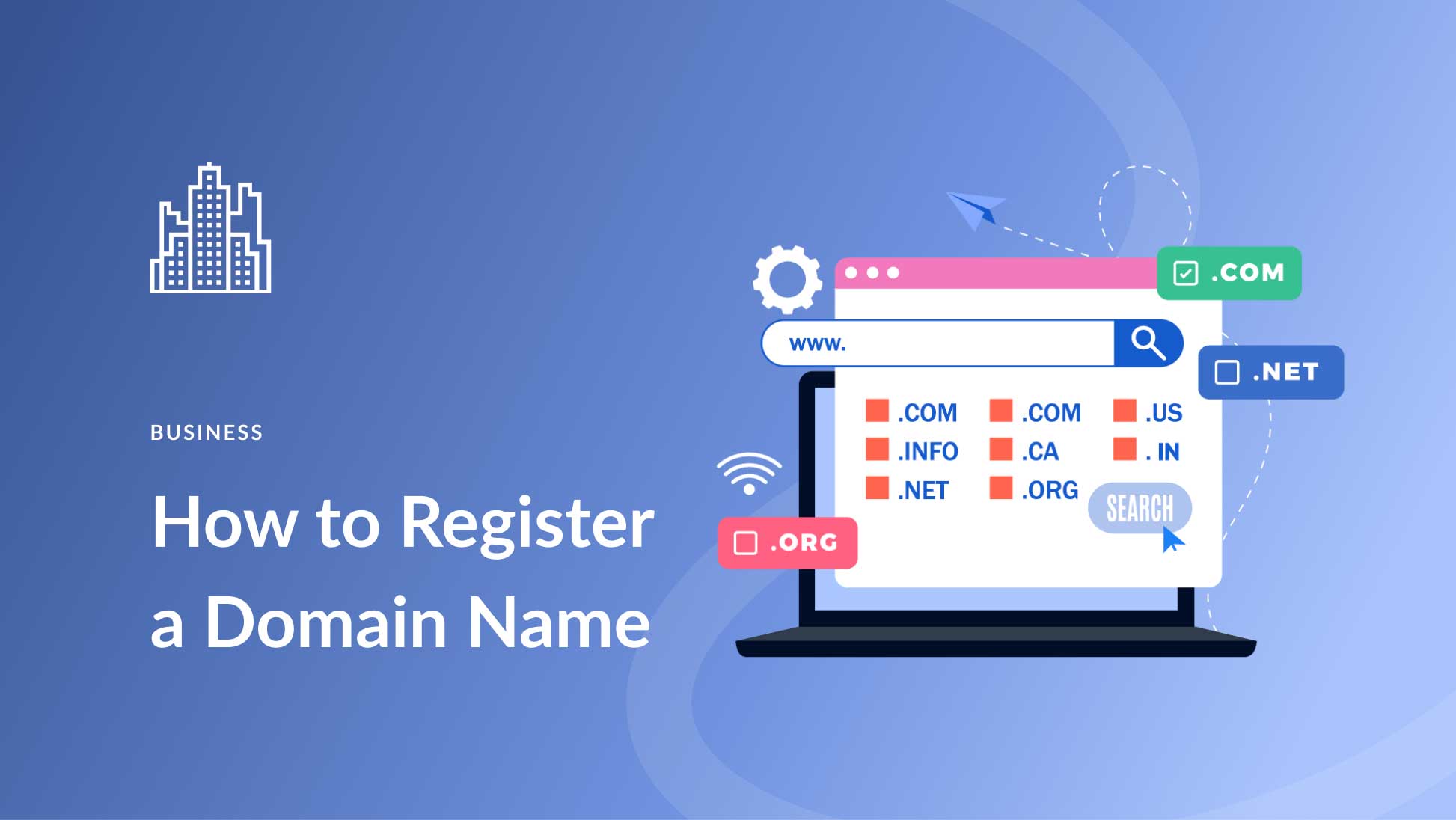
Step 2: Choose and Register a Domain Name

how to create a website for my business

The ideal domain name should be short, catchy, and easy to remember. Try to keep it under 15 characters, if possible. Hyphens, numbers, and difficult spellings can create confusion, so avoid them. The business name is always the best choice to begin with. In case yourbusiness.com is already taken, you can consider yourbusinesskarachi.com or getyourbusiness.com.

A domain extension refers to the ending attached to the main name. The following information will help you understand the various extensions:

Extension Best For Trust Level
.com Any business — the gold standard Highest
.co Startups and modern brands High
.net Tech or network-related businesses High
.org Nonprofits and organizations High
.pk / .ae / .uk Local/regional businesses Good for local SEO

Try to register your domain using the .com extension if possible, since users will intuitively go for this one, as it commands the most credibility. The .co will be the next best option if the preferred .com cannot be used anymore.

Some of the domain registrars that you could consider for registration include Namecheap, GoDaddy, Google Domains, and Cloudflare, among other popular registrars. It will typically cost $10-$20 to register a .com per year, but this may vary from one registrar to another, depending on whether the renewal price increases significantly after the initial registration period. Also, most web hosts, such as Wix and Hostinger, provide a free domain name for your first year if you register annually.

Step 3: Choose the Right Web Hosting

how to create a website for my business

Your web hosting is the platform where your website files are stored and become available for everyone accessing your URL address. Imagine your website’s domain name as an address, while hosting can be seen as a house where your website files reside.

The hosting provider you choose will affect three crucial factors of your business website: speed, availability, and security. Slow loading speed not only drives people away from your website but also negatively affects its position in Google searches, which is why you should learn how to speed up your WordPress website. Uptime is a crucial factor that influences whether your website will work correctly – and whether your potential clients will even see it.

Types of Hosting Which Is Right for You?

Hosting Type Cost/Month Best For Performance
Shared Hosting $2–$10 New/small websites Good for low traffic
VPS Hosting $20–$80 Growing businesses Better speed & control
Managed WordPress $15–$50 WordPress sites Optimized performance
Dedicated Hosting $100–$400+ Large / enterprise sites Maximum performance
Cloud Hosting $10–$100 Scalable businesses Flexible and fast

Shared hosting is the ideal choice for small enterprises that are just beginning their online operations. Companies such as Hostinger ($2.99/month), Bluehost, and SiteGround provide reliable shared hosting services complete with an SSL certificate that you will require to ensure that your website’s padlock appears on the browser. As your website gains popularity, you may consider switching to VPS hosting. If you intend to create your website using a platform such as Wix or Squarespace, then hosting is provided through the monthly subscription fee.

Step 4: Pick the Best Website Builder or Platform

how to create a website for my business

This is probably one of the most crucial choices you will have to make as you start building your company’s website. Your choice will affect everything from the ease of building your website to its flexibility and how much freedom you will have. By 2026, your options will be greater than ever before, and we can now discuss the primary types of website builders available.

As their name suggests, drag-and-drop website builders provide you with the opportunity to build your website without any coding, by simply dragging and dropping various elements on the page. These are currently the quickest and easiest solutions, bundling everything into one subscription fee per month.

  • Best Overall

Wix:

Most flexible drag-and-drop builder with powerful AI tools, SEO features, and 2,700+ templates.

From $17/month

  • Squarespace

Beautiful design-first templates. Perfect for service businesses, portfolios, and creatives.

From $16/month

  • Hostinger Builder

Best budget option with AI-powered site creation. Ideal for startups and freelancers.

From $2.99/month

  • Shopify

The best choice if your primary goal is to sell products online with full eCommerce tools.

From $29/month

WordPress: The Most Powerful Alternative

More than 40% of all websites on the Internet use WordPress, making it a top choice for WordPress web design services. There are several reasons for its popularity. The platform allows you to create sites of practically any complexity, offers thousands of free templates, and provides full ownership of the domain name. In contrast to website builders, WordPress doesn’t tie users to any particular ecosystem.

The downside to using WordPress is a somewhat higher learning curve. You will need to purchase hosting, install the CMS, select and configure themes, and update them yourself. However, if your goal is to build a website with maximum control over its performance and unlimited scalability opportunities, WordPress will be an excellent solution. It works well together with page builder plugins such as Elementor or Divi.

AI Website Builders: The Easiest Way to Create a Website
In 2026, artificial intelligence has changed everything regarding website building for non-technical business owners. AI website builders such as Wix ADI allow you to write a brief description of your company’s mission, and the program creates a website with a fully developed design and relevant content almost instantly. Although it is necessary to further adapt and modify it, the result is ready in a few minutes.

Step 5: Choose a Professional Design Template

how to create a website for my business

After selecting the platform to use, you will choose a template to design your website. Think of a template as the skeleton of your website; it is the structure on which you build your website. It is a pre-built structure that gives your website its framework. Then, you add your content to it, including your branding and colors.

Choosing Your Template
When choosing your template, don’t just choose one that looks great. Rather, choose a template tailored for your business type. In most cases, the platform categorizes templates based on industries such as restaurants, law firms, photographers, retail, and consultants. This classification is done for a good reason. For instance, a template that was made specifically for a certain business will have all the necessary sections arranged in the correct manner.

Consider using templates that are simple, clutter-free, quick to load, easy to navigate, have testimonial sections, calls to action, and contact forms. Simple templates tend to outperform fancy templates, which reflects the importance of good website design for performance and conversions.

Mobile Compatibility is a Must-Have
More than 60% of web traffic generated in 2026 originates from mobile devices. Furthermore, Google employs a mobile-first indexing strategy, meaning it crawls and ranks the mobile version of your site, not the desktop version. Thus, if your website is aesthetically pleasing on a laptop yet dysfunctional on a phone, you will lose both your visitors and your Google rankings.

Before finalizing your choice, always test the selected template on a mobile device. All legitimate platforms provide mobile-compatible templates, but not all of them look equally good on smaller screens. It pays off to check.

Customize Colors, Fonts, and Your Brand Logo
After selecting a design template, make sure to customize it according to your needs. Firstly, change the template’s colors to those of your business branding. Secondly, select the appropriate font style that matches your company’s personality, from sleek and professional to friendly and welcoming. Lastly, insert your logo into the header section. Also, replace all default pictures with photographs depicting your company, your employees, or your products.

Step 6: Build the Essential Pages Your Business Website Needs

how to create a website for my business

While every company site will be unique, there are certain pages that every website must contain. These are pages that a visitor will look for, and Google uses these pages to determine what your company is all about. Below is a breakdown of each page and its function.

  • Home Page

Your introduction. Make sure that you clearly identify yourself, what you provide, and what the person visiting needs to do next. The primary call-to-action should appear above the fold.

  • About Page

Your story. What motivated you to establish the business? Who is the founder? Here lies the trust factor. It will always pay off if you choose real pictures and write authentically.

  • Services / Products Page

List in detail the services you provide. List exactly what will be offered, who it is targeted at, and, most preferably, the cost of the same.

  • Contact Page

Ensure that your clients can easily reach out to you. Include your contact page, phone numbers, address, and even a Google Maps link, especially if you operate physically.

  • Blog (Optional)

The blog post is the strongest form of SEO you could have at your disposal when you consistently focus on writing quality blog posts. Regularly creating useful content with specific keywords will lead to sustained traffic.

  • Legal Pages

It is important to have both a Privacy Policy and Terms of Service page. In case you need emails or payments, you should have these pages by law.

The most important page is Your Home page. There must be three things that any visitor needs to understand when they land on this page; they are, what your business is about, who your business caters to, and what is expected from the visitor.

Step 7: Write Content That Converts Visitors into Customers

how to create a website for my business

Beauty makes them stay. Content makes them do something. No matter how aesthetically pleasing a website is, if the message communicated by its copy does not appeal to the visitors, there will be no action taken from their side. Below are some tips on how to create compelling website content.

Write for Your Audience, Not for Yourself

The most frequent blunder in web copywriting is making the copy self-referential: speaking about one’s experience, one’s process, etc., instead of addressing the needs of the customer. People visit a website because they have a problem they would like to address. Each sentence on a website should focus on how the customer benefits, which is why many businesses invest in blog writing services for better conversions.

Wrong: “We are a ten-year-old company providing top-notch cleaning services with our professional team.”
Better: “Your house will be cleaned to perfection within three hours, or we will come for free!”

Use Clear Calls-to-Action (CTAs)

CTA is any button, hyperlink, or prompt telling the visitors what action they are expected to take. Every page of your website should contain at least one CTA. Otherwise, the visitors will read your content and leave your website because you didn’t offer them anything to do. Your CTA has to be specific and call users to action. For example, “Get a Free Quote,” “Book a Free Consultation,” “Shop Now,” and “Download the Guide” are effective CTAs. On the contrary, phrases like “Click Here” and “Learn More” are weak CTAs because they do not suggest an action.

Use High-Quality Images and Videos

Visual content on your website communicates with visitors in unique ways. Real pictures of your staff, products, working space, or services will convince them to purchase your products or services much faster than stock images used by many businesses today. Try as much as possible to hire professional photographers and capture several shots of your business. This is probably one of the most profitable investments you can make to improve the conversion rate of your website. Video content, such as an introductory video, will keep the traffic engaged and improve conversion rates.

Step 8: Optimize Your Website for Search Engines (SEO)

how to create a website for my business

Search Engine Optimization (SEO) refers to the process of optimizing your website for easy indexing, ranking, and promotion by Google. It is how your website will appear when people are searching for your product or service online. When done correctly, SEO provides you with a continuous stream of organic traffic year after year, especially when handled by professional SEO services. This is how you can get started.

Do Basic Keyword Research

Keywords are the specific terms and phrases used by your prospective clients, and understanding what SEO is helps you use them effectively. When they search for something on Google. Your goal is to determine which phrases are relevant and integrate them appropriately within your web pages. You can identify potential keywords using several free tools such as Google Keyword Planner, Ubersuggest, and Google Search Console. Ensure that your list of keywords is not only relevant but has reasonable monthly searches and low competition levels.

Optimize Your Page Titles and Meta Descriptions

Every webpage on your site has a title tag (clickable blue header in Google) and a meta description (text snippet underneath it). These elements are crucial not only for ranking but also for click-through rates. The title tag should contain your primary keyword and be less than 60 characters. The meta description needs to have 150-160 characters, include your keyword organically, and have a call-to-action at the end. It is what a prospective client will see in their search engine results – make it as appealing as possible.

Set Up Google Search Console and Google Analytics

The Google Search Console is a free service that lets you monitor the performance of your site within Google search. It provides data about keywords you rank for, the number of organic clicks, and technical errors identified by Google. Google Analytics monitors your traffic: visitors’ demographics, sources of traffic, behavior on-site, time spent on individual webpages, etc. They are both completely free services and mandatory tools. You need to set up Google Search Console and Google Analytics on the very first day. The data

Focus on Page Speed and Mobile Experience

Page speed and Core Web Vitals are two ranking factors used by Google that determine how fast your website will load and the performance quality of your webpage. A website that does not load quickly not only irritates visitors but can negatively impact your SEO efforts. Before uploading images on your website, make sure you optimize them (using tools such as TinyPNG or Squoosh), go for the fastest hosting services available, and try not to add any superfluous scripts or extensions on your webpages.

Step 9: Test Your Website Before You Launch

how to create a website for my business

Before hitting that publish button and letting everyone see your website, be sure to do some testing to ensure it works perfectly. Having broken links, typos, or an inoperable contact form on your website gives users a bad impression, and they won’t easily forget it. Here is a quick checklist you can follow before launching your website.

Technical Testing

  1. Click every link on all pages, making sure there are no broken links.
  2. Complete a test transaction for any payment system or booking form.
  3. Confirm that your contact form sends emails.
  4. Ensure every image displays without distortion or pixelation.
  5. Ensure that your SSL certificate works and that there is a lock icon in your browser.

Device and Browser Testing

  1. See your website on a computer, tablet, and smartphone to ensure proper responsive web design performance.
  2. Test across different browsers like Google Chrome, Apple Safari, Mozilla Firefox, and Microsoft Edge.
  3. Ensure all menus, buttons, and forms operate properly on touchscreen devices.
  4. Make sure there’s no text overlapping or getting cropped on smaller devices.

Content Review

  1. Review each page for any spelling or grammatical mistakes.
  2. Verify that your business name, contact number, and email address are consistently displayed correctly throughout the site.
  3. Ensure all pages have a call-to-action.
  4. Ensure that all pages have title and description tags completed.

Step 10: Launch and Promote Your Business Website

how to create a website for my business

Well done! Your website is now live. However, launching your website is only the beginning. A website that no one knows about isn’t going to do you much good. The following are ways to gain your first website visits and create your online presence right away.

Announce It Everywhere

Let’s begin with what you already know. Share your website details with all of your social media accounts or invest in social media marketing services for better reach, including your Facebook, Instagram, LinkedIn, and Twitter pages. Write a brief description of your website and its value proposition in your post. Email your current customers and contacts to inform them about your website. Make sure to add your website URL to your email signature and everywhere else it would be appropriate.

Set Up Google Business Profile

A Google Business Profile is an important component of any local SEO strategy, and you can learn more about it in this guide on Google My Business listings. This tool creates a free listing that allows you to see your company in Google Maps and other Google results. When someone asks Google “[Your services] near me,” a properly optimized Google Business Profile will allow you to be ranked on top of all other pages in Google. Be sure to set it up right away after creating your website.

Start Publishing Blog Content

Once you’ve created your blog, write posts that can be useful for people who will be looking for them. Articles that help solve problems, provide information about your services, or offer your expertise in your industry will attract people’s attention. Each post is an additional chance to be found in the top results on Google, reaching potential clients who don’t know about you yet.

Build Your First Backlinks

Backlinks refer to links that other sites have directed toward your website, which is a core part of off-page SEO services. Backlinks are among the top criteria that Google utilizes when determining the level of trustworthiness and credibility of your site. The process should begin with your company’s listings in free directories such as Yelp, Yellow Pages, and industry-specific directories. You can consider contacting other local businesses and complementary companies in order to arrange a cross-linking arrangement between the two.

  1. Promote your website on all your social media accounts on your launch day.
  2. Create a verified Google Business Profile as soon as you can.
  3. Make sure your website’s sitemap is submitted to Google Search Console for rapid indexing.
  4. Register your website in 5-10 relevant web directories.
  5. Send an email newsletter to your contacts.
  6. Post your first blog article or add new content to your website.
  7. Review Google Analytics stats once a week.

Meta Description Length: The Complete Guide to Getting It Right in 2026

You have done your best effort in getting ranked on the first page of Google. But there’s one harsh reality here: ranking is just part of the equation. If your meta description is long, short, or uninteresting, your users will not stop for it and simply go ahead to click on your competitor, which can negatively impact your overall performance in SEO services.

Meta description length is one of those basic SEO fundamentals where everyone goes wrong, either neglecting it completely or stressing about its exact length. In this guide, we are going to give you all the information you need regarding the perfect meta description length, from its characters to when mobile takes precedence, and whether it impacts your rankings.

What Is a Meta Description?

meta description length

A meta description is a short HTML snippet, typically one to two sentences, that summarizes the content of a webpage and plays an essential role in on-page SEO optimization. It sits inside the <head> section of your page’s HTML code and is not visible on the page itself. However, search engines like Google often display it in the search engine results pages (SERPs), directly beneath the clickable title link of your listing.

Think of it as your page’s elevator pitch. It’s the short paragraph that tells a searcher: Here’s what you’ll find if you click this link.” When written well, it can be the deciding factor between someone choosing your page over the 9 other results on the page.

See how the word “meta description length” is in bold? That happens when the words in your description match the search query. It’s a strong visual cue that catches the reader’s eye. We’ll talk more about that in the writing section below.

Why Meta Description Length Matters

meta description length

You may be thinkingof meta descriptions as something that can be easily overlooked or something you just do because you have to do it before publishing your page; however, that is too simplistic. The length and quality of your meta description directly affect how well your page performs in the SERP, and that is why you should pay close attention to this aspect of your content.

Click-Through Rate (CTR)

Meta descriptions are not a Google ranking factor; Google has confirmed this numerous times, but they strongly influence user behavior and click-through rates, which are key components of search engine optimization strategies.

Nevertheless, a wellwritten meta description can influence a users click-through rate and therefore indirectly affect SEO. The clickthrough rate is likely determined by the relevance and quality of the metadata to the users intent, thus indicating to Google the relevance or usefulness of results over time. When creating your meta descriptions, think about them as an advertisement for your site in organic search results.
Just as paid advertisements require strong copy to generate clicks, meta descriptions must have engaging, accurate, and relevant copy similar to what is used in Google Ads campaigns to drive users to your page. from the search engine results pages (SERP). Length also plays a vital role in determining whether a meta description is effective. If it is too short, you miss out on using valuable SERP real estate, while if it is too long, the most important part of your message may be cut off before being displayed in SERP.

Avoiding Truncation in Search Results

If your meta description is too long, Google wont display the entire meta description. Instead, Google will truncate the description based on pixel size, meaning that your call to action, benefits, or persuasive sentences might never get to see the light of day because they were truncated by Google. Because of this reason, the character length of your meta description is more than just cosmetic. By writing for a specific character range, you can ensure that your message will display in its entirety, which is especially important when optimizing content as part of a technical SEO strategy, across devices, without being awkwardly mid-way through a sentence.

First Impressions on the SERP

A visitor will probably read your meta description before they visit your site. Your meta description is often the first piece of text that potential visitors see about your brand, making it a crucial element of your overall content marketing and blog writing strategy. This sets the stage for what they should expect from your website. If it is vague, has too many keywords crammed into it, or is cut off/awkward, great content will not matter when creating a first impression. Conversely, a meta description that is concise, tothepoint, and appropriate in length will portray confidence and authority to your potential visitor prior to them clicking on your title. It quickly conveys to your audience, “We know what you want, and we will provide it what a powerful first impression to make against all the other competition for ranking positions within the SERPs!

What Is the Ideal Meta Description Length in 2026?

meta description length

This is the question everyone wants a clean, simple answer to. The honest answer: it depends on the device, but there are clear, practical guidelines you can follow today.

Desktop vs. Mobile Character Limits

There is less space on desktop and mobile screens to show your snippet. Since Google now uses mobile-first indexing, it’s more important than ever to know both.

  • Desktop limit

~158

characters (920 pixels)

  • Mobile limit

~120

characters (680 pixels)

  • Safe zone (both)

120–158

characters recommended

  • Mobile search share

60%+

of all Google queries

You should make making the mobile limit your top priority because more than half of all Google searches happen on mobile devices. Put your most important information, like your keyword, your main value proposition, and your call to action, at the beginning of the first 120 characters. Desktop users will see the extra space from 120 to 158 characters, but mobile users might not.

Device Pixel limit Character limit Recommendation
Desktop ~920px ~155–160 chars Full description visible
Mobile ~680px ~110–120 chars Front-load key message here
Safe for both 120–158 chars Best practice for all devices

The Safe Character Range to Follow

For desktop, the best practice for 2026 is to keep your meta description between 150 and 160 characters. For mobile safety, your most important message should fit within the first 120 characters. This range gives you enough space to be informative, use a keyword naturally, and add a short call to action without getting cut off.

What About Pixel Width?

Here’s something most beginners don’t know: Google doesn’t actually measure your meta description in characters. It measures in pixels. This matters because different letters take up different amounts of horizontal space. The letter “W” is much wider than the letter “i,” so two descriptions with identical character counts can display very differently on screen.

For example, a description made up of narrow letters like “iliilliiii” will display shorter in pixel terms than one with wider letters like “MWWMMWWM” even if both are 50 characters long. In practice, this means character count is a useful approximation, not a hard rule. The desktop pixel limit is approximately 920px, and the mobile limit is approximately 680px.

To see exactly how your description will appear, use a free SERP preview tool, especially if you are managing your site through platforms like WordPress web design. Like Mangools SERP Simulator, Portent’s SERP Preview Tool, or the built-in preview in Yoast SEO or Rank Math if you’re on WordPress. These tools show your snippet in real desktop and mobile views so you can catch truncation before publishing.

Does Meta Description Length Affect SEO Rankings?

meta description length

This is one of the most common mistakes people make in SEO, and it’s important to talk about it directly. No, the length of a meta description does not affect how well a site ranks in Google. John Mueller and other members of Google’s own team have said over and over again that the length of your meta description has no direct effect on where you rank in search results.

You won’t get anything extra from Google for hitting exactly 155 characters. You won’t get in trouble for writing 180 characters. And it doesn’t even guarantee that it will use your meta description. If Google thinks that a snippet from your page content is more relevant to the user’s query, it may replace it. Studies show that Google changes meta descriptions more than 60% of the time.

What then is the reason behind the importance of length? Well, the indirect impact on click-through rate (CTR). If the snippet is chopped off at an odd place or is too short to convey any information, it would attract few clicks. In turn, the low CTR might indirectly alert Google that the particular listing does not meet users’ expectations – hence the indirect negative impact on ranking. In summary, the key thing is not the precise word count. Rather, write something meaningful and relevant.

How to Write the Perfect Meta Description

meta description length

With this information on the character limit and why it is important to follow, we can move on to what needs to be included within these 150 to 160 characters. A good meta description should do four main things.

Firstly, always include the target keyword, as proper keyword placement is a fundamental part of what is SEO and how search engines understand your content. Put the keyword at the start of the meta description to catch the reader’s attention and make them feel like the page will provide exactly what they are looking for. Google highlights keywords when the user types them into the search bar, making the title look more relevant to the reader.

Secondly, offer a clear value proposition. Explain the value the reader will receive from clicking through to the webpage, which aligns closely with building an effective content marketing strategy. It could be something they need to know, something to solve their problems, or even save them time and effort.

Fourth, include a call to action at the end of your meta description. Using a gentle CTA phrase such as “Optimize now,” “Discover more,” or “Download our complete guide” is an effective way to encourage the user to take action immediately.

Fifth, write for the audience and not the algorithm. Meta descriptions should be human-readable; they should feel like the description was written by a human being and not just some keywords stuck together.

Common Meta Description Mistakes to Avoid

meta description length

Even experienced content creators make mistakes with meta descriptions. Here are the three most damaging ones — and how to avoid them.

Keyword Stuffing

Avoid keyword stuffing

Keyword stuffing means cramming your target keyword or multiple keywords into the description unnaturally, which is considered a black hat SEO practice. For example: “Meta description length, ideal meta description length, best meta description length, meta description length 2026.” Not only does this look spammy to users and instantly destroy trust, but it also signals to Google that your description is low quality. When Google detects a stuffed or irrelevant description, it often ignores it entirely and generates its own snippet from your page content, meaning all your effort was wasted. Use your primary keyword once, naturally, as part of a real sentence.

Using Duplicate Descriptions Across Pages

Avoid duplicate descriptions

Using the same meta description on multiple pages is a surprisingly common mistake that can weaken your overall SEO performance, especially on large websites with hundreds of product or category pages. The problem is two-fold: first, it gives users no meaningful way to tell your pages apart in search results, which hurts CTR. Second, it signals to search engines that your pages may not have distinct, unique content worth differentiating. Every page on your site should have its own unique meta description that accurately reflects that specific page’s content. If you’re managing a large site, prioritize your highest-traffic pages first and work your way down.

Going Too Short or Too Long

Avoid extreme lengths

Both extremes are problematic. A meta description that’s only 40–60 characters wastes valuable space and fails to give the user enough information to make a confident click decision. A description over 160–170 characters risks truncation, which means your key message, CTA, or differentiator may never be seen, especially on mobile. The sweet spot is 120–158 characters, with your most critical information placed in the first 120 characters so it’s safe across both desktop and mobile displays.

  • Too short

Under 70 chars

Wastes SERP real estate

  • Ideal range

120–158 chars

Safe for all devices

  • Too long

Over 160 chars

Likely truncated on mobile

Site Cache Google: What It Is, How It Works & Why It Matters for SEO

Given the intense competition that exists in the current internet world, it is critical to learn about search engine operations in order to enhance the performance of your website. One aspect that needs to be looked into is Google’s site cache. This is significant because it determines how your site is cached, indexed, and displayed on the results page. If you are into SEO, then you should understand how the cache system works. To build a strong foundation, you can also learn more about what SEO is and how it impacts your website performance.

Here is an informative article on the Google site cache that will help you get started.

What Is Google Site Cache?

site cache google

Google site cache is defined as the stored copy of a web page captured by Google during its indexing. Google captures your webpage and stores it at some point in time. This stored version of the webpage is used by Google to present your content if, for any reason, the original page cannot be accessed or if it takes too long to retrieve.

Googlebot visits and analyzes your webpage content, and it stores a cached version of the page. This process is closely related to how search engines rank websites, which you can explore in detail in this guide on Google SEO ranking. The stored version of your webpage can then be viewed by both users and SEO experts to see how Google views a certain page. Moreover, using the Google site cache, you can determine if Google has updated its records after making changes to your web pages. Google cached versions of your pages are not necessarily the latest real-time versions, since it all depends on how often Google crawls your site.

Why Google Cache Is Important for SEO

site cache google

Helps in Faster Indexing

The Google cache has an important part to play when it comes to improving the speed at which the indexing process is completed. It becomes evident that your website is cached by Google when it has been discovered and stored by Google. This also shows that the page has been indexed and is now available for display on the search engine results pages. Proper indexing plays a key role in overall SEO success, which is why many businesses invest in professional SEO services to improve visibility.

Improves Website Visibility

Cache pages will ensure that you can always access your website content, even if the live page goes down due to any technical reasons. In case your live page goes down for some time, visitors to your website can view the cache page version until such time as the problem on your site is sorted out.

Useful for Troubleshooting SEO Issues

Google’s cache facility can help you determine the SEO problems with your site. Through comparison of your cached content to the latest one on your site, you will be able to tell whether Google has noticed any updates in your site. If Google’s cache still shows old data, then there are some SEO issues. In such cases, focusing on technical SEO services can help resolve crawling and indexing problems more effectively.

Backup of Web Pages

Another advantage of Google cache, which goes unnoticed by many people, is its use as a backup tool for the site content. In case your web page gets deleted accidentally or becomes inaccessible, then you can always fall back on the cached content available in Google cache.

How Google Site Cache Works

site cache google

Crawling and Indexing Process

This process starts from Googlebot, which is the search engine bot for Google. The Googlebot goes through your website and analyzes your content. Ensuring your pages are properly optimized with the right structure and keywords is part of effective on-page SEO services and directly impacts how Google understands your content and gathers information about your webpage. While analyzing the content, the Googlebot studies a variety of factors, including text, images, hyperlinks, and meta tags. When the process is completed, the page will be indexed and stored in the Google database.

Storing Cached Versions

Once it has indexed your website, Google will take a snapshot of your webpage. It stores this snapshot in its servers and is an actual copy of the webpages as they appeared when they were crawled. Most of the web pages’ contents are stored in the snapshot, but there might be some dynamic parts that will not make it into the snapshot.

Cache Update Frequency

Factors determining the frequency of refreshing cache by Google include the extent to which your content changes frequently, the authority of your website, and the frequency of crawling. Content-rich websites that update their information often will see the cache refreshed frequently. Regular content updates through strategies like blog writing services can significantly improve crawl frequency and rankings. In contrast, those websites that are static or infrequently updated may end up having an outdated cache.

How to Check Google Cached Pages

The checking of cached pages on Google is a very straightforward activity that can give you some vital information about your site’s indexing status. It may be done through using the Google search engine or even particular search operators. Whenever you go to the cached page of your website, you can see its date and time of crawling by Google, thus understanding how fresh your indexed data is.

The checking of cached pages is essential for all SEO specialists who want to check if their site has been changed. It also helps identify issues that may affect performance, similar to insights shared in this guide on common blogging mistakes, according to their desires, and has been seen by Google.

Common Issues with Google Cache

site cache google

Cached Page Not Updating

Another problem that often occurs involves having a cached copy that is outdated since it does not contain the latest changes on the web page. This often occurs because Google has not been able to index the page once more after the changes have been made to it. This is due to infrequent crawling, technical problems, or poor internal linking of the pages.

Missing Cached Version

At times, there might be no cache available at all on the web page. This is possible due to various reasons, such as the recent creation of the page or restrictions. Weak backlink signals can also delay indexing, which is why understanding the importance of backlinks is crucial. Having restrictions in place against crawling, the use of certain meta tags that block caching, or perhaps because the page has not been indexed by Google yet.

Outdated Cached Content

The cached information being outdated might mislead visitors and negatively impact SEO. If there are major differences between the cached copy and the live website, it could be an indication that the page was not crawled by Google lately. Refreshing your content will make Google crawl the site again.

Google Cache vs Browser Cache: What’s the Difference?

site cache google

The main difference between Google Cache and Browser Cache lies in their functions, even though both systems deal with keeping copies of web pages. Google creates Google Cache and deals with taking snapshots of your webpages to facilitate the indexing of the latter. The cache is available from the search results, and it shows what Google thinks about your page.

Browser Cache, unlike Google Cache, is created locally on the user’s computer. It is used to save all information loaded during the previous visit to your web page, including images, scripts, and stylesheets. By caching your web page, Google helps you load it faster when you visit it in the future.

Both Google Cache and Browser Cache are important for search engine optimization of your web page.

SEO Competitor Analysis: A Complete Guide to Outranking Your Competitors in 2026

It is no secret that the current digital environment is highly competitive, and ranking on Google requires more than just optimizing your website. You also need a strong understanding of core SEO strategies and how to drive traffic to your website effectively.

You have to know what your competitors are up to. That is why SEO competitor analysis is important.

Through competitor analysis, you can gather important information that will help you develop a better SEO strategy, which in turn will enable you to rank higher than your competitors. This article covers all aspects of SEO competitor analysis.

What Is SEO Competitor Analysis?

seo competitor analysis

SEO Competitor Analysis is a technique of studying the websites of your competitors to identify their strategies with respect to SEO. Many businesses rely on professional SEO services to conduct in-depth competitor analysis and uncover ranking opportunities. This may involve analyzing keywords used, the nature of content created, backlinks, and the effectiveness of their website optimization.

The objective is very straightforward:
Find out what works for your competitors and then learn how you can improve your position using that knowledge.

This differs significantly from general competitive research in that SEO Competitor Analysis revolves around analyzing the search engine performance of your competitors and hence discovering things such as:

  • The keywords ranking your competitor
  • Effective content for your website
  • Sources of backlinks
  • Website optimization techniques

Why SEO Competitor Analysis Is Important

seo competitor analysis

SEO competitor analysis plays a critical role in building a successful SEO strategy. Here’s why it matters:

1. Identify Keyword Opportunities

Competitive analysis enables you to discover keyword opportunities that may be missed by other websites. You can then use them to attract visitors to your site. To discover the right opportunities, using reliable SEO keyword tools can give you accurate data and insights.

2. Discover Content Gaps

From competitive analysis, you can know which areas have not been tackled adequately or at all by your competitors. You can then produce content in these gaps. A well-defined content marketing strategy helps you fill these gaps with high-performing content.

3. Analyze Backlink Strategies

A backlink is an important ranking signal. From competitive analysis, you can learn where your competitors source their backlinks from. Understanding the importance of backlinks can help you replicate and improve your competitor’s link-building approach. You can also leverage off-page SEO services to build high-quality links.

4. Understand Market Trends

Competitive research is useful for staying aware of the latest industry trends, formats used, and audience preferences.

5. Improve Your Overall SEO Strategy

Rather than creating something new, you can use the experience of others and fine-tune your strategy for better results.

How to Identify Your SEO Competitors

seo competitor analysis

Before you can analyze competitors, you need to identify who they are. Your SEO competitors may not always be the same as your business competitors.

Direct vs Indirect Competitors

Direct Competitors – Businesses that offer similar services/products like yours
Indirect Competitors – Websites that bid on the same keywords but provide different services

While conducting SEO, indirect competitors tend to be much more useful than direct ones.

Using Google Search Results

The easiest method is to perform a Google search using the relevant key terms.

  • Notice websites that appear frequently in the results
  • Note down domain names repeatedly featured in the results

Such are your actual competitors from the SEO perspective.

Using SEO Tools (Ahrefs, SEMrush, Ubersuggest)

With SEO tools, competitive analysis becomes easier and more effective. Here is what they do for you:

  • Detect competing websites’ domains
  • Assess keywords rankings
  • Monitor website traffic and performance
  • Learn about backlinks

These tools give valuable data that cannot be gathered manually. Modern SEO tools for analysis make it easier to uncover competitors and evaluate their performance.

Analyzing Competitor Domains

After identifying your competitors, analyze their websites properly:

  • Website domain authority
  • Indexed pages number
  • Content structure
  • Website performance

Pay close attention to technical SEO factors such as site structure, crawlability, and performance.

Key Elements of SEO Competitor Analysis

seo competitor analysis

A complete SEO competitor analysis involves evaluating several important factors.

Keyword Analysis

Keyword analysis helps you understand what search terms your competitors are targeting.

Focus on:

  • High-ranking keywords
  • Long-tail keyword opportunities
  • Keyword gaps (keywords they rank for but you don’t)

Targeting the right keywords can significantly improve your visibility. Proper on-page SEO optimization ensures that your target keywords are implemented effectively.

Content Analysis

Content plays a major role in SEO success. Analyze your competitors’ content to understand:

  • Popular topics
  • Content length and depth
  • Use of visuals and media
  • Content structure and readability

Your goal should be to create content that is more valuable, engaging, and informative. Creating better content often requires high-quality blog content that is optimized for both users and search engines. You can also explore tips on writing quality blog posts.

Backlink Analysis

Backlinks are one of the strongest ranking factors in SEO.

When analyzing backlinks, look at:

  • Number of backlinks
  • Quality of referring domains
  • Anchor text distribution
  • Link-building strategies

This helps you identify opportunities to build high-quality backlinks.

On-Page SEO Analysis

On-page SEO focuses on how well a webpage is optimized.

Check for:

  • Meta titles and descriptions
  • Use of keywords
  • Heading structure (H1, H2, H3)
  • Internal linking

Optimizing these elements can improve your rankings and user experience.

Technical SEO Analysis

Technical SEO ensures that your website is accessible and easy for search engines to crawl.

Key factors include:

  • Website speed
  • Mobile responsiveness
  • URL structure
  • Site architecture
  • Indexing and crawlability

A technically sound website performs better in search results.

Step-by-Step Process for SEO Competitor Analysis

seo competitor analysis

Here’s a practical process you can follow to conduct effective SEO competitor analysis.

Step 1: Identify Competitors

Start by listing your top competitors based on your target keywords. Use Google search and SEO tools to create a reliable list.

Step 2: Analyze Keywords

Identify the keywords your competitors are ranking for. Focus on:

  • High-traffic keywords
  • Low-competition opportunities
  • Long-tail keywords

This helps you build a strong keyword strategy.

Step 3: Review Content Strategy

Analyze what type of content your competitors are producing:

  • Blog posts
  • Guides
  • Videos
  • Landing pages

Identify what works and create better versions of it. A strong content marketing strategy is essential to outperform competitors.

Step 4: Check Backlinks

Study your competitors’ backlink profiles to find link-building opportunities.

  • Reach out to similar websites
  • Create link-worthy content
  • Build relationships in your industry

Learning backlink building techniques will help strengthen your SEO profile.

Step 5: Evaluate Technical SEO

Check your competitors’ technical performance:

  • Site speed
  • Mobile usability
  • Page structure

Use these insights to improve your own website.

Step 6: Create Your Strategy

Combine all your findings to create a strong SEO strategy.

  • Target better keywords
  • Create superior content
  • Build high-quality backlinks
  • Optimize technical performance

The goal is not to copy competitors but to outperform them. Many businesses choose SEO services for businesses to implement a data-driven strategy.

SEO Competitor Analysis Best Practices

seo competitor analysis

To get the best results from your analysis, follow these best practices:

Focus on High-Intent Keywords

Target keywords that are more likely to convert, not just those with high traffic.

Create Better Content (10x Content)

Your content should be more valuable, detailed, and engaging than your competitors’.

Build High-Quality Backlinks

Focus on quality over quantity when building backlinks.

Monitor Competitors Regularly

SEO is constantly evolving. Keep track of competitor changes and update your strategy accordingly.

Use Data-Driven Decisions

Always rely on data rather than assumptions. Use tools and analytics to guide your strategy.


Conversion Optimization: The Complete Guide to Boosting Website Conversions in 2026

In this age of competition on the internet, driving traffic to your website is just the first step towards success. The next step is making sure that your visitors do something on your website, like make a purchase or provide their email address. This is what conversion optimization is all about.

Conversion optimization, or CRO for short, is the process of boosting your website’s effectiveness by raising the number of people who complete a certain action on your website, often achieved through professional SEO services and user-focused optimization strategies.

What Is Conversion Optimization?

conversion optimization

Conversion optimization is the art of improving your website or landing page in such a way that the probability of visitors completing an intended action increases. This intended action is called the conversion. Some of these actions include:

  • Purchasing something
  • Completing a contact form
  • Subscribing to a mailing list
  • Download a document

In other words, conversion optimization involves getting more out of your current website visitors rather than concentrating on drawing more visitors through channels like Google Ads management or paid campaigns.

Suppose your website gets 1,000 visitors monthly and 20 of them convert; your conversion rate would be 2%. If you improve your site by implementing conversion optimization techniques, you might manage to double this percentage to 4%.

Why Conversion Optimization Is Important

conversion optimization

Conversion optimization is essential for any business that wants to grow online efficiently. Here’s why it matters:

1. Maximizes Return on Investment (ROI)

Marketing can be expensive, whether through advertising or Search Engine Optimization (SEO), which is why conversion optimization ensures you get maximum ROI from every visitor. Conversion optimization guarantees that every visit made to the site will yield optimal ROI without an additional cost for marketing.

2. Improves User Experience

Optimization of a website makes it easy to use by ensuring fast loading speeds and a user-friendly interface—something that can be achieved through professional web design services.

3. Reduces Customer Acquisition Costs

As your conversion rates get better, you will not require as many visitors for similar results, thus reducing the cost per acquisition.

4. Builds Trust and Credibility

Professional and well-structured websites naturally foster credibility and trust. Conversion optimization allows you to portray your brand in an authentic manner.

5. Increases Competitive Advantage

Many businesses focus only on traffic generation. By investing in conversion optimization, you gain an edge by converting more visitors than your competitors.

How Conversion Optimization Works

conversion optimization

Conversion optimization is a continuous, data-driven process. It involves analyzing user behavior, identifying problems, and testing solutions to improve performance.

Understanding User Behavior

Conversion optimization begins with understanding how your users behave on your website. This encompasses:

  • Where they click
  • Where they scroll to
  • What pages they view
  • Where they abandon

By examining user behavior, you will be able to identify areas where they face friction and are unable to convert. For instance, when visitors leave your checkout page rapidly, there might be an issue with clarity or trust around your prices.

Data Collection (Analytics, Heatmaps)

The key to successful CRO lies in data. Google Analytics and other heat mapping tools help to get useful information about customer behavior, similar to techniques discussed in market research optimization strategies.

  • Google Analytics indicates sources of traffic, bounce rates, and conversion funnels
  • Heat maps represent visual information about clicks, scrolling, and dwell times
  • Session recordings enable you to watch user actions live

Based on such data, you will be able to act wisely.

A/B Testing and Experimentation

A/B testing is considered one of the most effective tools for converting website visitors into customers. This method requires testing two different versions of a page to see which one converts better.

Examples of testing:

  • Version A: Landing page
  • Version B: Landing page with a more compelling call to action

By running experiments on headlines, images, CTAs, and layouts, businesses can significantly improve performance, especially when combined with on-page SEO services. You will be able to identify the most successful version of each element.

Continuous Improvement Cycle

It is important to realize that conversion optimization is an iterative process. Here’s how it normally goes:

  • Data analysis
  • Problems identification
  • Creating a hypothesis
  • Testing
  • Implementation of changes

The continuous improvement cycle guarantees that your site remains efficient as your users’ behavior and habits change over time.

Key Elements of Conversion Optimization

conversion optimization

To successfully optimize conversions, you need to focus on several critical elements that directly impact user decisions.

Website Design and UI/UX

Your website design will have a huge impact on how successfully you optimize for conversions, which is why investing in professional web design services is crucial.

Your site needs to be visually appealing, modern, and easy to use. Important elements include:

  • Good organization and design
  • Unified branding
  • Simple navigation
  • Design hierarchy

An unappealing design might lead visitors to abandon your site, but a good design can guide them through your conversion process.

Page Load Speed

It is important in the current digital world to be speedy. The site may lose its customers due to poor speed, which is why optimizing performance is essential, as explained in how to Speed Up Your WordPress Website. Studies reveal that if the speed takes up to one second, then it leads to a high bounce rate.

Some tips for faster loading of a web page are:

  • Image optimization
  • Caching
  • Code minimization
  • Hosting services

Websites that perform better are ranked well in SEO results.

Clear Call-to-Actions (CTAs)

A good Call-to-Action (CTA) provides clear guidance on the next step for the user. If there is no clear CTA, the visitor will leave without performing any actions.

Good CTAs have:

  • High visibility
  • Action-oriented wording (“Sign up now,” “Start Here,” etc.)
  • Urgency or benefits

Proper use of CTAs can significantly improve your conversion rate, especially when combined with strategic content and blog writing services.

Mobile Optimization

As most people surf the internet using their phones, optimizing for mobile is essential, something covered in detail in mobile optimization and conversions. Optimizing for mobile isn’t an option anymore; it’s a must!

A good mobile site needs to be:

  • Responsive on all devices
  • Easy to click on a phone
  • Fast-loading
  • Seamless to use

Neglecting your mobile traffic will mean missing out on conversions!

Trust Signals (Reviews, Testimonials, SSL)

Building trust plays an important role in conversion optimization. People are more prone to act if they have confidence in your brand.

Some common signs of trustworthiness are:

  • Customer feedback and testimonials
  • Payment security icons
  • SSL encryption (https)
  • Testimonials of success

These help alleviate any concerns and enhance credibility.

Common Conversion Optimization Mistakes to Avoid

conversion optimization

Even with the best intentions, many businesses make mistakes that hurt their conversion rates. Avoiding these common pitfalls can significantly improve your results.

1. Ignoring Data

Not basing decisions on data results in bad outcomes, especially when ignoring proven strategies outlined in Google SEO ranking factors. Always make use of data analysis and insights when making decisions.

2. Weak or Confusing CTAs

If the CTA isn’t visible enough, users will fail to act upon it. Make sure you design effective CTAs.

3. Not Testing Changes

Making a change without first testing it may not benefit the website. A/B testing makes sure that what you do helps the website.

4. Slow Website Performance

A slow website is off-putting. It should always be optimized for speed.

5. Overcomplicating the Design

The website shouldn’t contain too much stuff, as it may become overwhelming for the users. It should focus on converting customers into sales.

6. Ignoring Mobile Users

Not optimizing for mobile visitors could cause you to lose a significant chunk of traffic. Always keep the mobile experience in mind.

How Much Does a Website Cost? A Complete Pricing Guide for Businesses

The first question that companies tend to ask when deciding to create a website is the following: How much would a website cost? Understanding this is especially important when investing in professional web design services that align with your business goals. However, the answer to this question cannot be given by stating a particular sum, as the cost of creating a website may vary depending on several factors.

By the year 2026, websites will have become not just an option but a necessity for any organization, as they will serve as the digital face of your company. As a result, learning the possible expenses involved will help you plan and budget your money correctly, especially when combined with a strong SEO services strategy to maximize your website’s ROI. When discussing website costs, it should be noted that a website should not be perceived as something that is bought once but is rather a constantly evolving part of your business.

Average Cost of a Website in 2026

how much does a website cost

In 2026, the expenses incurred when creating a site will be determined by its features. However, it is estimated that the amount may vary anywhere between a few hundred dollars and tens of thousands of dollars.

Small Business Website Cost

For instance, a small business website may have only a handful of webpages, such as the homepage, about page, services page, and contact page. Small businesses usually develop such websites so as to create their presence on the web as well as to offer useful information to potential customers. The approximate cost of a small business website may range from $500 to $5,000, depending on whether you choose basic templates or professional solutions like WordPress web design services.

This means that the website may be developed at the low end using website builders or simple templates and at the high end through custom website design and optimization techniques like SEO.

eCommerce Website Cost

An e-commerce site is more complicated as it requires features like product listings, shopping carts, and payment systems, which can be built using expert ecommerce web design services. These extra capabilities contribute to higher development expenses and development time.

In most cases, an e-commerce site may cost anywhere from $2,000 to $20,000 or even more. The expense will depend on the number of goods, design modifications, and other third-party applications.

Custom Website Development Cost

Custom websites are developed from scratch to fulfill specific business needs, often requiring professional web design services and advanced functionality. Such projects are often characterized by unusual design, complex features, and user experience customization.

The starting price of developing custom websites begins from $5,000 and might be even higher than $50,000. This solution is obviously more costly, but it provides more opportunities to businesses with special needs.

Factors That Affect Website Cost

how much does a website cost

Design and UI/UX Costs

Website cost is greatly influenced by the design aspect. The cost of website creation through the use of a templated design will be low compared to designing UI/UX from scratch, which takes a lot of time and skill. Design not only concerns how good your website looks but also how it functions when used by visitors. A good design is a valuable asset for increasing efficiency of usage, decreasing bounce rates, and improving conversion rates.

Development Costs

Costs associated with development depend on complexity and technology, which is why businesses often rely on professional technical SEO services and development optimization. The more advanced features it has, the more expensive its development will be.

Also, the level of experience of the developers themselves plays a role. While hiring more experienced professionals can be a bit expensive, their work is usually more trustworthy and scalable.

Content Creation Costs

The content on a website is crucial and demands effort and time, which is why many businesses invest in professional blog writing services. Content may include not just text, but also graphics, images, and even videos.

Companies that build websites sometimes prefer to do everything on their own, whereas others seek professionals’ assistance. In addition, content plays an important role in SEO.

Maintenance and Hosting Costs

Website creation is simply the start, as maintaining the website is crucial in making sure that it runs without issues. The amount you will need to pay for the hosting service varies based on the hosting company you choose and how much performance you need. This includes updating your website, securing it, and optimizing its speed, among others.

Hidden Costs of Building a Website

how much does a website cost

Apart from these primary costs, there are many secondary costs, which many companies do not consider at all. They can be associated with such things as registration of the domain, premium plugins, third-party integration, and security measures. Additional marketing, analytics, and SEO also have their own price tags. The other very important factor to consider is time. Time spent on managing the website, keeping the content updated, and fixing any problems is always an important factor.

Website Builder vs Hiring a Developer

how much does a website cost

Whether to go with the website builder or choose the developer is based on one’s budget, objectives, and needs. The websites, such as Wix, Squarespace, or Shopify, will give you an easier and more cost-effective way out. These websites are suitable for those who have just started their business.

On the contrary, custom web development services offer full customization, especially when using expert web design services. It is recommended for those companies that want to create a professional website. The website builders will cost less than web developers; however, the latter give better results.

Cost vs Value – Why a Website Is an Investment

how much does a website cost

It is essential to realize that the creation of a website does not represent just expenditure but rather an investment in the future success of the business. An appropriately designed and optimized website will result in acquiring leads, increasing sales, and building brand awareness.

If the sole criterion used to make a decision about investing in the development of a website is the price tag associated with the process, there is a possibility of making suboptimal decisions, such as selecting the most affordable alternative without taking the quality into account. However, A top-notch website will eventually pay off through increased traffic and business growth, particularly when combined with strong content like what is a content marketing strategy.

B2B Social Media Marketing: Complete Guide to Strategy, Platforms, and Growth

Social media marketing for B2B is the promotion of products or services from one company to another through social media channels, often supported by professional strategies like social media marketing services that help businesses scale their reach and engagement. It differs from B2C social media marketing because, in B2C, individuals rather than businesses are the target audience. In addition, social media B2B marketing helps a company create its presence in the market and build strong relationships.

The B2B purchasing process is usually more detailed and involves more research. Social media becomes an important part of this process through which companies get information about various issues related to the purchase process. This helps the company create its authority and make a good impression in front of prospective customers.

Why B2B Social Media Marketing Is Important

b2b social media marketing

A social media platform is crucial for any B2B business since it is vital for both brand visibility and lead generation, especially when combined with a strong Search Engine Optimization strategy. Most decision makers spend a considerable amount of time doing research on their preferred solutions prior to purchasing anything, often relying on content like guides and insights, such as our article on what is a content marketing strategy. Being present on social media ensures that you are visible when people are conducting their research.

Another benefit of using social media for your business is that it boosts credibility. By publishing educational and insightful content, businesses showcase themselves as industry experts and establish trust among future clients, leading to increased conversions.

Finally, social media is important due to the ability to interact directly with your clients. Through social media platforms, you can engage in conversation with your customers and gain valuable insight into their requirements.

Best Social Media Platforms for B2B Marketing

b2b social media marketing

LinkedIn

It is believed that LinkedIn is the most efficient tool for carrying out B2B social media marketing campaigns. LinkedIn was created for professional individuals, making it the perfect platform to connect with decision makers and industry influencers. Companies can use LinkedIn to showcase their expertise through thought leadership content, company news, and testimonials, often amplified with expert blog writing services to maintain consistency. Additionally, LinkedIn provides excellent targeted advertisement capabilities, allowing companies to target certain industries, specific job titles, and even certain company sizes.

Twitter (X)

Twitter, now known as X, is a fast-paced platform that is useful for sharing real-time updates, industry news, and insights. It allows businesses to participate in conversations, follow trends, and engage with a wider audience.

For B2B companies, Twitter is particularly effective for building brand visibility and staying relevant in industry discussions. Consistent posting and engagement can help position your business as an active and knowledgeable player in your field.

Facebook

While Facebook is considered to be a platform that is best used for B2C marketing, it is nevertheless a platform of great significance for B2B companies. Businesses can use it to raise awareness about their brands, promote their content, or even launch targeted advertisement campaigns.

Through its sophisticated advertising tools, Facebook makes it possible for businesses to target certain categories of people.

YouTube

YouTube is a great platform where you can share video content that can last up to hours. For example, within the context of B2B marketing, videos can serve as tutorials, product demos, webinars, and educational videos. Using video content makes it easier to explain things to your clients. YouTube is also beneficial as a channel because having a good presence on YouTube will enhance your SEO efforts as well as increase your brand awareness, especially when paired with YouTube marketing services and optimized video campaigns.

B2B Social Media Marketing Strategies

b2b social media marketing

Content Marketing Strategy

Content should be the driving force behind any successful B2B social media strategy. Companies have to produce content that is useful, educational, and relevant to their target audience. This content can take various forms, such as blog posts, infographics, videos, and industry news.

With a good content strategy in place, businesses will be able to achieve consistency, thereby fostering long-term engagement. Content marketing plays a key role in shaping a company’s reputation and establishing its expertise.

Paid Advertising

Social media advertising helps organizations connect directly with their target audience in no time at all. LinkedIn and Facebook have various targeting capabilities that help companies target particular niches, professions, and stakeholders, especially when using services like Google Ads management to run highly targeted campaigns. Organizations use social media ads for content promotion, lead generation, and traffic redirection, often combining efforts with PPC advertising to maximize ROI. Paid social media advertisements become more effective when paired with organic strategies.

Influencer Marketing in B2B

The concept of influencer marketing is not confined to consumer goods alone. In B2B marketing, there are many influencers that could be considered. It would be wise to collaborate with such influencers because they will be able to help spread your message further.

By aligning your brand with trustworthy people in your industry, you can increase your credibility and build your reputation. This is especially useful when promoting expensive goods or services.

Types of Content That Work in B2B Social Media

b2b social media marketing

The kind of content you publish will determine whether your B2B social media marketing will be successful or not. Educational content like how-tos and industry trends will go a long way in addressing your target market’s needs and establishing your brand as an authority on the subject matter. Success stories/case studies will show what you have been able to do so far, thereby increasing credibility.

Video content, which includes webinars and tutorial videos, will engage the audience more and help explain difficult concepts in an easy way, especially when supported by professional video recording services. Infographics and behind-the-scenes content will help break down complex information and humanize your brand, respectively.

How to Create a B2B Social Media Strategy

b2b social media marketing

Define Your Target Audience

It is important to understand who your potential customers are before creating a social media strategy for business-to-business marketing. It involves learning about the industry that they operate in, what positions they have, what challenges they face, and what they aim to achieve.

Set Clear Goals

Goal setting is very important when determining whether you have been successful. You may want to set goals that focus on brand awareness, lead generation, website traffic, or any other goal that suits you.

Choose the Right Platforms

Social media may not work equally well when used for B2B marketing purposes. The selection of social media sites will depend on where your intended audience spends time online, supported by strategies like those in social media marketing tips. For some businesses, LinkedIn could be the main social media site, while others would utilize YouTube and Twitter.

Create a Content Calendar

A content calendar will help you plan your social media efforts. By using one, you can be consistent and align your content with your objectives. In addition, it is much easier to post regularly when you have already planned for it.

Measuring Success in B2B Social Media Marketing

b2b social media marketing

Evaluating the effectiveness of social media marketing is important to determine which aspects of the strategy are successful and which need improvement. Some key measurements to look at would be engagement rates, traffic to the website, generating leads, and conversion rates. All of these measures offer insight into the effectiveness of the social media activity.

There are a variety of analytics tools available on social media websites that can help measure performance and identify any trends that may arise. Consistently reviewing and analyzing this information will help companies improve their efforts going forward.

Get In Touch
close slider

    Get In Touch