
From changing domain names to switching protocols, from updating the URL of a single blog post to moving entire sites from one URL to another, you’ve had more than a brush with 301 redirects at least once in your online life. And the chances are high that you might have messed up the SEO of your website without even knowing it because of them.
301 redirects are one of the most basic yet most misunderstood topics in both web development and SEO, especially when it comes to implementing them correctly as part of a broader technical SEO strategy. Get it right, and you’re all set – you will be safe from search ranking penalties, you’ll retain link juice, and most importantly, your users won’t complain. Mess them up, however, and you could be headed for disaster: from lower rankings to lost traffic to reduced sales.
So, here is the complete guide covering all you need to know about 301 redirects – from understanding their purpose to learning the best practices and common pitfalls. Whether you’re a novice trying to get to grips with the basics of 301 redirects or a seasoned developer in need of an implementation reference point, you’re in luck.
Let’s dive in.
What Is a 301 Redirect? (Simple Explanation)

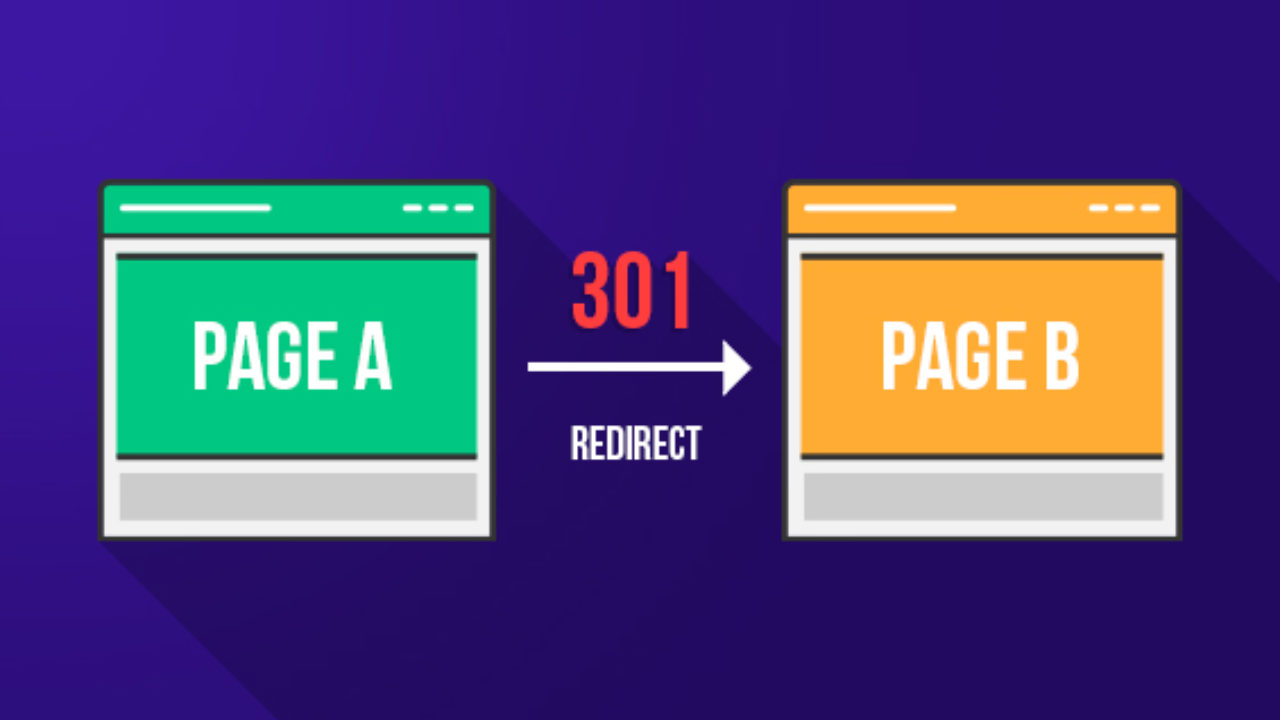
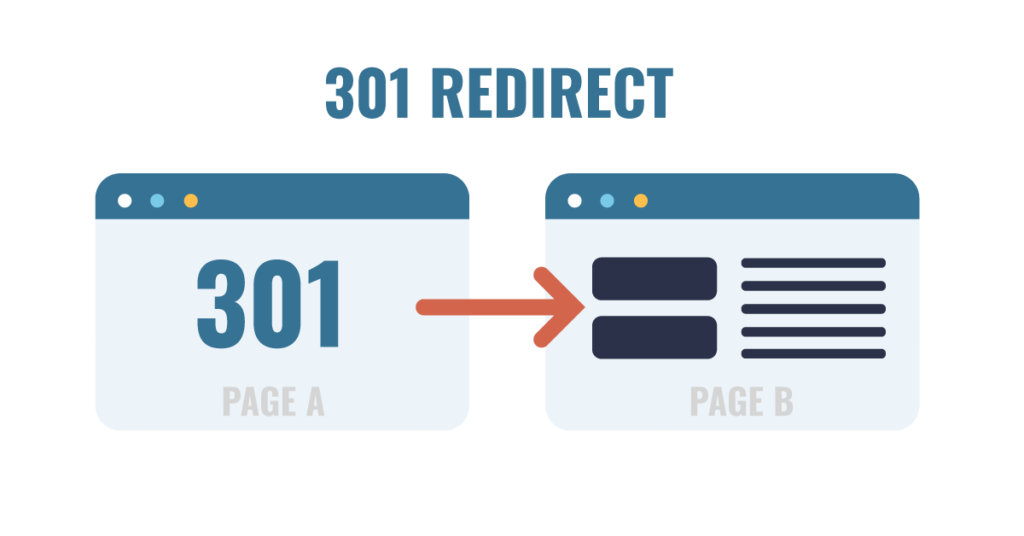
A 301 redirect means redirecting users and search engine spiders from an old URL of a webpage to the new one. In other words, a webpage will be informed of the change of location through a 301 redirect, which automatically redirects visitors to the updated address of the website.
As a rule, an HTTP status code is associated with a specific redirect type. HTTP status codes are numeric combinations used by web servers for communication purposes, playing a crucial role in how search engines crawl and understand your website’s structure, similar to concepts explained in structured data implementation. Some of them might be known to you, including 200 (OK), 301 (Moved Permanently), and 404 (Page Not Found). Thus, a 301 redirect is indicated by its status code.
Let us consider the concept of a 301 redirect from another perspective. Suppose you move to a new house. You should register a mail redirect, meaning your letters will be delivered not to your previous address but to the new one. There is no need to change your address in the sender’s contacts list because the mail will find you wherever you are. Similarly, if you use a 301 redirect, all the visitors will be transferred from the outdated URL to the updated one.
301 Redirect vs. 302 Redirect: What’s the Difference?
This is one of the most prevalent sources of confusion when it comes to redirects, and you must understand it well, particularly in the realm of SEO.
In the case of a 301 redirect, the browser and search engines are notified that the page has been permanently moved. They are asked to update their records and always point to the new URL going forward.
On the other hand, the message conveyed by a 302 redirect is that the page is currently moved but that it will be back soon enough. As such, the search engine is instructed to keep the old URL in its database.
While this might seem like just another minor technical detail at first, there is actually an important implication in terms of SEO. In fact, the SEO value associated with the old URL would be transferred to the new URL by Google upon receiving the notification of a 301 redirect. The indexing would also be updated accordingly. However, the same could not be said of a 302 redirect.
The principle is very clear: if it is a permanent redirection, always choose 301—misusing redirect types is actually one of the most overlooked issues highlighted in many common SEO mistakes. For temporary pages (e.g., a page under maintenance), you should use a 302 redirection. In any case, when you are in doubt, choose a 301 redirection.
Other Types of Redirects You Should Know About
In addition to 301 and 302, there are a couple of other redirect codes that can be helpful to know about:
303 (See Other): Used following the submission of a form to avoid resubmission upon refreshing. Of particular interest to developers rather than SEO professionals.
307 (Temporary Redirect): The HTTP/1.1 version of the 302 redirect code. It’s a temporary redirection code, just like 302.
308 (Permanent Redirect): This is a newer version of the 301 redirect code. Its function is essentially the same, but it uses the request method of the HTTP protocol.
Meta Refresh: Another kind of server-side redirect, but implemented through HTML coding. It is slower, provides a poor user experience, and is not considered to be part of SEO best practice. Avoid it.
In most cases when working with SEO and websites, you’ll only need to work with 301 redirects, although sometimes 302 redirects will come into play.
How Does a 301 Redirect Work? (Technical Breakdown)
Knowing about the concept of 301 redirects is a good starting point, but learning how the 301 redirect functionally operates will make you a more efficient developer and SEO specialist. We’ll explain the entire procedure in technical detail.
What Happens Behind the Scenes When a Redirect Fires
When a user types a URL into their browser or clicks a link, here is exactly what happens:
Step 1 — The Browser Sends a Request: The browser generates an HTTP request to the web server, which is a core part of how technical SEO services optimize site performance and crawling behavior, which holds that URL. This request is basically a statement asking: Please provide me with the contents located at this particular location.
Step 2 — The Server Responds with a 301 Status Code: In case a 301 redirect exists for that particular URL, the web server will not respond with page content but rather with an HTTP response containing the status code 301, along with a Location header containing the new URL. The message conveyed through the response is: Page Moved Permanently. Here’s the new location.
Step 3 – The Browser Makes a Request to the New URL: After getting a response with the status code of 301, the browser requests the location pointed out by the header. It does this instantly, so much so that the user does not realize that something has taken place.
Step 4 – The Server Sends a Response with Content: The server sends a 200 OK response code and serves the content of the website at the redirected URL.
Step 5 – The Browser Caches the Redirect: Since a 301 redirect is permanent, the browser caches the URL. This implies that when a user tries to visit the website again using the original URL, the browser will use the cached information instead of requesting the server.
How Browsers and Search Engines Handle 301 Redirects
Browsers and search engines react to 301 redirects in different ways, and both methods need to be known.
The browser follows the 301 redirect automatically and behind the scenes. The user sees the destination URL displayed in the URL bar along with the destination web page; hence, the redirect is completely seamless for the user. As discussed earlier, browsers cache 301 redirects, making them even smoother when users visit again.
Googlebots, which are used by Google to crawl websites for indexing purposes, analyze redirects alongside other ranking signals often evaluated during an SEO competitor analysis, use 301 redirects in several ways:
- It accesses the redirected page and crawls it instead
- It transfers the accumulated link equity (PageRank) of the old page to the redirected one
- It will update its index accordingly and replace the old URL with the new one in its index results
- It stops indexing the old URL after it processes the 301 redirect
It is clear that this process, and especially the process of transferring link equity and updating indexes, is the reason why 301 redirects are so effective when it comes to SEO. They enable a seamless transition to a new URL without compromising your SEO efforts.
In addition, according to Google itself, it may take any period ranging from a few days to several weeks for the company to process a 301 redirect and update its index. In some cases, users might still see two versions of the same URL in their searches; this will not last long.
The way 301 redirects work is through the use of an HTTP status code that indicates to the browser or search engine that the site has been moved. The browser uses the redirect on its own and also caches it in order to be able to use it later. Search engines follow the redirect as well and pass on link equity.
Why 301 Redirects Are Critical for SEO
With your knowledge of 301 redirect concepts and operations now refreshed, the following section will explore why these redirects play such an important role in SEO optimization. This is where things begin to get serious.
How 301 Redirects Pass Link Equity (PageRank)
Every single webpage possesses link equity, which is also known as link juice or PageRank. Link equity refers to the SEO value that a webpage receives through the backlinks created on various sites, highlighting the importance of backlinks in improving search rankings. Webpages that are supported by many good backlinks possess high link equity, which is considered one of the main ranking factors for Google searches.
By not using a 301 redirect when changing the location of your webpage, you will automatically lose all the link equity that it has been accumulating since its launch. Every person clicking the old URL of your site will receive an error 404. This means that the search engine no longer sees the page. Therefore, all the backlinks pointing at the old URL become useless as the link equity vanishes.
By creating a 301 redirect, you preserve your link equity. Once you do this, Google transfers the link equity from the old URL of your page to the new one. In other words, your backlinks now work in favor of the new webpage. You can be sure your ranking positions are protected.
According to Google, 301 redirects will pass “most of the link equity,” although it is possible that there is a slight reduction in link equity as opposed to hosting the same content at the source URL forever. The reason for this is that it is always good to redirect to the best possible destination page and not use chained redirects.
How 301 Redirects Affect Crawl Budget
Crawl Budget is the number of web pages that Google’s crawler will be able to crawl, which is closely related to overall site performance and website speed optimization strategies, on your website in a certain period of time. For sites with thousands of pages, crawl budget becomes an important issue in SEO.
Each redirect requires a part of your crawl budget, since the crawler should make two requests: to the old page and to the new one. Although a couple of redirects have little effect on crawl budget, a site with hundreds of useless redirects, chain redirects, or endless redirects may cause significant issues in crawling.
That is why it is important not to have useless redirects; to redirect from old pages to their destination, to change the links on the internal pages to new URLs, and to remove all useless redirects.
The Broader SEO Impact of Proper Redirect Management
Apart from link equity and crawl budget, a well-managed 301 redirect can help your SEO in the following ways as well:
User Experience: A good redirect makes sure that any visitor reaches the right page smoothly, which directly impacts conversions and aligns with proven conversion optimization techniques. Accessing the previous URL via bookmark, old link, or search engine ends up at the correct destination without hitting any error pages. User experience is always a good ranking factor for Google.
No 404 Errors: Error pages like 404 are bad for user experience, waste crawl budget, and show that the website isn’t updated. Redirects can be used to avoid 404 errors when pages are moved or deleted.
Consolidation of Signals for Ranking: By using 301 redirects when having several different URLs pointing to the same content, all signals for ranking, such as backlinks and traffic, will be consolidated in one canonical URL.
When Should You Use a 301 Redirect?

When to apply a 301 redirect can be just as crucial as how to do it. Below are the most typical cases when it is necessary to apply a 301 redirect.
Moving or Deleting a Web Page
This is perhaps the most common scenario when it comes to setting up 301 redirects. Each time you move an existing page to a new URL, regardless of whether you’re reorganizing your website’s navigation or redesigning pages as part of professional web design services requires proper redirect planning, redesigning the URLs, or simply rearranging your pages, you need to redirect users from the old URL to the new one using a 301 redirect.
If you’re removing an existing page that has generated a lot of backlinks or had significant visits, you shouldn’t simply delete the page without any further action, as it will result in a 404 error. Instead, you should redirect the old page to an alternative page, which would be the next best thing, such as another page discussing the same topic or your homepage.
Changing Your Domain Name
A full-scale transition from an existing domain name to a brand new domain is a critical step that should align with your overall digital marketing strategy, and is possibly the most intricate and risky process in SEO optimization. If not done properly, the process might lead to severe losses of search engine positions.
As a matter of fact, to successfully perform the process in question, it is crucial to establish 301-redirects on each page of the old site, linking them to the corresponding page of the new one. It will indicate to Google that you are transferring your site to the new domain, which will allow you to pass your entire site’s authority and link equity gradually.
For instance:
– `olddomain.com/blog/post-title` → `newdomain.com/blog/post-title`
– `olddomain.com/about` → `newdomain.com/about`
– `olddomain.com/contact` → `newdomain.com/contact`
Instead of just sending all visitors to your new homepage, redirecting page-by-page will yield much better results.
Switching from HTTP to HTTPS
If your website is using HTTP and you intend to change to HTTPS (and you definitely should, since HTTPS is now one of the ranking factors used by Google and plays a key role in on-page SEO optimization, and is necessary to build trust in the eyes of the users), then all your HTTP URLS must be directed to HTTPS using 301 redirects.
For instance:
– `http://www.yoursite.com` → `https://www.yoursite.com`
– `http://www.yoursite.com/page` → `https://www.yoursite.com/page`
Your web host and SSL provider will make this task very easy.
Merging Two Websites Into One
In case the merger involves joining two independent websites into a single one, regardless of whether the merger happens due to a buyout process or content integration, then 301 redirects become a vital component in maintaining the search engine optimization efforts from both domains.
Link all pages from the website undergoing the merger to similar pages of the main website. In the absence of such similarity, make use of the best-matching category/topic of the main website.
Fixing Duplicate Content Issues
Duplicate content refers to situations where the same content appears at different URLs, which can also impact elements like meta descriptions and SEO signals. at different URLs, confusing search engines. When you use duplicate content, Google does not apply the full strength of its ranking power to the one URL but splits the ranking power among the duplicate URLs.
Some common sources of duplicate content are:
– `www.yoursite.com` and `yoursite.com` (either with or without “www”)
– `http://` and `https://` URLs of the same page
– URLs both with and without a trailing slash (e.g., `/page` vs. `/page/`)
– Pages with paginated URLs (e.g., `/page/1`, `/page/2`)
However, 301 redirects can help address many cases of duplicate content by making sure that only one version of the URL gets access, with all others being redirected to it.
Redirecting www to Non-www (or Vice Versa)
Your site must always be accessed through either `www.yoursite.com` or `yoursite.com`. Not both. When both versions can be accessed without redirection, Google will treat the two as separate sites with duplicated content, thereby splitting the link equity of your site and possibly reducing its ranking.
Choose which site name you will utilize as your canonical domain (many sites nowadays choose non-www). Then set up a 301 permanent redirect from your other site name to your preferred site. Here’s an example:
– `www.yoursite.com` redirects to `yoursite.com` (assuming you choose non-www)
How to Implement a 301 Redirect (Step-by-Step)

Now let’s get practical. How you implement a 301 redirect depends on your web server, platform, or programming language. Below are step-by-step instructions for the most common setups.
301 Redirect in .htaccess (Apache Servers)
.htaccess is a configuration file that is utilized by Apache Web Servers, which are the most commonly used servers for shared hosting services. One of the most effective and versatile tools for setting up 301 redirects is the .htaccess file.
To insert a 301 redirect within the .htaccess file, you will need to open it using the FTP account or through the file management section of the hosting control panel. The .htaccess file is usually situated in the root directory of your website, i.e., in the same folder where your index.php or index.html files are placed.
Redirecting a single page
Apache
Redirect 301 /old-page/ https://www.yoursite.com/new-page/<br />
Redirecting the entire old domain to the new domain
Apache
RewriteEngine On
RewriteCond %{HTTP_HOST} ^olddomain\.com$ [OR]
RewriteCond %{HTTP_HOST} ^www\.olddomain\.com$
RewriteRule ^(.*)$ https://www.newdomain.com/$1 [R=301,L]<br />
Redirecting HTTP traffic to HTTPS
Apache
RewriteEngine On
RewriteCond %{HTTPS} off
RewriteRule ^(.*)$ https://%{HTTP_HOST}%{REQUEST_URI} [R=301,L]<br />
Redirecting traffic from ‘www’ to ‘non-www.<br />Apache
RewriteEngine On
RewriteCond %{HTTP_HOST} ^www\.yoursite\.com$ [NC]
301 Redirect in Nginx
Another popular web server is Nginx, which is frequently used on websites with heavy traffic and for VPS hosting purposes. To redirect pages within Nginx, you have to configure redirects inside the server section of your Nginx configuration file (located under `/etc/nginx/sites-available/yoursite.conf`).
Single-page redirection:
“`nginx
server {
listen 80;
server_name yoursite.com;
return 301 https://yoursite.com/new-page/;
}
“`
HTTP to HTTPS redirect:
“`nginx
server {
listen 80;
server_name yoursite.com www.yoursite.com;
return 301 https://yoursite.com$request_uri;
}
“`
www to non-www redirect:
“`nginx
server {
listen 443 ssl;
server_name www.yoursite.com;
return 301 https://yoursite.com$request_uri;
}
“`
After editing your Nginx configuration file,
301 Redirect in WordPress (Plugins and Manual Methods)
WordPress is currently the most common content management system, and many businesses rely on WordPress web design services to manage redirects efficiently. WordPress is currently the most common content management system out there, and luckily enough, setting up 301 redirects within WordPress doesn’t require any programming skills whatsoever.
Using Plugins: (Recommended for Most Users)
The simplest way to perform 301 redirects in WordPress is through a plugin named Redirection (provided by John Godley). The tool is completely free and user-friendly, allowing you to create, manage, and monitor all of your 301 redirects.
To create 301 redirects using Redirection:
1. Download and activate the Redirection plugin from the plugin repository
2. Go to Tools → Redirection inside your WordPress admin panel
3. Fill the source URL field with your old address
4. Provide the target address in the other field
5. Ensure that the Redirect Type is selected as 301 – Moved Permanently
6. Click the “Add Redirect” button at the bottom of the page
Other notable plugins that allow you to create 301 redirects include Rank Math and Yoast SEO Premium, both containing the option for easy redirect management.
Manual Setup via .htaccess
You can always create your 301 redirects manually by adding them to your `.htaccess` file, as described in the previous paragraph.
301 Redirect in Shopify
The URL Redirect Tool of Shopify allows shop owners to perform their redirection process easily, particularly when paired with strong eCommerce web design practices.
Steps to Create a Redirect in Shopify:
1. Login into the Shopify admin panel.
2. Go to Online Store → Navigation.
3. Click on URL Redirects.
4. Click on the Create URL Redirect option.
5. In the “Redirect from” section, fill out the old URL path.
6. In the “Redirect to” section, put the new URL path.
7. Finally, click the Save Redirect button.
It is good to know that all redirects created in Shopify automatically become 301 redirects.
Note regarding Shopify: It is important to know that in Shopify, redirects for URLs that contain active pages cannot be made. If you wish to redirect an existing page to another URL, you must unpublish it.
For performing redirects in Shopify on a larger scale, that is, hundreds or even thousands of redirects, one should perform them in bulk by importing redirects via CSV files in the URL Redirects section.
301 Redirect Using PHP
For developers who have a website that uses PHP for coding, a solution to achieve a redirection would be to use the PHP header() command. To utilize this particular command, one needs to write it at the very beginning of the code, i.e., before any HTML tags.
PHP 301 redirection:
“`php
<?php
header(“HTTP/1.1 301 Moved Permanently”);
header(“Location: https://www.yoursite.com/new-page/”);
exit();
?>
“`
PHP 301 redirect based on current URL:
“`php
<?php
$newUrl = “https://www.newdomain.com” . $_SERVER[‘REQUEST_URI’];
header(“HTTP/1.1 301 Moved Permanently”);
header(“Location: ” . $newUrl);
exit();
?>
“`
It is important to include the exit() function after writing the headers, since it stops PHP from continuing execution further after performing a redirection.
301 Redirect Using JavaScript (and Why to Avoid It)
It is technically possible to implement a redirect using JavaScript:
“`JavaScript
// JavaScript redirect (NOT recommended for SEO)
window.location.replace(“https://www.yoursite.com/new-page/”);
“`
But, on the other hand, JavaScript redirects should not be used in SEO practice, if possible. Here’s why:
The search engine might fail to follow the JavaScript redirect: Even though Google has become much better at rendering JavaScript pages, it still does not do this 100% perfectly. The result may be a situation where the search engine will index the old page, rather than redirecting to the correct one, thus preventing link equity from being transferred.
Delayed process: JavaScript works after the page loads, and there’ll always be a fraction of a second before a JavaScript redirect kicks in, during which a user will see the old page. Obviously, such an experience won’t be the best for the user.
Lack of a status code: A JavaScript redirect doesn’t have an HTTP status code that could signal the search engine about the type of redirect (whether temporary or permanent).
Use server-side redirections whenever possible and use JavaScript redirects only if you have no other choice.
Common 301 Redirect Mistakes and How to Avoid Them
Even experts at development and SEO have fallen victim to redirects gone wrong. They are silent killers of your SEO efforts, can hurt your website speed, and even baffle search engines. This article highlights the most common blunders in redirects and how you can easily avoid them.
Using 302 Instead of 301 for Permanent Moves
It is by far the most common type of redirection error, and also one of the most harmful. By using 302 (temporary) when the page in question has been permanently redirected, you ensure that Google will keep its indexation on the old URL and that no equity will be transferred to the new URL. You may have problems with ranking, as the SEO power remains on the old URL.
What should you do to avoid that: Always ask yourself before using a redirection: Is it a permanent move or a temporary one? Permanent -> 301. Otherwise, consider using 302 if you are willing to change back later.
Creating Redirect Chains and Loops
A redirect chain happens when a URL redirects to another URL that then redirects to yet another URL, forming a chain of redirects before landing on the final destination. An example would be URL A -> URL B -> URL C -> Final Destination.
There are various negative effects associated with having a chain of redirects. First of all, they affect page speed (with each extra step being added to the redirection chain, latency is incurred). Secondly, they result in less link juice being passed from one URL to another. Finally, they reduce crawl budget and increase the number of requests required for crawling a particular URL.
A redirect loop can occur when a URL is redirected in such a way that it ends up sending a user or a bot right back to where it started (for example, URL A -> URL B -> URL A -> etc.).
How to prevent it: Routinely conduct audits of your redirects using reliable SEO tools to identify chains and errors quickly, and make sure that the redirections are updated such that the original URLs link directly to their destinations. In cases where URL A was pointing to URL B, and URL B was then redirected to URL C, redirect URL A to URL C directly.
Redirecting Everything to the Homepage
Sometimes, in the process of organizing a website and transferring domains, there is an attempt to take the easy way out and simply redirect all old URLs to the homepage. Such an approach is called the “redirect to homepage” or “soft 404” technique – and Google strongly dislikes it.
According to Google, directing one product page or article URL to the homepage is not considered a valid redirect. In Google’s opinion, such actions are soft 404s – pages that show a 200 or 301 response, but do not serve any useful information. Due to this reason, the search engine will probably not transfer link equity, and will exclude such redirects from indexing at all.
How to avoid it: Redirect every single old URL to its most relevant counterpart. Make up the list that contains pairs of old and new URLs. Only redirect to the homepage as a final solution if you have no better alternative.
Forgetting to Update Internal Links
This, however, does not mean that your work ends here. If your internal links, which are the links on your website that connect different web pages on your website together, are still linking to old URLs, you will be creating additional redirects for each internal user journey made on your website.
These internal redirects do not lead to broken pages, but they do slow down your website, consume more crawling power, and reduce link equity slightly. This means that a well-managed website must have its internal links directing to the correct final URL of a web page.
How to avoid it: Once you have set up the necessary redirect rules, you can check your internal links using a tool such as Screaming Frog, Ahrefs, or Semrush to find out all the links that need updating to point towards the new destination URL.
Not Testing Your Redirects After Implementation
Most of the redirect errors that you make remain unnoticed simply because they are not tested after implementation. Whether it is a tiny spelling mistake in the URL, a lack of a trailing slash, or a misconfiguration, such errors often result in silent redirects that generate 404s, incorrect destinations, and redirect loops without you ever knowing about it.
How to avoid it: It is vital to test all redirects immediately using tools like Google Search Console and understanding concepts like Google cache and indexing behavior.
after their implementation, using a tool like:
Redirect Checker (redirect-checker.org) – free online redirect checker that tests redirects individually
Screaming Frog SEO Spider – a website crawler that highlights all redirect issues
httpstatus.io – a website check tool that verifies HTTP status codes and detects redirect chains
Google Search Console – a platform that detects crawl errors and coverage issues related to redirects
Test the redirects as well as the HTTP status codes they generate (should it be a 301 or 302?).