
We are Reuss we are full-service Internet marketing and SEO company.

Our Gallery

contacts

92 Bowery St., New York, NY 10013, USA

reuss.seo@mail.com

+1 (800) 123 456 789

Meta Description Length: The Complete Guide to Getting It Right in 2026

You have done your best effort in getting ranked on the first page of Google. But there’s one harsh reality here: ranking is just part of the equation. If your meta description is long, short, or uninteresting, your users will not stop for it and simply go ahead to click on your competitor, which can negatively impact your overall performance in SEO services.

Meta description length is one of those basic SEO fundamentals where everyone goes wrong, either neglecting it completely or stressing about its exact length. In this guide, we are going to give you all the information you need regarding the perfect meta description length, from its characters to when mobile takes precedence, and whether it impacts your rankings.

What Is a Meta Description?
meta description length

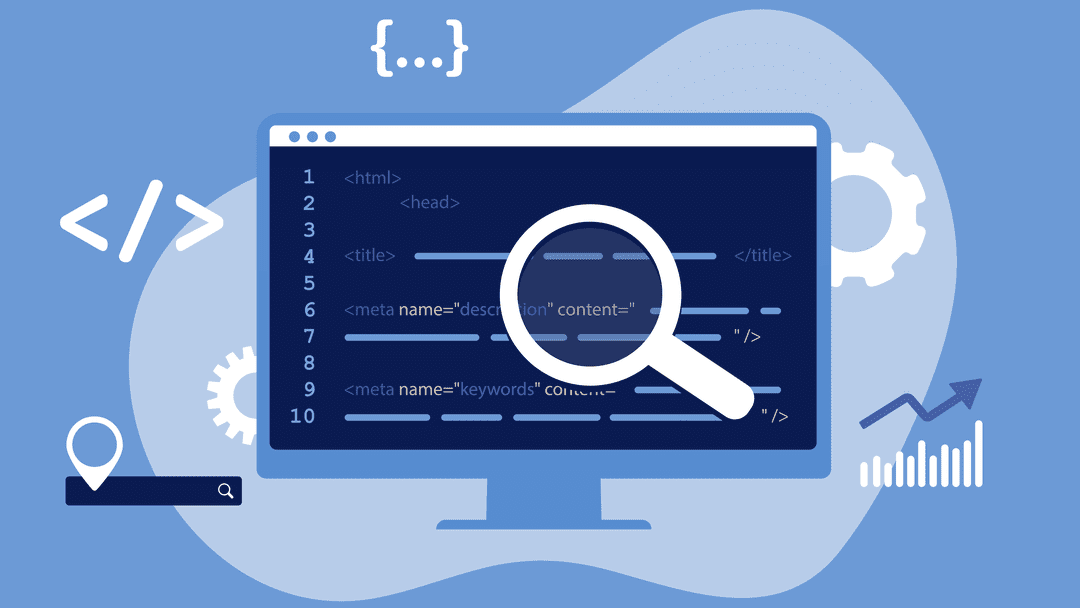
A meta description is a short HTML snippet, typically one to two sentences, that summarizes the content of a webpage and plays an essential role in on-page SEO optimization. It sits inside the <head> section of your page’s HTML code and is not visible on the page itself. However, search engines like Google often display it in the search engine results pages (SERPs), directly beneath the clickable title link of your listing.

Think of it as your page’s elevator pitch. It’s the short paragraph that tells a searcher: Here’s what you’ll find if you click this link.” When written well, it can be the deciding factor between someone choosing your page over the 9 other results on the page.

See how the word “meta description length” is in bold? That happens when the words in your description match the search query. It’s a strong visual cue that catches the reader’s eye. We’ll talk more about that in the writing section below.

Why Meta Description Length Matters

meta description length

You may be thinkingof meta descriptions as something that can be easily overlooked or something you just do because you have to do it before publishing your page; however, that is too simplistic. The length and quality of your meta description directly affect how well your page performs in the SERP, and that is why you should pay close attention to this aspect of your content.

Click-Through Rate (CTR)

Meta descriptions are not a Google ranking factor; Google has confirmed this numerous times, but they strongly influence user behavior and click-through rates, which are key components of search engine optimization strategies.

Nevertheless, a wellwritten meta description can influence a users click-through rate and therefore indirectly affect SEO. The clickthrough rate is likely determined by the relevance and quality of the metadata to the users intent, thus indicating to Google the relevance or usefulness of results over time. When creating your meta descriptions, think about them as an advertisement for your site in organic search results.
Just as paid advertisements require strong copy to generate clicks, meta descriptions must have engaging, accurate, and relevant copy similar to what is used in Google Ads campaigns to drive users to your page. from the search engine results pages (SERP). Length also plays a vital role in determining whether a meta description is effective. If it is too short, you miss out on using valuable SERP real estate, while if it is too long, the most important part of your message may be cut off before being displayed in SERP.

Avoiding Truncation in Search Results

If your meta description is too long, Google wont display the entire meta description. Instead, Google will truncate the description based on pixel size, meaning that your call to action, benefits, or persuasive sentences might never get to see the light of day because they were truncated by Google. Because of this reason, the character length of your meta description is more than just cosmetic. By writing for a specific character range, you can ensure that your message will display in its entirety, which is especially important when optimizing content as part of a technical SEO strategy, across devices, without being awkwardly mid-way through a sentence.

First Impressions on the SERP

A visitor will probably read your meta description before they visit your site. Your meta description is often the first piece of text that potential visitors see about your brand, making it a crucial element of your overall content marketing and blog writing strategy. This sets the stage for what they should expect from your website. If it is vague, has too many keywords crammed into it, or is cut off/awkward, great content will not matter when creating a first impression. Conversely, a meta description that is concise, tothepoint, and appropriate in length will portray confidence and authority to your potential visitor prior to them clicking on your title. It quickly conveys to your audience, “We know what you want, and we will provide it what a powerful first impression to make against all the other competition for ranking positions within the SERPs!

What Is the Ideal Meta Description Length in 2026?

meta description length

This is the question everyone wants a clean, simple answer to. The honest answer: it depends on the device, but there are clear, practical guidelines you can follow today.

Desktop vs. Mobile Character Limits

There is less space on desktop and mobile screens to show your snippet. Since Google now uses mobile-first indexing, it’s more important than ever to know both.

  • Desktop limit

~158

characters (920 pixels)

  • Mobile limit

~120

characters (680 pixels)

  • Safe zone (both)

120–158

characters recommended

  • Mobile search share

60%+

of all Google queries

You should make making the mobile limit your top priority because more than half of all Google searches happen on mobile devices. Put your most important information, like your keyword, your main value proposition, and your call to action, at the beginning of the first 120 characters. Desktop users will see the extra space from 120 to 158 characters, but mobile users might not.

Device Pixel limit Character limit Recommendation
Desktop ~920px ~155–160 chars Full description visible
Mobile ~680px ~110–120 chars Front-load key message here
Safe for both 120–158 chars Best practice for all devices

The Safe Character Range to Follow

For desktop, the best practice for 2026 is to keep your meta description between 150 and 160 characters. For mobile safety, your most important message should fit within the first 120 characters. This range gives you enough space to be informative, use a keyword naturally, and add a short call to action without getting cut off.

What About Pixel Width?

Here’s something most beginners don’t know: Google doesn’t actually measure your meta description in characters. It measures in pixels. This matters because different letters take up different amounts of horizontal space. The letter “W” is much wider than the letter “i,” so two descriptions with identical character counts can display very differently on screen.

For example, a description made up of narrow letters like “iliilliiii” will display shorter in pixel terms than one with wider letters like “MWWMMWWM” even if both are 50 characters long. In practice, this means character count is a useful approximation, not a hard rule. The desktop pixel limit is approximately 920px, and the mobile limit is approximately 680px.

To see exactly how your description will appear, use a free SERP preview tool, especially if you are managing your site through platforms like WordPress web design. Like Mangools SERP Simulator, Portent’s SERP Preview Tool, or the built-in preview in Yoast SEO or Rank Math if you’re on WordPress. These tools show your snippet in real desktop and mobile views so you can catch truncation before publishing.

Does Meta Description Length Affect SEO Rankings?

meta description length

This is one of the most common mistakes people make in SEO, and it’s important to talk about it directly. No, the length of a meta description does not affect how well a site ranks in Google. John Mueller and other members of Google’s own team have said over and over again that the length of your meta description has no direct effect on where you rank in search results.

You won’t get anything extra from Google for hitting exactly 155 characters. You won’t get in trouble for writing 180 characters. And it doesn’t even guarantee that it will use your meta description. If Google thinks that a snippet from your page content is more relevant to the user’s query, it may replace it. Studies show that Google changes meta descriptions more than 60% of the time.

What then is the reason behind the importance of length? Well, the indirect impact on click-through rate (CTR). If the snippet is chopped off at an odd place or is too short to convey any information, it would attract few clicks. In turn, the low CTR might indirectly alert Google that the particular listing does not meet users’ expectations – hence the indirect negative impact on ranking. In summary, the key thing is not the precise word count. Rather, write something meaningful and relevant.

How to Write the Perfect Meta Description

meta description length

With this information on the character limit and why it is important to follow, we can move on to what needs to be included within these 150 to 160 characters. A good meta description should do four main things.

Firstly, always include the target keyword, as proper keyword placement is a fundamental part of what is SEO and how search engines understand your content. Put the keyword at the start of the meta description to catch the reader’s attention and make them feel like the page will provide exactly what they are looking for. Google highlights keywords when the user types them into the search bar, making the title look more relevant to the reader.

Secondly, offer a clear value proposition. Explain the value the reader will receive from clicking through to the webpage, which aligns closely with building an effective content marketing strategy. It could be something they need to know, something to solve their problems, or even save them time and effort.

Fourth, include a call to action at the end of your meta description. Using a gentle CTA phrase such as “Optimize now,” “Discover more,” or “Download our complete guide” is an effective way to encourage the user to take action immediately.

Fifth, write for the audience and not the algorithm. Meta descriptions should be human-readable; they should feel like the description was written by a human being and not just some keywords stuck together.

Common Meta Description Mistakes to Avoid

meta description length

Even experienced content creators make mistakes with meta descriptions. Here are the three most damaging ones — and how to avoid them.

Keyword Stuffing

Avoid keyword stuffing

Keyword stuffing means cramming your target keyword or multiple keywords into the description unnaturally, which is considered a black hat SEO practice. For example: “Meta description length, ideal meta description length, best meta description length, meta description length 2026.” Not only does this look spammy to users and instantly destroy trust, but it also signals to Google that your description is low quality. When Google detects a stuffed or irrelevant description, it often ignores it entirely and generates its own snippet from your page content, meaning all your effort was wasted. Use your primary keyword once, naturally, as part of a real sentence.

Using Duplicate Descriptions Across Pages

Avoid duplicate descriptions

Using the same meta description on multiple pages is a surprisingly common mistake that can weaken your overall SEO performance, especially on large websites with hundreds of product or category pages. The problem is two-fold: first, it gives users no meaningful way to tell your pages apart in search results, which hurts CTR. Second, it signals to search engines that your pages may not have distinct, unique content worth differentiating. Every page on your site should have its own unique meta description that accurately reflects that specific page’s content. If you’re managing a large site, prioritize your highest-traffic pages first and work your way down.

Going Too Short or Too Long

Avoid extreme lengths

Both extremes are problematic. A meta description that’s only 40–60 characters wastes valuable space and fails to give the user enough information to make a confident click decision. A description over 160–170 characters risks truncation, which means your key message, CTA, or differentiator may never be seen, especially on mobile. The sweet spot is 120–158 characters, with your most critical information placed in the first 120 characters so it’s safe across both desktop and mobile displays.

  • Too short

Under 70 chars

Wastes SERP real estate

  • Ideal range

120–158 chars

Safe for all devices

  • Too long

Over 160 chars

Likely truncated on mobile

Site Cache Google: What It Is, How It Works & Why It Matters for SEO

Given the intense competition that exists in the current internet world, it is critical to learn about search engine operations in order to enhance the performance of your website. One aspect that needs to be looked into is Google’s site cache. This is significant because it determines how your site is cached, indexed, and displayed on the results page. If you are into SEO, then you should understand how the cache system works. To build a strong foundation, you can also learn more about what SEO is and how it impacts your website performance.

Here is an informative article on the Google site cache that will help you get started.

What Is Google Site Cache?

site cache google

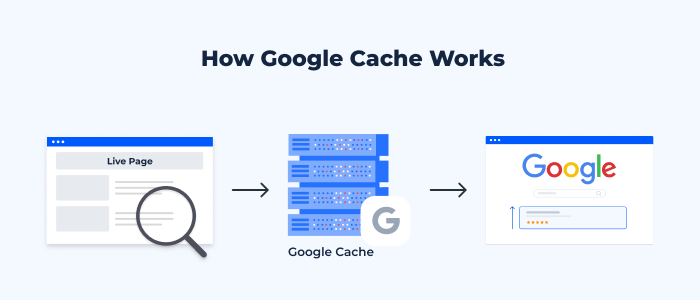
Google site cache is defined as the stored copy of a web page captured by Google during its indexing. Google captures your webpage and stores it at some point in time. This stored version of the webpage is used by Google to present your content if, for any reason, the original page cannot be accessed or if it takes too long to retrieve.

Googlebot visits and analyzes your webpage content, and it stores a cached version of the page. This process is closely related to how search engines rank websites, which you can explore in detail in this guide on Google SEO ranking. The stored version of your webpage can then be viewed by both users and SEO experts to see how Google views a certain page. Moreover, using the Google site cache, you can determine if Google has updated its records after making changes to your web pages. Google cached versions of your pages are not necessarily the latest real-time versions, since it all depends on how often Google crawls your site.

Why Google Cache Is Important for SEO

site cache google

Helps in Faster Indexing

The Google cache has an important part to play when it comes to improving the speed at which the indexing process is completed. It becomes evident that your website is cached by Google when it has been discovered and stored by Google. This also shows that the page has been indexed and is now available for display on the search engine results pages. Proper indexing plays a key role in overall SEO success, which is why many businesses invest in professional SEO services to improve visibility.

Improves Website Visibility

Cache pages will ensure that you can always access your website content, even if the live page goes down due to any technical reasons. In case your live page goes down for some time, visitors to your website can view the cache page version until such time as the problem on your site is sorted out.

Useful for Troubleshooting SEO Issues

Google’s cache facility can help you determine the SEO problems with your site. Through comparison of your cached content to the latest one on your site, you will be able to tell whether Google has noticed any updates in your site. If Google’s cache still shows old data, then there are some SEO issues. In such cases, focusing on technical SEO services can help resolve crawling and indexing problems more effectively.

Backup of Web Pages

Another advantage of Google cache, which goes unnoticed by many people, is its use as a backup tool for the site content. In case your web page gets deleted accidentally or becomes inaccessible, then you can always fall back on the cached content available in Google cache.

How Google Site Cache Works

site cache google

Crawling and Indexing Process

This process starts from Googlebot, which is the search engine bot for Google. The Googlebot goes through your website and analyzes your content. Ensuring your pages are properly optimized with the right structure and keywords is part of effective on-page SEO services and directly impacts how Google understands your content and gathers information about your webpage. While analyzing the content, the Googlebot studies a variety of factors, including text, images, hyperlinks, and meta tags. When the process is completed, the page will be indexed and stored in the Google database.

Storing Cached Versions

Once it has indexed your website, Google will take a snapshot of your webpage. It stores this snapshot in its servers and is an actual copy of the webpages as they appeared when they were crawled. Most of the web pages’ contents are stored in the snapshot, but there might be some dynamic parts that will not make it into the snapshot.

Cache Update Frequency

Factors determining the frequency of refreshing cache by Google include the extent to which your content changes frequently, the authority of your website, and the frequency of crawling. Content-rich websites that update their information often will see the cache refreshed frequently. Regular content updates through strategies like blog writing services can significantly improve crawl frequency and rankings. In contrast, those websites that are static or infrequently updated may end up having an outdated cache.

How to Check Google Cached Pages

The checking of cached pages on Google is a very straightforward activity that can give you some vital information about your site’s indexing status. It may be done through using the Google search engine or even particular search operators. Whenever you go to the cached page of your website, you can see its date and time of crawling by Google, thus understanding how fresh your indexed data is.

The checking of cached pages is essential for all SEO specialists who want to check if their site has been changed. It also helps identify issues that may affect performance, similar to insights shared in this guide on common blogging mistakes, according to their desires, and has been seen by Google.

Common Issues with Google Cache

site cache google

Cached Page Not Updating

Another problem that often occurs involves having a cached copy that is outdated since it does not contain the latest changes on the web page. This often occurs because Google has not been able to index the page once more after the changes have been made to it. This is due to infrequent crawling, technical problems, or poor internal linking of the pages.

Missing Cached Version

At times, there might be no cache available at all on the web page. This is possible due to various reasons, such as the recent creation of the page or restrictions. Weak backlink signals can also delay indexing, which is why understanding the importance of backlinks is crucial. Having restrictions in place against crawling, the use of certain meta tags that block caching, or perhaps because the page has not been indexed by Google yet.

Outdated Cached Content

The cached information being outdated might mislead visitors and negatively impact SEO. If there are major differences between the cached copy and the live website, it could be an indication that the page was not crawled by Google lately. Refreshing your content will make Google crawl the site again.

Google Cache vs Browser Cache: What’s the Difference?

site cache google

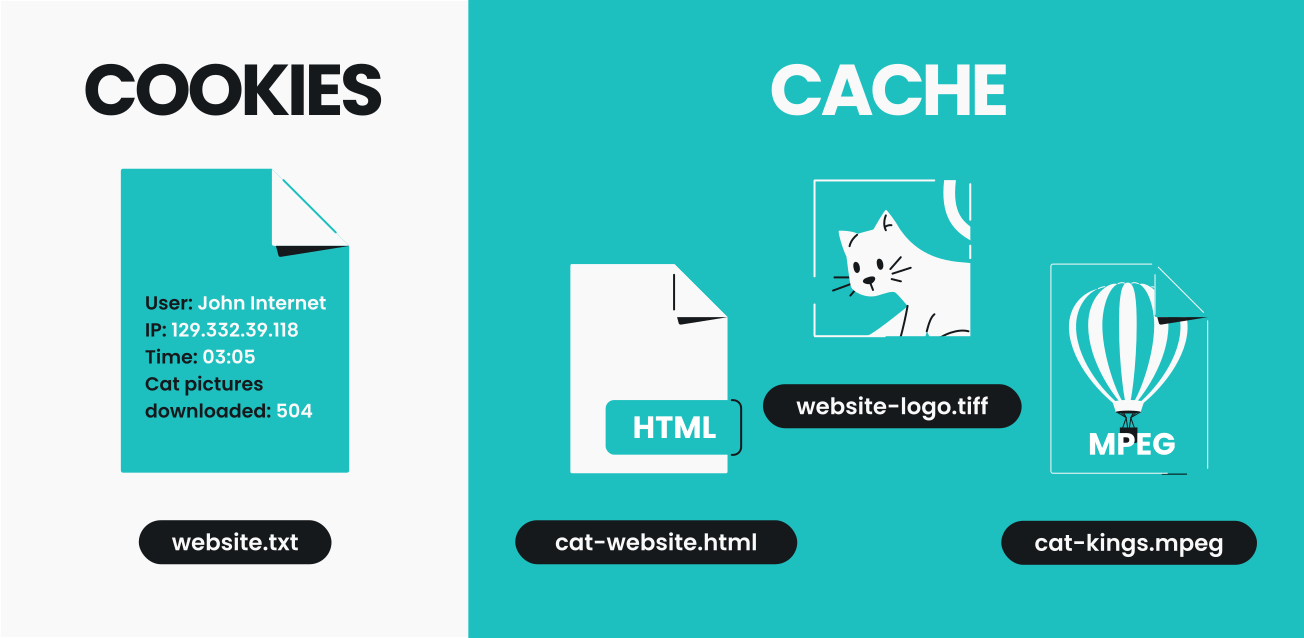
The main difference between Google Cache and Browser Cache lies in their functions, even though both systems deal with keeping copies of web pages. Google creates Google Cache and deals with taking snapshots of your webpages to facilitate the indexing of the latter. The cache is available from the search results, and it shows what Google thinks about your page.

Browser Cache, unlike Google Cache, is created locally on the user’s computer. It is used to save all information loaded during the previous visit to your web page, including images, scripts, and stylesheets. By caching your web page, Google helps you load it faster when you visit it in the future.

Both Google Cache and Browser Cache are important for search engine optimization of your web page.

SEO Competitor Analysis: A Complete Guide to Outranking Your Competitors in 2026

It is no secret that the current digital environment is highly competitive, and ranking on Google requires more than just optimizing your website. You also need a strong understanding of core SEO strategies and how to drive traffic to your website effectively.

You have to know what your competitors are up to. That is why SEO competitor analysis is important.

Through competitor analysis, you can gather important information that will help you develop a better SEO strategy, which in turn will enable you to rank higher than your competitors. This article covers all aspects of SEO competitor analysis.

What Is SEO Competitor Analysis?

seo competitor analysis

SEO Competitor Analysis is a technique of studying the websites of your competitors to identify their strategies with respect to SEO. Many businesses rely on professional SEO services to conduct in-depth competitor analysis and uncover ranking opportunities. This may involve analyzing keywords used, the nature of content created, backlinks, and the effectiveness of their website optimization.

The objective is very straightforward:
Find out what works for your competitors and then learn how you can improve your position using that knowledge.

This differs significantly from general competitive research in that SEO Competitor Analysis revolves around analyzing the search engine performance of your competitors and hence discovering things such as:

  • The keywords ranking your competitor
  • Effective content for your website
  • Sources of backlinks
  • Website optimization techniques

Why SEO Competitor Analysis Is Important

seo competitor analysis

SEO competitor analysis plays a critical role in building a successful SEO strategy. Here’s why it matters:

1. Identify Keyword Opportunities

Competitive analysis enables you to discover keyword opportunities that may be missed by other websites. You can then use them to attract visitors to your site. To discover the right opportunities, using reliable SEO keyword tools can give you accurate data and insights.

2. Discover Content Gaps

From competitive analysis, you can know which areas have not been tackled adequately or at all by your competitors. You can then produce content in these gaps. A well-defined content marketing strategy helps you fill these gaps with high-performing content.

3. Analyze Backlink Strategies

A backlink is an important ranking signal. From competitive analysis, you can learn where your competitors source their backlinks from. Understanding the importance of backlinks can help you replicate and improve your competitor’s link-building approach. You can also leverage off-page SEO services to build high-quality links.

4. Understand Market Trends

Competitive research is useful for staying aware of the latest industry trends, formats used, and audience preferences.

5. Improve Your Overall SEO Strategy

Rather than creating something new, you can use the experience of others and fine-tune your strategy for better results.

How to Identify Your SEO Competitors

seo competitor analysis

Before you can analyze competitors, you need to identify who they are. Your SEO competitors may not always be the same as your business competitors.

Direct vs Indirect Competitors

Direct Competitors – Businesses that offer similar services/products like yours
Indirect Competitors – Websites that bid on the same keywords but provide different services

While conducting SEO, indirect competitors tend to be much more useful than direct ones.

Using Google Search Results

The easiest method is to perform a Google search using the relevant key terms.

  • Notice websites that appear frequently in the results
  • Note down domain names repeatedly featured in the results

Such are your actual competitors from the SEO perspective.

Using SEO Tools (Ahrefs, SEMrush, Ubersuggest)

With SEO tools, competitive analysis becomes easier and more effective. Here is what they do for you:

  • Detect competing websites’ domains
  • Assess keywords rankings
  • Monitor website traffic and performance
  • Learn about backlinks

These tools give valuable data that cannot be gathered manually. Modern SEO tools for analysis make it easier to uncover competitors and evaluate their performance.

Analyzing Competitor Domains

After identifying your competitors, analyze their websites properly:

  • Website domain authority
  • Indexed pages number
  • Content structure
  • Website performance

Pay close attention to technical SEO factors such as site structure, crawlability, and performance.

Key Elements of SEO Competitor Analysis

seo competitor analysis

A complete SEO competitor analysis involves evaluating several important factors.

Keyword Analysis

Keyword analysis helps you understand what search terms your competitors are targeting.

Focus on:

  • High-ranking keywords
  • Long-tail keyword opportunities
  • Keyword gaps (keywords they rank for but you don’t)

Targeting the right keywords can significantly improve your visibility. Proper on-page SEO optimization ensures that your target keywords are implemented effectively.

Content Analysis

Content plays a major role in SEO success. Analyze your competitors’ content to understand:

  • Popular topics
  • Content length and depth
  • Use of visuals and media
  • Content structure and readability

Your goal should be to create content that is more valuable, engaging, and informative. Creating better content often requires high-quality blog content that is optimized for both users and search engines. You can also explore tips on writing quality blog posts.

Backlink Analysis

Backlinks are one of the strongest ranking factors in SEO.

When analyzing backlinks, look at:

  • Number of backlinks
  • Quality of referring domains
  • Anchor text distribution
  • Link-building strategies

This helps you identify opportunities to build high-quality backlinks.

On-Page SEO Analysis

On-page SEO focuses on how well a webpage is optimized.

Check for:

  • Meta titles and descriptions
  • Use of keywords
  • Heading structure (H1, H2, H3)
  • Internal linking

Optimizing these elements can improve your rankings and user experience.

Technical SEO Analysis

Technical SEO ensures that your website is accessible and easy for search engines to crawl.

Key factors include:

  • Website speed
  • Mobile responsiveness
  • URL structure
  • Site architecture
  • Indexing and crawlability

A technically sound website performs better in search results.

Step-by-Step Process for SEO Competitor Analysis

seo competitor analysis

Here’s a practical process you can follow to conduct effective SEO competitor analysis.

Step 1: Identify Competitors

Start by listing your top competitors based on your target keywords. Use Google search and SEO tools to create a reliable list.

Step 2: Analyze Keywords

Identify the keywords your competitors are ranking for. Focus on:

  • High-traffic keywords
  • Low-competition opportunities
  • Long-tail keywords

This helps you build a strong keyword strategy.

Step 3: Review Content Strategy

Analyze what type of content your competitors are producing:

  • Blog posts
  • Guides
  • Videos
  • Landing pages

Identify what works and create better versions of it. A strong content marketing strategy is essential to outperform competitors.

Step 4: Check Backlinks

Study your competitors’ backlink profiles to find link-building opportunities.

  • Reach out to similar websites
  • Create link-worthy content
  • Build relationships in your industry

Learning backlink building techniques will help strengthen your SEO profile.

Step 5: Evaluate Technical SEO

Check your competitors’ technical performance:

  • Site speed
  • Mobile usability
  • Page structure

Use these insights to improve your own website.

Step 6: Create Your Strategy

Combine all your findings to create a strong SEO strategy.

  • Target better keywords
  • Create superior content
  • Build high-quality backlinks
  • Optimize technical performance

The goal is not to copy competitors but to outperform them. Many businesses choose SEO services for businesses to implement a data-driven strategy.

SEO Competitor Analysis Best Practices

seo competitor analysis

To get the best results from your analysis, follow these best practices:

Focus on High-Intent Keywords

Target keywords that are more likely to convert, not just those with high traffic.

Create Better Content (10x Content)

Your content should be more valuable, detailed, and engaging than your competitors’.

Build High-Quality Backlinks

Focus on quality over quantity when building backlinks.

Monitor Competitors Regularly

SEO is constantly evolving. Keep track of competitor changes and update your strategy accordingly.

Use Data-Driven Decisions

Always rely on data rather than assumptions. Use tools and analytics to guide your strategy.


Conversion Optimization: The Complete Guide to Boosting Website Conversions in 2026

In this age of competition on the internet, driving traffic to your website is just the first step towards success. The next step is making sure that your visitors do something on your website, like make a purchase or provide their email address. This is what conversion optimization is all about.

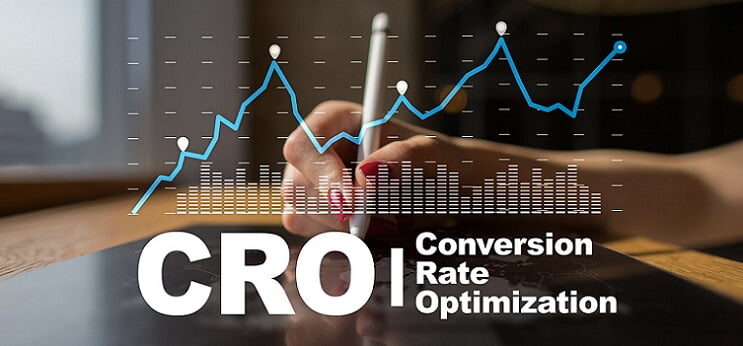
Conversion optimization, or CRO for short, is the process of boosting your website’s effectiveness by raising the number of people who complete a certain action on your website, often achieved through professional SEO services and user-focused optimization strategies.

What Is Conversion Optimization?

conversion optimization

Conversion optimization is the art of improving your website or landing page in such a way that the probability of visitors completing an intended action increases. This intended action is called the conversion. Some of these actions include:

  • Purchasing something
  • Completing a contact form
  • Subscribing to a mailing list
  • Download a document

In other words, conversion optimization involves getting more out of your current website visitors rather than concentrating on drawing more visitors through channels like Google Ads management or paid campaigns.

Suppose your website gets 1,000 visitors monthly and 20 of them convert; your conversion rate would be 2%. If you improve your site by implementing conversion optimization techniques, you might manage to double this percentage to 4%.

Why Conversion Optimization Is Important

conversion optimization

Conversion optimization is essential for any business that wants to grow online efficiently. Here’s why it matters:

1. Maximizes Return on Investment (ROI)

Marketing can be expensive, whether through advertising or Search Engine Optimization (SEO), which is why conversion optimization ensures you get maximum ROI from every visitor. Conversion optimization guarantees that every visit made to the site will yield optimal ROI without an additional cost for marketing.

2. Improves User Experience

Optimization of a website makes it easy to use by ensuring fast loading speeds and a user-friendly interface—something that can be achieved through professional web design services.

3. Reduces Customer Acquisition Costs

As your conversion rates get better, you will not require as many visitors for similar results, thus reducing the cost per acquisition.

4. Builds Trust and Credibility

Professional and well-structured websites naturally foster credibility and trust. Conversion optimization allows you to portray your brand in an authentic manner.

5. Increases Competitive Advantage

Many businesses focus only on traffic generation. By investing in conversion optimization, you gain an edge by converting more visitors than your competitors.

How Conversion Optimization Works

conversion optimization

Conversion optimization is a continuous, data-driven process. It involves analyzing user behavior, identifying problems, and testing solutions to improve performance.

Understanding User Behavior

Conversion optimization begins with understanding how your users behave on your website. This encompasses:

  • Where they click
  • Where they scroll to
  • What pages they view
  • Where they abandon

By examining user behavior, you will be able to identify areas where they face friction and are unable to convert. For instance, when visitors leave your checkout page rapidly, there might be an issue with clarity or trust around your prices.

Data Collection (Analytics, Heatmaps)

The key to successful CRO lies in data. Google Analytics and other heat mapping tools help to get useful information about customer behavior, similar to techniques discussed in market research optimization strategies.

  • Google Analytics indicates sources of traffic, bounce rates, and conversion funnels
  • Heat maps represent visual information about clicks, scrolling, and dwell times
  • Session recordings enable you to watch user actions live

Based on such data, you will be able to act wisely.

A/B Testing and Experimentation

A/B testing is considered one of the most effective tools for converting website visitors into customers. This method requires testing two different versions of a page to see which one converts better.

Examples of testing:

  • Version A: Landing page
  • Version B: Landing page with a more compelling call to action

By running experiments on headlines, images, CTAs, and layouts, businesses can significantly improve performance, especially when combined with on-page SEO services. You will be able to identify the most successful version of each element.

Continuous Improvement Cycle

It is important to realize that conversion optimization is an iterative process. Here’s how it normally goes:

  • Data analysis
  • Problems identification
  • Creating a hypothesis
  • Testing
  • Implementation of changes

The continuous improvement cycle guarantees that your site remains efficient as your users’ behavior and habits change over time.

Key Elements of Conversion Optimization

conversion optimization

To successfully optimize conversions, you need to focus on several critical elements that directly impact user decisions.

Website Design and UI/UX

Your website design will have a huge impact on how successfully you optimize for conversions, which is why investing in professional web design services is crucial.

Your site needs to be visually appealing, modern, and easy to use. Important elements include:

  • Good organization and design
  • Unified branding
  • Simple navigation
  • Design hierarchy

An unappealing design might lead visitors to abandon your site, but a good design can guide them through your conversion process.

Page Load Speed

It is important in the current digital world to be speedy. The site may lose its customers due to poor speed, which is why optimizing performance is essential, as explained in how to Speed Up Your WordPress Website. Studies reveal that if the speed takes up to one second, then it leads to a high bounce rate.

Some tips for faster loading of a web page are:

  • Image optimization
  • Caching
  • Code minimization
  • Hosting services

Websites that perform better are ranked well in SEO results.

Clear Call-to-Actions (CTAs)

A good Call-to-Action (CTA) provides clear guidance on the next step for the user. If there is no clear CTA, the visitor will leave without performing any actions.

Good CTAs have:

  • High visibility
  • Action-oriented wording (“Sign up now,” “Start Here,” etc.)
  • Urgency or benefits

Proper use of CTAs can significantly improve your conversion rate, especially when combined with strategic content and blog writing services.

Mobile Optimization

As most people surf the internet using their phones, optimizing for mobile is essential, something covered in detail in mobile optimization and conversions. Optimizing for mobile isn’t an option anymore; it’s a must!

A good mobile site needs to be:

  • Responsive on all devices
  • Easy to click on a phone
  • Fast-loading
  • Seamless to use

Neglecting your mobile traffic will mean missing out on conversions!

Trust Signals (Reviews, Testimonials, SSL)

Building trust plays an important role in conversion optimization. People are more prone to act if they have confidence in your brand.

Some common signs of trustworthiness are:

  • Customer feedback and testimonials
  • Payment security icons
  • SSL encryption (https)
  • Testimonials of success

These help alleviate any concerns and enhance credibility.

Common Conversion Optimization Mistakes to Avoid

conversion optimization

Even with the best intentions, many businesses make mistakes that hurt their conversion rates. Avoiding these common pitfalls can significantly improve your results.

1. Ignoring Data

Not basing decisions on data results in bad outcomes, especially when ignoring proven strategies outlined in Google SEO ranking factors. Always make use of data analysis and insights when making decisions.

2. Weak or Confusing CTAs

If the CTA isn’t visible enough, users will fail to act upon it. Make sure you design effective CTAs.

3. Not Testing Changes

Making a change without first testing it may not benefit the website. A/B testing makes sure that what you do helps the website.

4. Slow Website Performance

A slow website is off-putting. It should always be optimized for speed.

5. Overcomplicating the Design

The website shouldn’t contain too much stuff, as it may become overwhelming for the users. It should focus on converting customers into sales.

6. Ignoring Mobile Users

Not optimizing for mobile visitors could cause you to lose a significant chunk of traffic. Always keep the mobile experience in mind.

How Much Does a Website Cost? A Complete Pricing Guide for Businesses

The first question that companies tend to ask when deciding to create a website is the following: How much would a website cost? Understanding this is especially important when investing in professional web design services that align with your business goals. However, the answer to this question cannot be given by stating a particular sum, as the cost of creating a website may vary depending on several factors.

By the year 2026, websites will have become not just an option but a necessity for any organization, as they will serve as the digital face of your company. As a result, learning the possible expenses involved will help you plan and budget your money correctly, especially when combined with a strong SEO services strategy to maximize your website’s ROI. When discussing website costs, it should be noted that a website should not be perceived as something that is bought once but is rather a constantly evolving part of your business.

Average Cost of a Website in 2026

how much does a website cost

In 2026, the expenses incurred when creating a site will be determined by its features. However, it is estimated that the amount may vary anywhere between a few hundred dollars and tens of thousands of dollars.

Small Business Website Cost

For instance, a small business website may have only a handful of webpages, such as the homepage, about page, services page, and contact page. Small businesses usually develop such websites so as to create their presence on the web as well as to offer useful information to potential customers. The approximate cost of a small business website may range from $500 to $5,000, depending on whether you choose basic templates or professional solutions like WordPress web design services.

This means that the website may be developed at the low end using website builders or simple templates and at the high end through custom website design and optimization techniques like SEO.

eCommerce Website Cost

An e-commerce site is more complicated as it requires features like product listings, shopping carts, and payment systems, which can be built using expert ecommerce web design services. These extra capabilities contribute to higher development expenses and development time.

In most cases, an e-commerce site may cost anywhere from $2,000 to $20,000 or even more. The expense will depend on the number of goods, design modifications, and other third-party applications.

Custom Website Development Cost

Custom websites are developed from scratch to fulfill specific business needs, often requiring professional web design services and advanced functionality. Such projects are often characterized by unusual design, complex features, and user experience customization.

The starting price of developing custom websites begins from $5,000 and might be even higher than $50,000. This solution is obviously more costly, but it provides more opportunities to businesses with special needs.

Factors That Affect Website Cost

how much does a website cost

Design and UI/UX Costs

Website cost is greatly influenced by the design aspect. The cost of website creation through the use of a templated design will be low compared to designing UI/UX from scratch, which takes a lot of time and skill. Design not only concerns how good your website looks but also how it functions when used by visitors. A good design is a valuable asset for increasing efficiency of usage, decreasing bounce rates, and improving conversion rates.

Development Costs

Costs associated with development depend on complexity and technology, which is why businesses often rely on professional technical SEO services and development optimization. The more advanced features it has, the more expensive its development will be.

Also, the level of experience of the developers themselves plays a role. While hiring more experienced professionals can be a bit expensive, their work is usually more trustworthy and scalable.

Content Creation Costs

The content on a website is crucial and demands effort and time, which is why many businesses invest in professional blog writing services. Content may include not just text, but also graphics, images, and even videos.

Companies that build websites sometimes prefer to do everything on their own, whereas others seek professionals’ assistance. In addition, content plays an important role in SEO.

Maintenance and Hosting Costs

Website creation is simply the start, as maintaining the website is crucial in making sure that it runs without issues. The amount you will need to pay for the hosting service varies based on the hosting company you choose and how much performance you need. This includes updating your website, securing it, and optimizing its speed, among others.

Hidden Costs of Building a Website

how much does a website cost

Apart from these primary costs, there are many secondary costs, which many companies do not consider at all. They can be associated with such things as registration of the domain, premium plugins, third-party integration, and security measures. Additional marketing, analytics, and SEO also have their own price tags. The other very important factor to consider is time. Time spent on managing the website, keeping the content updated, and fixing any problems is always an important factor.

Website Builder vs Hiring a Developer

how much does a website cost

Whether to go with the website builder or choose the developer is based on one’s budget, objectives, and needs. The websites, such as Wix, Squarespace, or Shopify, will give you an easier and more cost-effective way out. These websites are suitable for those who have just started their business.

On the contrary, custom web development services offer full customization, especially when using expert web design services. It is recommended for those companies that want to create a professional website. The website builders will cost less than web developers; however, the latter give better results.

Cost vs Value – Why a Website Is an Investment

how much does a website cost

It is essential to realize that the creation of a website does not represent just expenditure but rather an investment in the future success of the business. An appropriately designed and optimized website will result in acquiring leads, increasing sales, and building brand awareness.

If the sole criterion used to make a decision about investing in the development of a website is the price tag associated with the process, there is a possibility of making suboptimal decisions, such as selecting the most affordable alternative without taking the quality into account. However, A top-notch website will eventually pay off through increased traffic and business growth, particularly when combined with strong content like what is a content marketing strategy.

B2B Social Media Marketing: Complete Guide to Strategy, Platforms, and Growth

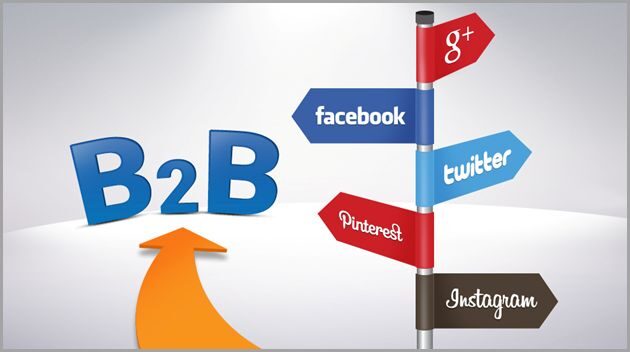
Social media marketing for B2B is the promotion of products or services from one company to another through social media channels, often supported by professional strategies like social media marketing services that help businesses scale their reach and engagement. It differs from B2C social media marketing because, in B2C, individuals rather than businesses are the target audience. In addition, social media B2B marketing helps a company create its presence in the market and build strong relationships.

The B2B purchasing process is usually more detailed and involves more research. Social media becomes an important part of this process through which companies get information about various issues related to the purchase process. This helps the company create its authority and make a good impression in front of prospective customers.

Why B2B Social Media Marketing Is Important

b2b social media marketing

A social media platform is crucial for any B2B business since it is vital for both brand visibility and lead generation, especially when combined with a strong Search Engine Optimization strategy. Most decision makers spend a considerable amount of time doing research on their preferred solutions prior to purchasing anything, often relying on content like guides and insights, such as our article on what is a content marketing strategy. Being present on social media ensures that you are visible when people are conducting their research.

Another benefit of using social media for your business is that it boosts credibility. By publishing educational and insightful content, businesses showcase themselves as industry experts and establish trust among future clients, leading to increased conversions.

Finally, social media is important due to the ability to interact directly with your clients. Through social media platforms, you can engage in conversation with your customers and gain valuable insight into their requirements.

Best Social Media Platforms for B2B Marketing

b2b social media marketing

LinkedIn

It is believed that LinkedIn is the most efficient tool for carrying out B2B social media marketing campaigns. LinkedIn was created for professional individuals, making it the perfect platform to connect with decision makers and industry influencers. Companies can use LinkedIn to showcase their expertise through thought leadership content, company news, and testimonials, often amplified with expert blog writing services to maintain consistency. Additionally, LinkedIn provides excellent targeted advertisement capabilities, allowing companies to target certain industries, specific job titles, and even certain company sizes.

Twitter (X)

Twitter, now known as X, is a fast-paced platform that is useful for sharing real-time updates, industry news, and insights. It allows businesses to participate in conversations, follow trends, and engage with a wider audience.

For B2B companies, Twitter is particularly effective for building brand visibility and staying relevant in industry discussions. Consistent posting and engagement can help position your business as an active and knowledgeable player in your field.

Facebook

While Facebook is considered to be a platform that is best used for B2C marketing, it is nevertheless a platform of great significance for B2B companies. Businesses can use it to raise awareness about their brands, promote their content, or even launch targeted advertisement campaigns.

Through its sophisticated advertising tools, Facebook makes it possible for businesses to target certain categories of people.

YouTube

YouTube is a great platform where you can share video content that can last up to hours. For example, within the context of B2B marketing, videos can serve as tutorials, product demos, webinars, and educational videos. Using video content makes it easier to explain things to your clients. YouTube is also beneficial as a channel because having a good presence on YouTube will enhance your SEO efforts as well as increase your brand awareness, especially when paired with YouTube marketing services and optimized video campaigns.

B2B Social Media Marketing Strategies

b2b social media marketing

Content Marketing Strategy

Content should be the driving force behind any successful B2B social media strategy. Companies have to produce content that is useful, educational, and relevant to their target audience. This content can take various forms, such as blog posts, infographics, videos, and industry news.

With a good content strategy in place, businesses will be able to achieve consistency, thereby fostering long-term engagement. Content marketing plays a key role in shaping a company’s reputation and establishing its expertise.

Paid Advertising

Social media advertising helps organizations connect directly with their target audience in no time at all. LinkedIn and Facebook have various targeting capabilities that help companies target particular niches, professions, and stakeholders, especially when using services like Google Ads management to run highly targeted campaigns. Organizations use social media ads for content promotion, lead generation, and traffic redirection, often combining efforts with PPC advertising to maximize ROI. Paid social media advertisements become more effective when paired with organic strategies.

Influencer Marketing in B2B

The concept of influencer marketing is not confined to consumer goods alone. In B2B marketing, there are many influencers that could be considered. It would be wise to collaborate with such influencers because they will be able to help spread your message further.

By aligning your brand with trustworthy people in your industry, you can increase your credibility and build your reputation. This is especially useful when promoting expensive goods or services.

Types of Content That Work in B2B Social Media

b2b social media marketing

The kind of content you publish will determine whether your B2B social media marketing will be successful or not. Educational content like how-tos and industry trends will go a long way in addressing your target market’s needs and establishing your brand as an authority on the subject matter. Success stories/case studies will show what you have been able to do so far, thereby increasing credibility.

Video content, which includes webinars and tutorial videos, will engage the audience more and help explain difficult concepts in an easy way, especially when supported by professional video recording services. Infographics and behind-the-scenes content will help break down complex information and humanize your brand, respectively.

How to Create a B2B Social Media Strategy

b2b social media marketing

Define Your Target Audience

It is important to understand who your potential customers are before creating a social media strategy for business-to-business marketing. It involves learning about the industry that they operate in, what positions they have, what challenges they face, and what they aim to achieve.

Set Clear Goals

Goal setting is very important when determining whether you have been successful. You may want to set goals that focus on brand awareness, lead generation, website traffic, or any other goal that suits you.

Choose the Right Platforms

Social media may not work equally well when used for B2B marketing purposes. The selection of social media sites will depend on where your intended audience spends time online, supported by strategies like those in social media marketing tips. For some businesses, LinkedIn could be the main social media site, while others would utilize YouTube and Twitter.

Create a Content Calendar

A content calendar will help you plan your social media efforts. By using one, you can be consistent and align your content with your objectives. In addition, it is much easier to post regularly when you have already planned for it.

Measuring Success in B2B Social Media Marketing

b2b social media marketing

Evaluating the effectiveness of social media marketing is important to determine which aspects of the strategy are successful and which need improvement. Some key measurements to look at would be engagement rates, traffic to the website, generating leads, and conversion rates. All of these measures offer insight into the effectiveness of the social media activity.

There are a variety of analytics tools available on social media websites that can help measure performance and identify any trends that may arise. Consistently reviewing and analyzing this information will help companies improve their efforts going forward.

What Is Front End Development? Everything You Need to Know


Front-end development is the aspect of web development that deals with everything on a website or web application that is visible to the user. Everything that is displayed on the screen is part of front-end development. Front-end development also plays a crucial role in search visibility. To understand how websites rank, you can explore our guide on what is SEO.

Front-end developers are responsible for taking the idea of what the website will look like, as designed by UI/UX designers, and turning it into an interactive screen experience. This includes writing code that determines how the website displays content on the screen, how the user navigates the website, and how different elements respond to user actions, such as clicking or scrolling. In simple terms, front-end development is about making websites look good and function well for the user.

Why Front-End Development Is Important

what is front end development

The front-end development is an important factor in creating the first impression in the user’s mind while visiting the website. If the front end is well designed and developed, the website looks professional and is easy to use, giving the user the impression that the website is reliable and trustworthy. However, if the front end is poorly designed, the user gets frustrated and leaves the website immediately.

User experience is considered to be the most important factor in modern-day web development, and the front end development plays an important role in this regard. The factors that make the user experience better are the high speed of the website, ease of use of the website, and the visual appearance of the website. All these factors not only keep the user engaged but also enhance the conversion rate.

Another important factor related to front-end development is search engine optimization (SEO). Another important factor related to front-end development is search engine optimization (SEO). Search engines consider factors like speed, responsiveness, and user engagement. You can also learn more about Google SEO ranking factors to understand how front-end impacts rankings.

If you’re looking to build a fast, responsive, and visually appealing website, our professional web design services can help you create a powerful online presence.

Key Technologies Used in Front-End Development

what is front end development

HTML (HyperText Markup Language)

HTML is the basic building block of every website. It is used for structuring the content on a web page, like headings, paragraphs, images, etc. HTML can be considered the “skeleton” of a website, where it specifies where a particular part of the website is located.

Without HTML, a website would be like an empty shell, and it would be impossible for a web browser to display content properly. HTML is also crucial for Search Engine Optimization, where it helps in understanding the content on a particular web page.

CSS (Cascading Style Sheets)

CSS is used for styling and arranging the look of a website. It allows developers to style HTML tags and elements, such as colors, fonts, spacing, and positioning, among others. Using CSS, a simple HTML page can be transformed into a beautiful and professional-looking interface.

CSS has also evolved to allow developers to build responsive websites, ensuring that a website has a perfect look and feel regardless of the screen size. This is a core part of modern design, often referred to as responsive web design principles, which ensure consistency across all devices. whether desktop, tablet, or smartphone, among others, in this digital age.

JavaScript

JavaScript is a programming language used for adding interactivity to websites. It allows developers to implement dynamic features like sliders, pop-ups, and form validation without requiring a page reload.

JavaScript makes websites more interactive and responsive to user actions. However, excessive scripts can slow down performance, so it’s important to optimize properly. Here are some ways to speed up your WordPress website and improve load times.

Popular Front-End Frameworks and Libraries

what is front end development

React

React is one of the most popular JavaScript libraries used to create user interfaces. It was created by Facebook and enables the creation of reusable components of code, which makes the development process quicker and more efficient. React is widely used to create dynamic and high-performance web applications.

React’s component-based structure enables the creation of clean and organized code, which is important in large-scale applications.

Angular

Angular is a powerful front-end framework developed by Google. It offers a complete solution for developing complex front-end web applications, including tools for routing, state management, and handling forms. The framework uses a structured approach, making it ideal for developing complex applications, especially for enterprise use.

Although the framework has a steeper learning curve compared to other front-end frameworks, it has scalability and performance advantages.

Vue.js

Vue.js is a progressive JavaScript framework that is simple and flexible in nature. It is easy to learn and can be considered a good platform for beginners and experts alike. One of the greatest advantages of using the Vue.js platform is the fact that it can be gradually integrated into the project, making it highly flexible in nature.

How to Become a Front-End Developer

what is front end development

Learn the Basics

The first step towards becoming a front-end developer is to get familiar with the fundamental technologies: HTML, CSS, and JavaScript. These three form the base of web development. Learning from these basics will give you a solid understanding of structure, design, and functionality.

Build Projects

Practical experience is crucial in becoming proficient in front-end development. Creating projects helps you apply your knowledge and gain practical experience. Basic projects like building a personal website or a landing page can help you develop your skills. As you advance, you can work on more complicated projects to further enrich your knowledge.

Learn Frameworks

Once you are comfortable with the basics, learning front-end frameworks such as React, Angular, or Vue will enable you to develop more complex applications. These are tools that will help streamline the development process. Selecting the correct framework will depend on what you want to achieve and what type of projects you are interested in.

Create a Portfolio

Having a strong portfolio is vital in showing off your skills to potential employers or clients. Your portfolio should have a variety of projects that show you are capable of creating user-friendly interfaces. Having a well-presented portfolio is important, as it shows not only your skills but also your creativity and attention to detail.

Tools Used in Front-End Development

what is front end development

Front-end developers use different tools to boost productivity and simplify development processes. For instance, code editors such as Visual Studio Code enable developers to create a comfortable environment for coding and managing code. On the other hand, version control tools such as Git enable developers to collaborate and track changes.

Browser developer tools enable developers to debug and inspect code directly in the browser, hence simplifying development processes. Build tools and package managers, such as Webpack and npm, enable developers to boost performance and manage different dependencies. These tools are important in ensuring development processes are efficient and organized. Similarly, using the right SEO tools can help improve your website’s visibility, performance, and ranking on search engines. To ensure your website performs at its best in search engines, consider investing in technical SEO services that optimize speed, structure, and indexing.

Front End vs Back End Development

what is front end development

The front-end and back-end development are two important aspects of developing a website, and they play different roles in developing a website. Front-end development involves developing a user interface and a user experience, ensuring a nice look and feel for a website.

Back-end development, on the other hand, involves developing a server, a database, and an application, and includes activities such as data storage, request handling, and user management.

While front-end developers are concerned with what a user sees, a back-end developer works behind the scenes, ensuring everything works properly, and both aspects are important and play a vital role in developing a complete web application. If you’re building a business website, it’s important to combine both effectively. Here’s a helpful guide on websites for small businesses.

Future of Front-End Development

what is front end development

The future of front-end development is always changing, and this change comes from improvements in technology and changing user behavior. Some trends in front-end development, such as progressive web development, artificial intelligence, and performance optimization, are defining its future. These trends also align with evolving digital marketing trends that shape how businesses grow online.

As businesses continue to focus on digital, the need for front-end developers is also likely to increase. Keeping abreast of new technologies and constantly striving to improve your skills in front-end development will be important for your success in this field.

Website Redesign SEO: How to Redesign Your Site Without Losing Rankings

Website redesign SEO is the process of modifying a website’s design, structure, or functionality without compromising or even enhancing its search engine ranking. A website redesign may include changing the website’s layout, platform, user experience, or branding. However, if not done correctly from an SEO perspective, even a very attractive website redesign may cause a major drop in website traffic. To avoid this, it’s important to follow proven strategies used in professional SEO services.

Search engines such as Google use website URLs, content, internal links, and website structure to identify and rank your website.  This is why understanding the fundamentals of what is SEO is essential before making any major changes. However, if these are changed without a proper plan in place, search engines may not be able to identify your website, which may cause a dip in website rankings. Website redesign SEO helps to ensure that all important SEO components of a website are not compromised during a redesign and are actually enhanced for better performance.

Why SEO Matters in a Website Redesign

website redesign seo

SEO is an essential part of any website redesign process because your existing search engine rankings, traffic, and overall authority are important assets that should not be squandered. Indeed, most websites have spent considerable time and effort building their presence online and could either improve or ruin what is already built if not done correctly.

If SEO is considered an integral part of a website redesign process, it is essential in ensuring continuity. This is because it will ensure that your website is crawlable and indexable by search engines and that users will not be negatively impacted by the redesign. A website redesign is also a good opportunity to correct any existing problems, such as loading speeds. You can also improve performance by learning how to speed up your WordPress website. mobile usability, and overall content quality, which could also have a positive effect on a website’s search engine ranking. Not taking into account SEO during a website redesign could result in a website having broken links and losing existing keywords.

Common SEO Mistakes During Website Redesign

website redesign seo

Ignoring URL Structure Changes

One of the most common errors made during a website redesign is changing the URLs without proper planning. URLs are considered unique identifiers for your website pages. Search engines use URLs to index your website pages. When URLs are changed or deleted without proper guidance, it may lead to a loss of rankings and broken links.

The best solution is to maintain your existing URLs. However, if changes are required, proper documentation should be made so that search engines and visitors can access the correct pages. Proper planning is part of a strong technical SEO service strategy that ensures your site structure remains intact.

Missing Redirects

Failure to use redirects is another serious mistake that may negatively impact your SEO performance. When a webpage’s URL changes or is deleted, a 301 redirect should be used to direct visitors and search engines to the new location. Without redirects, visitors may be unable to access the webpage and may be shown a ‘404 not found’ error message. Search engines may also remove these pages from their index.

Correctly implemented redirects will help maintain link equity. This is a core part of both on-page SEO services and off-page SEO service strategies. which is the value transferred from one webpage to another. This will prevent your hard-earned rankings from being lost.

Losing Existing Content

It has also been noticed that some website owners delete or update content during the redesign of the website without considering the SEO benefits of the content. Sometimes, the content of the website might look outdated, but it could have been generating considerable traffic. Deleting such content can impact your overall visibility on the internet. It is essential to review the content before making any changes. Instead of deleting, you can update your content. Instead of removing content, businesses should focus on improving it with a strong blog writing service.

Poor Mobile Optimization

As most users access websites through mobile devices, mobile optimization is not optional anymore. If you launch your redesigned website without giving enough priority to mobile optimization, you might not achieve a good user experience. Your ranking will also suffer. Google follows mobile-first indexing. It means that your website is crawled by considering the mobile version first. It is very important to ensure that your redesigned website can function on all devices. A well-structured and responsive layout is a key part of a professional web designing service.

Pre-Redesign SEO Checklist

website redesign seo

Conduct a Full SEO Audit

It is vital to carry out a thorough SEO audit. This process is typically handled by experts offering technical SEO service. on your existing site before commencing any redesign process. This will help you identify what is already working well on your site and what needs improvement. This will give you vital information on your site, which will guide you in decision-making, hence avoiding any loss of vital information in the redesign process.

Backup Your Website

Backing up your website is a crucial step that should never be overlooked. It ensures that you have a complete copy of your existing site, including content, images, and data. In case anything goes wrong during the redesign, you can quickly restore your website without losing important information. This step provides peace of mind and acts as a safety net throughout the process.

Identify Top-Performing Pages

Not all pages on your site are equal in performance. Some pages on your site are responsible for most of your traffic. Knowing these pages will help you concentrate on them during the redesign of your site. Make sure these pages are not changed in terms of content, structure, or SEO. They play a significant role in maintaining your site’s performance. You can track these insights using the tools and strategies explained in Google SEO ranking.

Keyword Mapping

Keyword mapping is the process of mapping your targeted keywords to your website pages. It is useful in making sure your website pages are targeting the right keywords to avoid cannibalization. When redesigning your website, using keyword mapping can help you maintain consistency and ensure your website pages continue to rank for your targeted keywords.

SEO Best Practices During Website Redesign

website redesign seo

Maintain URL Structure (or Plan Redirects)

Maintaining your existing URLs is one of the most effective ways to defend your rankings. If changes are inevitable, a comprehensive redirect plan will help you guide users and search engines to the correct pages. This step will help you provide continuity and sustain your authority.

Optimize On-Page SEO

This is an ideal time to improve your on-page SEO. This includes optimizing your meta title, description, headings, and content to fit your latest keyword strategies. Optimizing your pages not only improves their performance but also improves the overall user experience.

Improve Site Speed

Page speed is a significant factor in search engine ranking and directly influences user experience as well. During a redesign, images can be optimized, redundant code can be minimized, and hosting can be optimized to improve page load time. For deeper insights, check this guide on website speed optimization.

Ensure Mobile Responsiveness

Having a mobile-friendly design is a crucial aspect of a modern website. This is because a mobile-friendly design ensures better usability and improved search engine ranking. This aligns with best practices in responsive web design. Testing a website on different devices can help you identify any problems associated with your website.

Post-Redesign SEO Checklist

website redesign seo

Test All Redirects

Once you have launched your redesigned website, it is important to test all the redirects to ensure that they are functioning correctly. This is because incorrect or improper redirects can lead to a loss of traffic. Testing can help in identifying and resolving problems.

Submit Updated Sitemap

Uploading a new version of your XML sitemap to various search engines will enable them to crawl your new pages faster. This step will ensure your newly designed site is recognized. It will help in faster indexing as well. Structured data can further enhance visibility, as explained in the introduction to structured data.

Monitor Rankings and Traffic

Monitoring your website’s performance after the redesign is a must. You may monitor your website’s keywords; regular tracking is essential to maintain your SEO ranking over time. organic traffic, and user behavior to assess if your redesign is negatively affecting your website. You may make the necessary changes and continue your SEO performance.

Fix Crawl Errors

Crawling errors can also happen when the search engine is not able to access some of the pages on your website. Errors can impact your ranking in a negative way. Crawling errors can be easily fixed by using tools such as Google Search Console.

How to Retain and Improve Rankings After Redesign

To maintain and even improve your rankings after the redesign, it is important to continue updating your content and building quality backlinks. This is a key part of off-page SEO service strategies. and enhancing the user experience. Analyzing your website can help you identify growth opportunities.

It is important to note the importance of consistency. By continuing to maintain quality SEO strategies and being responsive to changes in search engine algorithms, it is possible to not only maintain your current rankings but also increase your visibility. A successful redesign should not only maintain your current performance but also lay the groundwork for future growth.

When Should You Redesign Your Website?

The need to redesign a website arises when your existing website does not fulfill your business or user needs. This could be because your website design is old, you can explore more insights in importance of website designing not performing well, or because of a lack of conversions. Another reason to redesign your website could be that your website is not responsive or mobile-friendly, or that it loads too slowly.

However, it should be noted that a website redesign should not be taken lightly. While redesigning, it should not be forgotten that the redesign should be aligned with your website’s SEO and business needs. A website redesign, when executed correctly, can help improve your website and business.

What Is Performance Marketing? A Complete Guide for Businesses

In today’s competitive digital environment, businesses are constantly looking for marketing strategies that deliver measurable results. Traditional marketing methods often make it difficult to determine whether advertising budgets are producing real outcomes. This is where performance marketing has gained significant popularity in the digital marketing industry.

Performance marketing has become an essential part of a strong digital marketing strategy for businesses looking to achieve measurable growth. Instead of spending money on campaigns without knowing the exact return, businesses only pay when a specific result is achieved.

Because of this results-driven approach, performance marketing has become a preferred strategy for companies that want to maximize their marketing budget and improve return on investment. In this guide, we will explain what performance marketing is, how it works, the channels used, and how businesses can build an effective performance marketing strategy.

What Is Performance Marketing?

what is performance marketing

Performance marketing is a digital marketing strategy in which advertisers pay marketing platforms or partners only when a specific action is completed. These actions can include clicks, leads, app installs, or product purchases.

Unlike traditional advertising models, where businesses pay for impressions or ad placements regardless of results, performance marketing focuses on paying for measurable outcomes. This makes it a highly efficient and cost-effective approach for businesses that want to track and optimize their marketing performance.

Performance marketing typically involves collaboration between advertisers, publishers, affiliate partners, and marketing platforms to drive targeted traffic and conversions.

Key Concept Behind Performance Marketing

The core concept behind performance marketing is the pay-for-results model. Instead of paying upfront for advertising space, businesses only pay when users complete a desired action.

For example, if a business runs a campaign designed to generate leads, payment is made only when someone submits their information through a form. This ensures that marketing budgets are spent on campaigns that produce real results.

How Performance Marketing Works

Performance marketing works through a structured ecosystem involving several key participants. Advertisers create campaigns to promote their products or services, while publishers or marketing platforms help distribute these campaigns to targeted audiences.

Tracking technologies such as analytics tools and conversion tracking systems measure user interactions with ads. When a user completes the desired action, such as clicking an ad or making a purchase, the advertiser pays the agreed cost.

Businesses often combine performance marketing with professional SEO services to build long-term online visibility.

Key Channels Used in Performance Marketing

what is performance marketing

Performance marketing campaigns can run across multiple digital channels. Each channel offers unique opportunities for reaching audiences and driving measurable results.

Search Engine Marketing (SEM)

Search engine marketing involves running paid advertisements on search engines. Businesses bid on keywords related to their products or services, allowing their ads to appear in search results when users search for those terms.

Many companies rely on expert Google Ads management to run high-performing search engine marketing campaigns.

Social Media Advertising

Social media platforms provide powerful advertising tools that allow businesses to target audiences based on demographics, interests, and behavior. Businesses frequently use social media marketing services to create targeted advertising campaigns that drive conversions.

Affiliate Marketing

Affiliate marketing is another important performance marketing channel. In this model, businesses partner with affiliates who promote their products or services in exchange for a commission.

Affiliates earn money only when they successfully generate conversions, making it a highly performance-driven marketing method.

Native Advertising

Native advertising involves placing ads that match the design and format of the platform where they appear. These ads blend naturally with the surrounding content, making them less disruptive to users.

Because native ads feel more organic, they often achieve higher engagement and conversion rates.

Display Advertising

Display advertising uses visual banners and graphics placed on websites or mobile apps. These ads can drive brand awareness while also encouraging users to click and visit a website.

With proper targeting and optimization, display advertising can contribute to performance marketing campaigns.

Performance Marketing vs Traditional Digital Marketing

what is performance marketing

Many businesses integrate performance marketing with search engine optimization to achieve both short-term and long-term results.

Payment Model

Traditional digital marketing often involves paying for impressions, ad placements, or fixed advertising packages. In contrast, performance marketing focuses on paying only for measurable actions.

Tracking and Analytics

Performance marketing relies heavily on advanced tracking technologies that provide detailed insights into user behavior and campaign results. Traditional marketing methods may offer limited tracking capabilities, making it harder to measure effectiveness.

Campaign Optimization

Performance marketing campaigns are continuously optimized based on real-time data. Marketers can adjust targeting, messaging, and budget allocation to improve results. Traditional marketing campaigns may not offer the same level of flexibility or performance monitoring.

How to Create a Successful Performance Marketing Strategy

what is performance marketing

Many companies choose to work with a digital marketing expert to optimize campaigns and maximize return on investment.

Define Clear Campaign Goals

The first step is identifying the specific goals of the campaign. These goals may include increasing website traffic, generating leads, or driving product sales.

Clear objectives help marketers measure success accurately.

Choose the Right Marketing Channels

Different channels deliver different results depending on the target audience and industry. Businesses should select platforms that align with their marketing goals and customer behavior.

Track and Measure Campaign Performance

Monitoring performance metrics allows businesses to evaluate the effectiveness of their campaigns. Tracking tools provide valuable insights into user behavior and engagement.

Continuously Optimize Campaigns

Performance marketing requires ongoing optimization. Marketers should regularly test different ad formats, targeting options, and creative strategies to improve campaign results.

Future of Performance Marketing

what is performance marketing

Performance marketing continues to evolve as technology advances. Artificial intelligence, automation, and advanced analytics are playing an increasingly important role in optimizing campaigns. Marketers are also using machine learning algorithms to analyze large datasets and predict consumer behavior more accurately. As digital marketing becomes more data-driven, performance marketing is expected to remain one of the most effective strategies for businesses seeking measurable growth.

Complete Social Media Audit Guide: Improve Your Strategy & Performance

In today’s digital world, social media has become one of the most powerful tools for businesses to connect with their audience, build brand awareness, and generate leads. However, simply posting content on different platforms is not enough to achieve meaningful results. Businesses must regularly analyze their performance as part of a strong social media marketing strategy.

This is where a social media audit becomes essential. A social media audit helps businesses evaluate their social media accounts, analyze performance metrics, and identify opportunities to improve their strategy. By reviewing engagement, content performance, audience behavior, and platform effectiveness, organizations can make smarter decisions about their social media marketing efforts.

Conducting a regular social media audit allows brands to stay competitive, maintain consistent branding, and ensure that their social media activities align with their overall marketing goals. In this guide, we will explain what a social media audit is, why it is important, and how you can conduct one step by step to improve your social media strategy.

What Is a Social Media Audit?

social media audit

A social media audit is the process of reviewing and analyzing all of your social media accounts to evaluate their performance and effectiveness. These insights can also support your broader SEO strategy by improving online visibility and content performance.

The primary goal of a social media audit is to determine whether your social media efforts are helping you achieve your marketing objectives. It provides a clear picture of how your content performs, how your audience interacts with your brand, and which platforms are delivering the best results.

Businesses of all sizes can benefit from conducting regular audits because they provide valuable insights that help improve marketing strategies and optimize social media campaigns.

Key Objectives of a Social Media Audit

A social media audit serves several important purposes for businesses and marketers. One of the main objectives is to evaluate the overall performance of social media accounts. By analyzing key metrics such as engagement rate, reach, impressions, and follower growth, businesses can determine which strategies are working effectively.

Another objective is to identify strengths and weaknesses within the social media strategy. For example, certain types of content may perform better than others, or some platforms may generate more engagement than others.

Finally, a social media audit helps ensure that social media activities align with broader business and marketing goals. This alignment is crucial for maximizing the return on investment from social media marketing efforts.

Why a Social Media Audit Is Important for Businesses

social media audit

Many businesses invest significant time and resources into social media marketing, but without proper evaluation, it becomes difficult to measure success. A social media audit provides the insights needed to make data-driven decisions and improve overall performance.

One of the key benefits of conducting a social media audit is the ability to improve engagement and reach. By analyzing which posts generate the most likes, shares, and comments, businesses can refine their content marketing strategy and create more engaging content.

Another important reason for conducting an audit is identifying underperforming platforms. Not all social media platforms deliver the same results for every business. A social media audit helps determine which platforms are worth investing in and which ones may not be providing enough value.

Benefits of Conducting Regular Social Media Audits

Regular social media audits offer several advantages for businesses. One major benefit is improved audience targeting. By reviewing audience insights and demographics, businesses can better understand who their followers are and tailor their content to meet their interests and preferences.

Another benefit is improved return on investment (ROI). When businesses understand which strategies and platforms perform best, they can allocate their resources more effectively and focus on activities that generate the highest results.

Additionally, regular audits help maintain a strong and consistent brand visibility across all social media platforms. Consistent branding builds trust with the audience and strengthens brand recognition.

Key Elements to Review in a Social Media Audit

social media audit

When conducting a social media audit, there are several important elements that should be reviewed carefully. These elements help provide a complete understanding of the current performance and effectiveness of social media accounts.

Profile and Branding Consistency

One of the first things to review in a social media audit is profile consistency. This includes checking profile pictures, cover images, bios, descriptions, and website links.

All social media profiles should maintain consistent branding elements such as logos, brand colors, and messaging. Consistency ensures that audiences can easily recognize your brand across different platforms.

Content Performance Analysis

Analyzing content performance is another crucial part of a social media audit. Businesses should review the performance of recent posts to determine which content types generate the most engagement.

Metrics such as likes, shares, comments, and click-through rates provide valuable insights into how audiences interact with content. This information helps professional blog writing and improves future content strategies.

Audience and Follower Insights

Understanding the audience is essential for successful social media marketing. During the audit process, businesses should review audience demographics, including age groups, location, interests, and behavior patterns.

These insights help businesses tailor their messaging and content to better connect with their target audience.

Posting Frequency and Consistency

Another important factor to evaluate is posting frequency. Businesses should assess whether they are posting too frequently or not enough to maintain engagement.

A consistent posting schedule helps maintain audience interest and ensures that the brand remains visible in social media feeds.

Step-by-Step Process to Conduct a Social Media Audit

social media audit

Conducting a social media audit may seem complex, but by following a structured process, businesses can perform it efficiently and effectively.

Step 1: List All Social Media Accounts

The first step in a social media audit is identifying all social media accounts associated with your business. This includes both active and inactive accounts.

Some organizations may have created multiple accounts over time, so it is important to locate and document each one. This helps prevent confusion and ensures better account management.

Step 2: Verify Branding and Profile Information

After identifying all accounts, the next step is to review the profile details. Ensure that usernames, profile pictures, bios, and website links are accurate and consistent across all platforms.

Outdated information should be updated to reflect the latest brand identity and contact details.

Step 3: Analyze Content Performance

The third step involves analyzing the performance of published content. Review engagement metrics such as likes, comments, shares, and impressions.

Identify patterns that indicate which content types perform best. For example, videos, infographics, or educational posts may generate higher engagement than simple promotional posts.

Step 4: Review Audience Insights

Audience insights provide valuable information about followers and their behavior. Businesses should analyze demographic data to understand who their audience is and how they interact with content.

This data helps marketers create more relevant and targeted content.

Step 5: Compare With Competitors

A competitive analysis can also be part of a social media audit. By examining competitors’ social media strategies, businesses can identify new content ideas and marketing opportunities.

Understanding competitor performance helps businesses stay competitive and improve their own strategies.

Step 6: Create an Improvement Plan

The final step of a social media audit is to develop an action plan based on the insights gathered.

This plan may include adjusting content strategies, improving posting schedules, updating branding elements, or focusing on high-performing platforms.

Best Tools for Conducting a Social Media Audit

social media audit

Several tools can help simplify the social media audit process and provide detailed performance insights.

Analytics Tools

Most social media platforms offer built-in analytics tools that provide valuable data about engagement, reach, impressions, and audience behavior. These analytics dashboards allow businesses to track performance and measure campaign success.

Social Media Management Tools

Social media management tools can also assist in conducting audits by providing advanced analytics and reporting features. These tools help businesses track performance across multiple platforms in one place and generate detailed reports.


Get In Touch
close slider

    Get In Touch