We are Reuss we are full-service Internet marketing and SEO company.

Our Gallery

contacts

92 Bowery St., New York, NY 10013, USA

reuss.seo@mail.com

+1 (800) 123 456 789

Category: SEO

301 Redirects: The Complete Guide to Understanding and Using Them for SEO

From changing domain names to switching protocols, from updating the URL of a single blog post to moving entire sites from one URL to another, you’ve had more than a brush with 301 redirects at least once in your online life. And the chances are high that you might have messed up the SEO of your website without even knowing it because of them.

301 redirects are one of the most basic yet most misunderstood topics in both web development and SEO, especially when it comes to implementing them correctly as part of a broader technical SEO strategy. Get it right, and you’re all set – you will be safe from search ranking penalties, you’ll retain link juice, and most importantly, your users won’t complain. Mess them up, however, and you could be headed for disaster: from lower rankings to lost traffic to reduced sales.

So, here is the complete guide covering all you need to know about 301 redirects – from understanding their purpose to learning the best practices and common pitfalls. Whether you’re a novice trying to get to grips with the basics of 301 redirects or a seasoned developer in need of an implementation reference point, you’re in luck.

Let’s dive in.

What Is a 301 Redirect? (Simple Explanation)

301 redirects

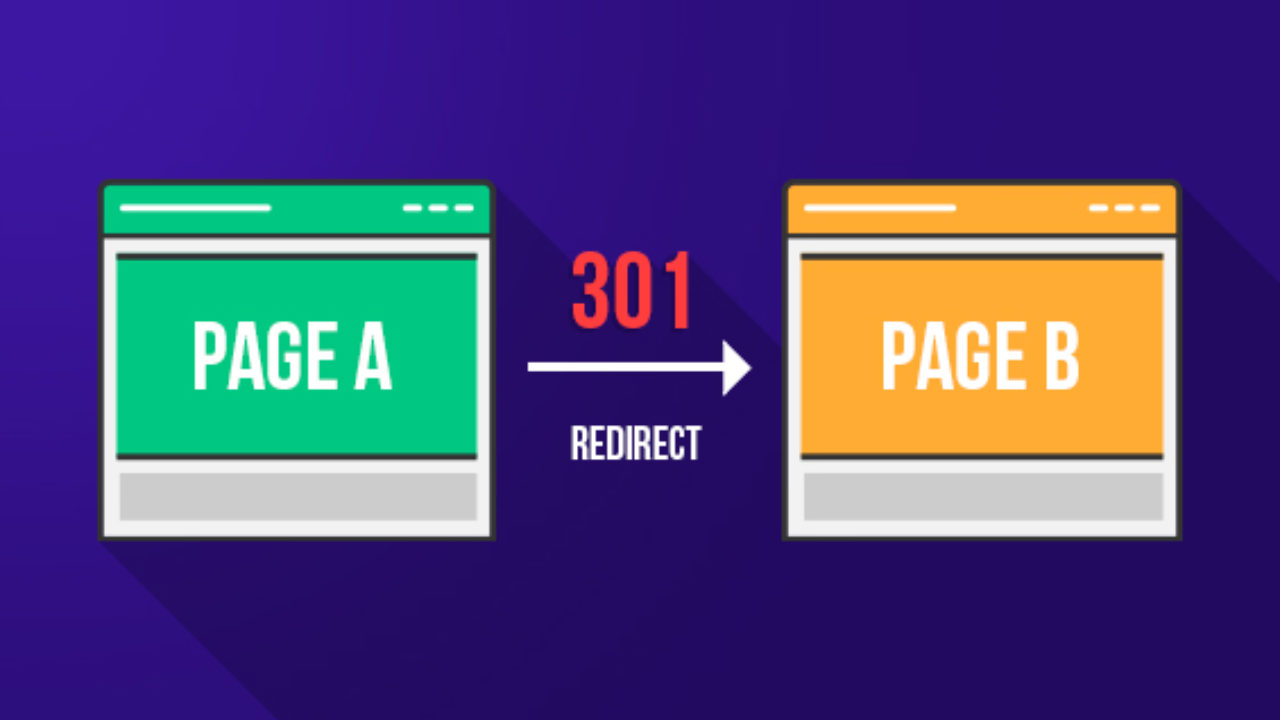
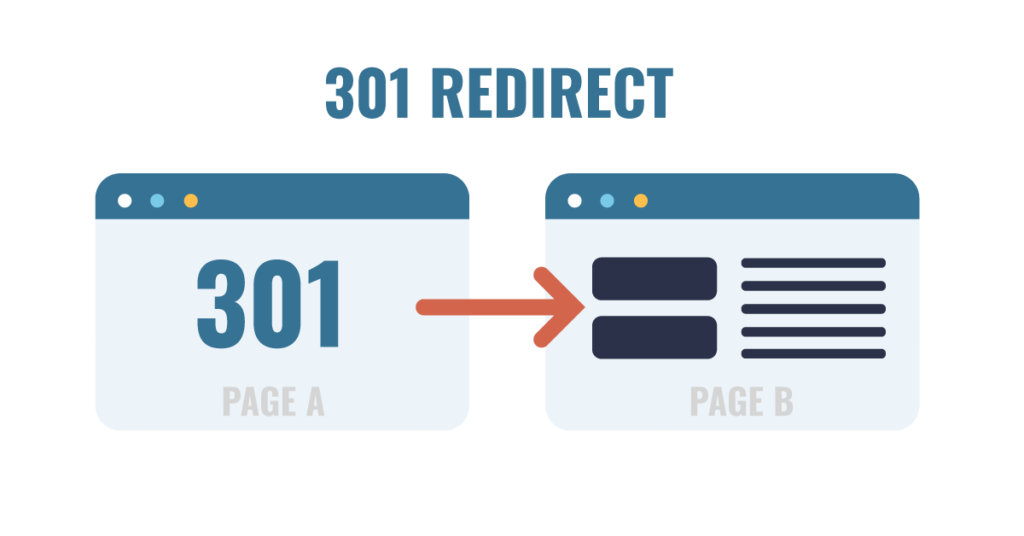
A 301 redirect means redirecting users and search engine spiders from an old URL of a webpage to the new one. In other words, a webpage will be informed of the change of location through a 301 redirect, which automatically redirects visitors to the updated address of the website.

As a rule, an HTTP status code is associated with a specific redirect type. HTTP status codes are numeric combinations used by web servers for communication purposes, playing a crucial role in how search engines crawl and understand your website’s structure, similar to concepts explained in structured data implementation. Some of them might be known to you, including 200 (OK), 301 (Moved Permanently), and 404 (Page Not Found). Thus, a 301 redirect is indicated by its status code.

Let us consider the concept of a 301 redirect from another perspective. Suppose you move to a new house. You should register a mail redirect, meaning your letters will be delivered not to your previous address but to the new one. There is no need to change your address in the sender’s contacts list because the mail will find you wherever you are. Similarly, if you use a 301 redirect, all the visitors will be transferred from the outdated URL to the updated one.

301 Redirect vs. 302 Redirect: What’s the Difference?

This is one of the most prevalent sources of confusion when it comes to redirects, and you must understand it well, particularly in the realm of SEO.

In the case of a 301 redirect, the browser and search engines are notified that the page has been permanently moved. They are asked to update their records and always point to the new URL going forward.

On the other hand, the message conveyed by a 302 redirect is that the page is currently moved but that it will be back soon enough. As such, the search engine is instructed to keep the old URL in its database.

While this might seem like just another minor technical detail at first, there is actually an important implication in terms of SEO. In fact, the SEO value associated with the old URL would be transferred to the new URL by Google upon receiving the notification of a 301 redirect. The indexing would also be updated accordingly. However, the same could not be said of a 302 redirect.

The principle is very clear: if it is a permanent redirection, always choose 301—misusing redirect types is actually one of the most overlooked issues highlighted in many common SEO mistakes. For temporary pages (e.g., a page under maintenance), you should use a 302 redirection. In any case, when you are in doubt, choose a 301 redirection.

Other Types of Redirects You Should Know About

In addition to 301 and 302, there are a couple of other redirect codes that can be helpful to know about:

303 (See Other): Used following the submission of a form to avoid resubmission upon refreshing. Of particular interest to developers rather than SEO professionals.

307 (Temporary Redirect): The HTTP/1.1 version of the 302 redirect code. It’s a temporary redirection code, just like 302.

308 (Permanent Redirect): This is a newer version of the 301 redirect code. Its function is essentially the same, but it uses the request method of the HTTP protocol.

Meta Refresh: Another kind of server-side redirect, but implemented through HTML coding. It is slower, provides a poor user experience, and is not considered to be part of SEO best practice. Avoid it.

In most cases when working with SEO and websites, you’ll only need to work with 301 redirects, although sometimes 302 redirects will come into play.

How Does a 301 Redirect Work? (Technical Breakdown)
301 redirects

Knowing about the concept of 301 redirects is a good starting point, but learning how the 301 redirect functionally operates will make you a more efficient developer and SEO specialist. We’ll explain the entire procedure in technical detail.

What Happens Behind the Scenes When a Redirect Fires

When a user types a URL into their browser or clicks a link, here is exactly what happens:

Step 1 — The Browser Sends a Request: The browser generates an HTTP request to the web server, which is a core part of how technical SEO services optimize site performance and crawling behavior, which holds that URL. This request is basically a statement asking: Please provide me with the contents located at this particular location.

Step 2 — The Server Responds with a 301 Status Code: In case a 301 redirect exists for that particular URL, the web server will not respond with page content but rather with an HTTP response containing the status code 301, along with a Location header containing the new URL. The message conveyed through the response is: Page Moved Permanently. Here’s the new location.

Step 3 – The Browser Makes a Request to the New URL: After getting a response with the status code of 301, the browser requests the location pointed out by the header. It does this instantly, so much so that the user does not realize that something has taken place.

Step 4 – The Server Sends a Response with Content: The server sends a 200 OK response code and serves the content of the website at the redirected URL.

Step 5 – The Browser Caches the Redirect: Since a 301 redirect is permanent, the browser caches the URL. This implies that when a user tries to visit the website again using the original URL, the browser will use the cached information instead of requesting the server.

How Browsers and Search Engines Handle 301 Redirects

Browsers and search engines react to 301 redirects in different ways, and both methods need to be known.

The browser follows the 301 redirect automatically and behind the scenes. The user sees the destination URL displayed in the URL bar along with the destination web page; hence, the redirect is completely seamless for the user. As discussed earlier, browsers cache 301 redirects, making them even smoother when users visit again.

Googlebots, which are used by Google to crawl websites for indexing purposes, analyze redirects alongside other ranking signals often evaluated during an SEO competitor analysis, use 301 redirects in several ways:

  • It accesses the redirected page and crawls it instead
  • It transfers the accumulated link equity (PageRank) of the old page to the redirected one
  • It will update its index accordingly and replace the old URL with the new one in its index results
  • It stops indexing the old URL after it processes the 301 redirect

It is clear that this process, and especially the process of transferring link equity and updating indexes, is the reason why 301 redirects are so effective when it comes to SEO. They enable a seamless transition to a new URL without compromising your SEO efforts.

In addition, according to Google itself, it may take any period ranging from a few days to several weeks for the company to process a 301 redirect and update its index. In some cases, users might still see two versions of the same URL in their searches; this will not last long.

The way 301 redirects work is through the use of an HTTP status code that indicates to the browser or search engine that the site has been moved. The browser uses the redirect on its own and also caches it in order to be able to use it later. Search engines follow the redirect as well and pass on link equity.

Why 301 Redirects Are Critical for SEO
301 redirects

With your knowledge of 301 redirect concepts and operations now refreshed, the following section will explore why these redirects play such an important role in SEO optimization. This is where things begin to get serious.

How 301 Redirects Pass Link Equity (PageRank)

Every single webpage possesses link equity, which is also known as link juice or PageRank. Link equity refers to the SEO value that a webpage receives through the backlinks created on various sites, highlighting the importance of backlinks in improving search rankings. Webpages that are supported by many good backlinks possess high link equity, which is considered one of the main ranking factors for Google searches.

By not using a 301 redirect when changing the location of your webpage, you will automatically lose all the link equity that it has been accumulating since its launch. Every person clicking the old URL of your site will receive an error 404. This means that the search engine no longer sees the page. Therefore, all the backlinks pointing at the old URL become useless as the link equity vanishes.

By creating a 301 redirect, you preserve your link equity. Once you do this, Google transfers the link equity from the old URL of your page to the new one. In other words, your backlinks now work in favor of the new webpage. You can be sure your ranking positions are protected.

According to Google, 301 redirects will pass “most of the link equity,” although it is possible that there is a slight reduction in link equity as opposed to hosting the same content at the source URL forever. The reason for this is that it is always good to redirect to the best possible destination page and not use chained redirects.

How 301 Redirects Affect Crawl Budget

Crawl Budget is the number of web pages that Google’s crawler will be able to crawl, which is closely related to overall site performance and website speed optimization strategies, on your website in a certain period of time. For sites with thousands of pages, crawl budget becomes an important issue in SEO.

Each redirect requires a part of your crawl budget, since the crawler should make two requests: to the old page and to the new one. Although a couple of redirects have little effect on crawl budget, a site with hundreds of useless redirects, chain redirects, or endless redirects may cause significant issues in crawling.

That is why it is important not to have useless redirects; to redirect from old pages to their destination, to change the links on the internal pages to new URLs, and to remove all useless redirects.

The Broader SEO Impact of Proper Redirect Management

Apart from link equity and crawl budget, a well-managed 301 redirect can help your SEO in the following ways as well:

User Experience: A good redirect makes sure that any visitor reaches the right page smoothly, which directly impacts conversions and aligns with proven conversion optimization techniques. Accessing the previous URL via bookmark, old link, or search engine ends up at the correct destination without hitting any error pages. User experience is always a good ranking factor for Google.

No 404 Errors: Error pages like 404 are bad for user experience, waste crawl budget, and show that the website isn’t updated. Redirects can be used to avoid 404 errors when pages are moved or deleted.

Consolidation of Signals for Ranking: By using 301 redirects when having several different URLs pointing to the same content, all signals for ranking, such as backlinks and traffic, will be consolidated in one canonical URL.

When Should You Use a 301 Redirect?

301 redirects

When to apply a 301 redirect can be just as crucial as how to do it. Below are the most typical cases when it is necessary to apply a 301 redirect.

Moving or Deleting a Web Page

This is perhaps the most common scenario when it comes to setting up 301 redirects. Each time you move an existing page to a new URL, regardless of whether you’re reorganizing your website’s navigation or redesigning pages as part of professional web design services requires proper redirect planning, redesigning the URLs, or simply rearranging your pages, you need to redirect users from the old URL to the new one using a 301 redirect.

If you’re removing an existing page that has generated a lot of backlinks or had significant visits, you shouldn’t simply delete the page without any further action, as it will result in a 404 error. Instead, you should redirect the old page to an alternative page, which would be the next best thing, such as another page discussing the same topic or your homepage.

Changing Your Domain Name

A full-scale transition from an existing domain name to a brand new domain is a critical step that should align with your overall digital marketing strategy, and is possibly the most intricate and risky process in SEO optimization. If not done properly, the process might lead to severe losses of search engine positions.

As a matter of fact, to successfully perform the process in question, it is crucial to establish 301-redirects on each page of the old site, linking them to the corresponding page of the new one. It will indicate to Google that you are transferring your site to the new domain, which will allow you to pass your entire site’s authority and link equity gradually.

For instance:
– `olddomain.com/blog/post-title` → `newdomain.com/blog/post-title`
– `olddomain.com/about` → `newdomain.com/about`
– `olddomain.com/contact` → `newdomain.com/contact`

Instead of just sending all visitors to your new homepage, redirecting page-by-page will yield much better results.

Switching from HTTP to HTTPS

If your website is using HTTP and you intend to change to HTTPS (and you definitely should, since HTTPS is now one of the ranking factors used by Google and plays a key role in on-page SEO optimization, and is necessary to build trust in the eyes of the users), then all your HTTP URLS must be directed to HTTPS using 301 redirects.

For instance:
– `http://www.yoursite.com` → `https://www.yoursite.com`
– `http://www.yoursite.com/page` → `https://www.yoursite.com/page`

Your web host and SSL provider will make this task very easy.

Merging Two Websites Into One

In case the merger involves joining two independent websites into a single one, regardless of whether the merger happens due to a buyout process or content integration, then 301 redirects become a vital component in maintaining the search engine optimization efforts from both domains.

Link all pages from the website undergoing the merger to similar pages of the main website. In the absence of such similarity, make use of the best-matching category/topic of the main website.

Fixing Duplicate Content Issues

Duplicate content refers to situations where the same content appears at different URLs, which can also impact elements like meta descriptions and SEO signals. at different URLs, confusing search engines. When you use duplicate content, Google does not apply the full strength of its ranking power to the one URL but splits the ranking power among the duplicate URLs.

Some common sources of duplicate content are:
– `www.yoursite.com` and `yoursite.com` (either with or without “www”)
– `http://` and `https://` URLs of the same page
– URLs both with and without a trailing slash (e.g., `/page` vs. `/page/`)
– Pages with paginated URLs (e.g., `/page/1`, `/page/2`)

However, 301 redirects can help address many cases of duplicate content by making sure that only one version of the URL gets access, with all others being redirected to it.

Redirecting www to Non-www (or Vice Versa)

Your site must always be accessed through either `www.yoursite.com` or `yoursite.com`. Not both. When both versions can be accessed without redirection, Google will treat the two as separate sites with duplicated content, thereby splitting the link equity of your site and possibly reducing its ranking.

Choose which site name you will utilize as your canonical domain (many sites nowadays choose non-www). Then set up a 301 permanent redirect from your other site name to your preferred site. Here’s an example:
– `www.yoursite.com` redirects to `yoursite.com` (assuming you choose non-www)

How to Implement a 301 Redirect (Step-by-Step)

301 redirects

Now let’s get practical. How you implement a 301 redirect depends on your web server, platform, or programming language. Below are step-by-step instructions for the most common setups.

301 Redirect in .htaccess (Apache Servers)

.htaccess is a configuration file that is utilized by Apache Web Servers, which are the most commonly used servers for shared hosting services. One of the most effective and versatile tools for setting up 301 redirects is the .htaccess file.

To insert a 301 redirect within the .htaccess file, you will need to open it using the FTP account or through the file management section of the hosting control panel. The .htaccess file is usually situated in the root directory of your website, i.e., in the same folder where your index.php or index.html files are placed.

Redirecting a single page
Apache
Redirect 301 /old-page/ https://www.yoursite.com/new-page/<br />

Redirecting the entire old domain to the new domain
Apache
RewriteEngine On
RewriteCond %{HTTP_HOST} ^olddomain\.com$ [OR] RewriteCond %{HTTP_HOST} ^www\.olddomain\.com$
RewriteRule ^(.*)$ https://www.newdomain.com/$1 [R=301,L]<br />

Redirecting HTTP traffic to HTTPS
Apache
RewriteEngine On
RewriteCond %{HTTPS} off
RewriteRule ^(.*)$ https://%{HTTP_HOST}%{REQUEST_URI} [R=301,L]<br />

Redirecting traffic from ‘www’ to ‘non-www.<br />Apache
RewriteEngine On
RewriteCond %{HTTP_HOST} ^www\.yoursite\.com$ [NC]

301 Redirect in Nginx

Another popular web server is Nginx, which is frequently used on websites with heavy traffic and for VPS hosting purposes. To redirect pages within Nginx, you have to configure redirects inside the server section of your Nginx configuration file (located under `/etc/nginx/sites-available/yoursite.conf`).

Single-page redirection:
“`nginx
server {
listen 80;
server_name yoursite.com;
return 301 https://yoursite.com/new-page/;
}
“`

HTTP to HTTPS redirect:
“`nginx
server {
listen 80;
server_name yoursite.com www.yoursite.com;
return 301 https://yoursite.com$request_uri;
}
“`

www to non-www redirect:
“`nginx
server {
listen 443 ssl;
server_name www.yoursite.com;
return 301 https://yoursite.com$request_uri;
}
“`

After editing your Nginx configuration file,

301 Redirect in WordPress (Plugins and Manual Methods)

WordPress is currently the most common content management system, and many businesses rely on WordPress web design services to manage redirects efficiently. WordPress is currently the most common content management system out there, and luckily enough, setting up 301 redirects within WordPress doesn’t require any programming skills whatsoever.

Using Plugins: (Recommended for Most Users)

The simplest way to perform 301 redirects in WordPress is through a plugin named Redirection (provided by John Godley). The tool is completely free and user-friendly, allowing you to create, manage, and monitor all of your 301 redirects.

To create 301 redirects using Redirection:
1. Download and activate the Redirection plugin from the plugin repository
2. Go to Tools → Redirection inside your WordPress admin panel
3. Fill the source URL field with your old address
4. Provide the target address in the other field
5. Ensure that the Redirect Type is selected as 301 – Moved Permanently
6. Click the “Add Redirect” button at the bottom of the page

Other notable plugins that allow you to create 301 redirects include Rank Math and Yoast SEO Premium, both containing the option for easy redirect management.

Manual Setup via .htaccess

You can always create your 301 redirects manually by adding them to your `.htaccess` file, as described in the previous paragraph.

301 Redirect in Shopify

The URL Redirect Tool of Shopify allows shop owners to perform their redirection process easily, particularly when paired with strong eCommerce web design practices.

Steps to Create a Redirect in Shopify:
1. Login into the Shopify admin panel.
2. Go to Online Store → Navigation.
3. Click on URL Redirects.
4. Click on the Create URL Redirect option.
5. In the “Redirect from” section, fill out the old URL path.
6. In the “Redirect to” section, put the new URL path.
7. Finally, click the Save Redirect button.

It is good to know that all redirects created in Shopify automatically become 301 redirects.

Note regarding Shopify: It is important to know that in Shopify, redirects for URLs that contain active pages cannot be made. If you wish to redirect an existing page to another URL, you must unpublish it.

For performing redirects in Shopify on a larger scale, that is, hundreds or even thousands of redirects, one should perform them in bulk by importing redirects via CSV files in the URL Redirects section.

301 Redirect Using PHP

For developers who have a website that uses PHP for coding, a solution to achieve a redirection would be to use the PHP header() command. To utilize this particular command, one needs to write it at the very beginning of the code, i.e., before any HTML tags.

PHP 301 redirection:
“`php
<?php
header(“HTTP/1.1 301 Moved Permanently”);
header(“Location: https://www.yoursite.com/new-page/”);
exit();
?>
“`

PHP 301 redirect based on current URL:
“`php
<?php
$newUrl = “https://www.newdomain.com” . $_SERVER[‘REQUEST_URI’];
header(“HTTP/1.1 301 Moved Permanently”);
header(“Location: ” . $newUrl);
exit();
?>
“`

It is important to include the exit() function after writing the headers, since it stops PHP from continuing execution further after performing a redirection.

301 Redirect Using JavaScript (and Why to Avoid It)

It is technically possible to implement a redirect using JavaScript:

“`JavaScript
// JavaScript redirect (NOT recommended for SEO)
window.location.replace(“https://www.yoursite.com/new-page/”);
“`

But, on the other hand,  JavaScript redirects should not be used in SEO practice, if possible. Here’s why:

The search engine might fail to follow the JavaScript redirect: Even though Google has become much better at rendering JavaScript pages, it still does not do this 100% perfectly. The result may be a situation where the search engine will index the old page, rather than redirecting to the correct one, thus preventing link equity from being transferred.

Delayed process: JavaScript works after the page loads, and there’ll always be a fraction of a second before a JavaScript redirect kicks in, during which a user will see the old page. Obviously, such an experience won’t be the best for the user.

Lack of a status code: A JavaScript redirect doesn’t have an HTTP status code that could signal the search engine about the type of redirect (whether temporary or permanent).

Use server-side redirections whenever possible and use JavaScript redirects only if you have no other choice.

Common 301 Redirect Mistakes and How to Avoid Them
301 redirects

Even experts at development and SEO have fallen victim to redirects gone wrong. They are silent killers of your SEO efforts, can hurt your website speed, and even baffle search engines. This article highlights the most common blunders in redirects and how you can easily avoid them.

Using 302 Instead of 301 for Permanent Moves

It is by far the most common type of redirection error, and also one of the most harmful. By using 302 (temporary) when the page in question has been permanently redirected, you ensure that Google will keep its indexation on the old URL and that no equity will be transferred to the new URL. You may have problems with ranking, as the SEO power remains on the old URL.

What should you do to avoid that: Always ask yourself before using a redirection: Is it a permanent move or a temporary one? Permanent -> 301. Otherwise, consider using 302 if you are willing to change back later.

Creating Redirect Chains and Loops

A redirect chain happens when a URL redirects to another URL that then redirects to yet another URL, forming a chain of redirects before landing on the final destination. An example would be URL A -> URL B -> URL C -> Final Destination.

There are various negative effects associated with having a chain of redirects. First of all, they affect page speed (with each extra step being added to the redirection chain, latency is incurred). Secondly, they result in less link juice being passed from one URL to another. Finally, they reduce crawl budget and increase the number of requests required for crawling a particular URL.

A redirect loop can occur when a URL is redirected in such a way that it ends up sending a user or a bot right back to where it started (for example, URL A -> URL B -> URL A -> etc.).

How to prevent it: Routinely conduct audits of your redirects using reliable SEO tools to identify chains and errors quickly, and make sure that the redirections are updated such that the original URLs link directly to their destinations. In cases where URL A was pointing to URL B, and URL B was then redirected to URL C, redirect URL A to URL C directly.

Redirecting Everything to the Homepage

Sometimes, in the process of organizing a website and transferring domains, there is an attempt to take the easy way out and simply redirect all old URLs to the homepage. Such an approach is called the “redirect to homepage” or “soft 404” technique – and Google strongly dislikes it.

According to Google, directing one product page or article URL to the homepage is not considered a valid redirect. In Google’s opinion, such actions are soft 404s – pages that show a 200 or 301 response, but do not serve any useful information. Due to this reason, the search engine will probably not transfer link equity, and will exclude such redirects from indexing at all.

How to avoid it: Redirect every single old URL to its most relevant counterpart. Make up the list that contains pairs of old and new URLs. Only redirect to the homepage as a final solution if you have no better alternative.

Forgetting to Update Internal Links

This, however, does not mean that your work ends here. If your internal links, which are the links on your website that connect different web pages on your website together, are still linking to old URLs, you will be creating additional redirects for each internal user journey made on your website.

These internal redirects do not lead to broken pages, but they do slow down your website, consume more crawling power, and reduce link equity slightly. This means that a well-managed website must have its internal links directing to the correct final URL of a web page.

How to avoid it: Once you have set up the necessary redirect rules, you can check your internal links using a tool such as Screaming Frog, Ahrefs, or Semrush to find out all the links that need updating to point towards the new destination URL.

Not Testing Your Redirects After Implementation

Most of the redirect errors that you make remain unnoticed simply because they are not tested after implementation. Whether it is a tiny spelling mistake in the URL, a lack of a trailing slash, or a misconfiguration, such errors often result in silent redirects that generate 404s, incorrect destinations, and redirect loops without you ever knowing about it.

How to avoid it: It is vital to test all redirects immediately using tools like Google Search Console and understanding concepts like Google cache and indexing behavior.
after their implementation, using a tool like:
Redirect Checker (redirect-checker.org) – free online redirect checker that tests redirects individually
Screaming Frog SEO Spider – a website crawler that highlights all redirect issues
httpstatus.io – a website check tool that verifies HTTP status codes and detects redirect chains
Google Search Console – a platform that detects crawl errors and coverage issues related to redirects

Test the redirects as well as the HTTP status codes they generate (should it be a 301 or 302?).

Meta Description Length: The Complete Guide to Getting It Right in 2026

You have done your best effort in getting ranked on the first page of Google. But there’s one harsh reality here: ranking is just part of the equation. If your meta description is long, short, or uninteresting, your users will not stop for it and simply go ahead to click on your competitor, which can negatively impact your overall performance in SEO services.

Meta description length is one of those basic SEO fundamentals where everyone goes wrong, either neglecting it completely or stressing about its exact length. In this guide, we are going to give you all the information you need regarding the perfect meta description length, from its characters to when mobile takes precedence, and whether it impacts your rankings.

What Is a Meta Description?

meta description length

A meta description is a short HTML snippet, typically one to two sentences, that summarizes the content of a webpage and plays an essential role in on-page SEO optimization. It sits inside the <head> section of your page’s HTML code and is not visible on the page itself. However, search engines like Google often display it in the search engine results pages (SERPs), directly beneath the clickable title link of your listing.

Think of it as your page’s elevator pitch. It’s the short paragraph that tells a searcher: Here’s what you’ll find if you click this link.” When written well, it can be the deciding factor between someone choosing your page over the 9 other results on the page.

See how the word “meta description length” is in bold? That happens when the words in your description match the search query. It’s a strong visual cue that catches the reader’s eye. We’ll talk more about that in the writing section below.

Why Meta Description Length Matters

meta description length

You may be thinkingof meta descriptions as something that can be easily overlooked or something you just do because you have to do it before publishing your page; however, that is too simplistic. The length and quality of your meta description directly affect how well your page performs in the SERP, and that is why you should pay close attention to this aspect of your content.

Click-Through Rate (CTR)

Meta descriptions are not a Google ranking factor; Google has confirmed this numerous times, but they strongly influence user behavior and click-through rates, which are key components of search engine optimization strategies.

Nevertheless, a wellwritten meta description can influence a users click-through rate and therefore indirectly affect SEO. The clickthrough rate is likely determined by the relevance and quality of the metadata to the users intent, thus indicating to Google the relevance or usefulness of results over time. When creating your meta descriptions, think about them as an advertisement for your site in organic search results.
Just as paid advertisements require strong copy to generate clicks, meta descriptions must have engaging, accurate, and relevant copy similar to what is used in Google Ads campaigns to drive users to your page. from the search engine results pages (SERP). Length also plays a vital role in determining whether a meta description is effective. If it is too short, you miss out on using valuable SERP real estate, while if it is too long, the most important part of your message may be cut off before being displayed in SERP.

Avoiding Truncation in Search Results

If your meta description is too long, Google wont display the entire meta description. Instead, Google will truncate the description based on pixel size, meaning that your call to action, benefits, or persuasive sentences might never get to see the light of day because they were truncated by Google. Because of this reason, the character length of your meta description is more than just cosmetic. By writing for a specific character range, you can ensure that your message will display in its entirety, which is especially important when optimizing content as part of a technical SEO strategy, across devices, without being awkwardly mid-way through a sentence.

First Impressions on the SERP

A visitor will probably read your meta description before they visit your site. Your meta description is often the first piece of text that potential visitors see about your brand, making it a crucial element of your overall content marketing and blog writing strategy. This sets the stage for what they should expect from your website. If it is vague, has too many keywords crammed into it, or is cut off/awkward, great content will not matter when creating a first impression. Conversely, a meta description that is concise, tothepoint, and appropriate in length will portray confidence and authority to your potential visitor prior to them clicking on your title. It quickly conveys to your audience, “We know what you want, and we will provide it what a powerful first impression to make against all the other competition for ranking positions within the SERPs!

What Is the Ideal Meta Description Length in 2026?

meta description length

This is the question everyone wants a clean, simple answer to. The honest answer: it depends on the device, but there are clear, practical guidelines you can follow today.

Desktop vs. Mobile Character Limits

There is less space on desktop and mobile screens to show your snippet. Since Google now uses mobile-first indexing, it’s more important than ever to know both.

  • Desktop limit

~158

characters (920 pixels)

  • Mobile limit

~120

characters (680 pixels)

  • Safe zone (both)

120–158

characters recommended

  • Mobile search share

60%+

of all Google queries

You should make making the mobile limit your top priority because more than half of all Google searches happen on mobile devices. Put your most important information, like your keyword, your main value proposition, and your call to action, at the beginning of the first 120 characters. Desktop users will see the extra space from 120 to 158 characters, but mobile users might not.

Device Pixel limit Character limit Recommendation
Desktop ~920px ~155–160 chars Full description visible
Mobile ~680px ~110–120 chars Front-load key message here
Safe for both 120–158 chars Best practice for all devices

The Safe Character Range to Follow

For desktop, the best practice for 2026 is to keep your meta description between 150 and 160 characters. For mobile safety, your most important message should fit within the first 120 characters. This range gives you enough space to be informative, use a keyword naturally, and add a short call to action without getting cut off.

What About Pixel Width?

Here’s something most beginners don’t know: Google doesn’t actually measure your meta description in characters. It measures in pixels. This matters because different letters take up different amounts of horizontal space. The letter “W” is much wider than the letter “i,” so two descriptions with identical character counts can display very differently on screen.

For example, a description made up of narrow letters like “iliilliiii” will display shorter in pixel terms than one with wider letters like “MWWMMWWM” even if both are 50 characters long. In practice, this means character count is a useful approximation, not a hard rule. The desktop pixel limit is approximately 920px, and the mobile limit is approximately 680px.

To see exactly how your description will appear, use a free SERP preview tool, especially if you are managing your site through platforms like WordPress web design. Like Mangools SERP Simulator, Portent’s SERP Preview Tool, or the built-in preview in Yoast SEO or Rank Math if you’re on WordPress. These tools show your snippet in real desktop and mobile views so you can catch truncation before publishing.

Does Meta Description Length Affect SEO Rankings?

meta description length

This is one of the most common mistakes people make in SEO, and it’s important to talk about it directly. No, the length of a meta description does not affect how well a site ranks in Google. John Mueller and other members of Google’s own team have said over and over again that the length of your meta description has no direct effect on where you rank in search results.

You won’t get anything extra from Google for hitting exactly 155 characters. You won’t get in trouble for writing 180 characters. And it doesn’t even guarantee that it will use your meta description. If Google thinks that a snippet from your page content is more relevant to the user’s query, it may replace it. Studies show that Google changes meta descriptions more than 60% of the time.

What then is the reason behind the importance of length? Well, the indirect impact on click-through rate (CTR). If the snippet is chopped off at an odd place or is too short to convey any information, it would attract few clicks. In turn, the low CTR might indirectly alert Google that the particular listing does not meet users’ expectations – hence the indirect negative impact on ranking. In summary, the key thing is not the precise word count. Rather, write something meaningful and relevant.

How to Write the Perfect Meta Description

meta description length

With this information on the character limit and why it is important to follow, we can move on to what needs to be included within these 150 to 160 characters. A good meta description should do four main things.

Firstly, always include the target keyword, as proper keyword placement is a fundamental part of what is SEO and how search engines understand your content. Put the keyword at the start of the meta description to catch the reader’s attention and make them feel like the page will provide exactly what they are looking for. Google highlights keywords when the user types them into the search bar, making the title look more relevant to the reader.

Secondly, offer a clear value proposition. Explain the value the reader will receive from clicking through to the webpage, which aligns closely with building an effective content marketing strategy. It could be something they need to know, something to solve their problems, or even save them time and effort.

Fourth, include a call to action at the end of your meta description. Using a gentle CTA phrase such as “Optimize now,” “Discover more,” or “Download our complete guide” is an effective way to encourage the user to take action immediately.

Fifth, write for the audience and not the algorithm. Meta descriptions should be human-readable; they should feel like the description was written by a human being and not just some keywords stuck together.

Common Meta Description Mistakes to Avoid

meta description length

Even experienced content creators make mistakes with meta descriptions. Here are the three most damaging ones — and how to avoid them.

Keyword Stuffing

Avoid keyword stuffing

Keyword stuffing means cramming your target keyword or multiple keywords into the description unnaturally, which is considered a black hat SEO practice. For example: “Meta description length, ideal meta description length, best meta description length, meta description length 2026.” Not only does this look spammy to users and instantly destroy trust, but it also signals to Google that your description is low quality. When Google detects a stuffed or irrelevant description, it often ignores it entirely and generates its own snippet from your page content, meaning all your effort was wasted. Use your primary keyword once, naturally, as part of a real sentence.

Using Duplicate Descriptions Across Pages

Avoid duplicate descriptions

Using the same meta description on multiple pages is a surprisingly common mistake that can weaken your overall SEO performance, especially on large websites with hundreds of product or category pages. The problem is two-fold: first, it gives users no meaningful way to tell your pages apart in search results, which hurts CTR. Second, it signals to search engines that your pages may not have distinct, unique content worth differentiating. Every page on your site should have its own unique meta description that accurately reflects that specific page’s content. If you’re managing a large site, prioritize your highest-traffic pages first and work your way down.

Going Too Short or Too Long

Avoid extreme lengths

Both extremes are problematic. A meta description that’s only 40–60 characters wastes valuable space and fails to give the user enough information to make a confident click decision. A description over 160–170 characters risks truncation, which means your key message, CTA, or differentiator may never be seen, especially on mobile. The sweet spot is 120–158 characters, with your most critical information placed in the first 120 characters so it’s safe across both desktop and mobile displays.

  • Too short

Under 70 chars

Wastes SERP real estate

  • Ideal range

120–158 chars

Safe for all devices

  • Too long

Over 160 chars

Likely truncated on mobile

SEO Competitor Analysis: A Complete Guide to Outranking Your Competitors in 2026

It is no secret that the current digital environment is highly competitive, and ranking on Google requires more than just optimizing your website. You also need a strong understanding of core SEO strategies and how to drive traffic to your website effectively.

You have to know what your competitors are up to. That is why SEO competitor analysis is important.

Through competitor analysis, you can gather important information that will help you develop a better SEO strategy, which in turn will enable you to rank higher than your competitors. This article covers all aspects of SEO competitor analysis.

What Is SEO Competitor Analysis?

seo competitor analysis

SEO Competitor Analysis is a technique of studying the websites of your competitors to identify their strategies with respect to SEO. Many businesses rely on professional SEO services to conduct in-depth competitor analysis and uncover ranking opportunities. This may involve analyzing keywords used, the nature of content created, backlinks, and the effectiveness of their website optimization.

The objective is very straightforward:
Find out what works for your competitors and then learn how you can improve your position using that knowledge.

This differs significantly from general competitive research in that SEO Competitor Analysis revolves around analyzing the search engine performance of your competitors and hence discovering things such as:

  • The keywords ranking your competitor
  • Effective content for your website
  • Sources of backlinks
  • Website optimization techniques

Why SEO Competitor Analysis Is Important

seo competitor analysis

SEO competitor analysis plays a critical role in building a successful SEO strategy. Here’s why it matters:

1. Identify Keyword Opportunities

Competitive analysis enables you to discover keyword opportunities that may be missed by other websites. You can then use them to attract visitors to your site. To discover the right opportunities, using reliable SEO keyword tools can give you accurate data and insights.

2. Discover Content Gaps

From competitive analysis, you can know which areas have not been tackled adequately or at all by your competitors. You can then produce content in these gaps. A well-defined content marketing strategy helps you fill these gaps with high-performing content.

3. Analyze Backlink Strategies

A backlink is an important ranking signal. From competitive analysis, you can learn where your competitors source their backlinks from. Understanding the importance of backlinks can help you replicate and improve your competitor’s link-building approach. You can also leverage off-page SEO services to build high-quality links.

4. Understand Market Trends

Competitive research is useful for staying aware of the latest industry trends, formats used, and audience preferences.

5. Improve Your Overall SEO Strategy

Rather than creating something new, you can use the experience of others and fine-tune your strategy for better results.

How to Identify Your SEO Competitors

seo competitor analysis

Before you can analyze competitors, you need to identify who they are. Your SEO competitors may not always be the same as your business competitors.

Direct vs Indirect Competitors

Direct Competitors – Businesses that offer similar services/products like yours
Indirect Competitors – Websites that bid on the same keywords but provide different services

While conducting SEO, indirect competitors tend to be much more useful than direct ones.

Using Google Search Results

The easiest method is to perform a Google search using the relevant key terms.

  • Notice websites that appear frequently in the results
  • Note down domain names repeatedly featured in the results

Such are your actual competitors from the SEO perspective.

Using SEO Tools (Ahrefs, SEMrush, Ubersuggest)

With SEO tools, competitive analysis becomes easier and more effective. Here is what they do for you:

  • Detect competing websites’ domains
  • Assess keywords rankings
  • Monitor website traffic and performance
  • Learn about backlinks

These tools give valuable data that cannot be gathered manually. Modern SEO tools for analysis make it easier to uncover competitors and evaluate their performance.

Analyzing Competitor Domains

After identifying your competitors, analyze their websites properly:

  • Website domain authority
  • Indexed pages number
  • Content structure
  • Website performance

Pay close attention to technical SEO factors such as site structure, crawlability, and performance.

Key Elements of SEO Competitor Analysis

seo competitor analysis

A complete SEO competitor analysis involves evaluating several important factors.

Keyword Analysis

Keyword analysis helps you understand what search terms your competitors are targeting.

Focus on:

  • High-ranking keywords
  • Long-tail keyword opportunities
  • Keyword gaps (keywords they rank for but you don’t)

Targeting the right keywords can significantly improve your visibility. Proper on-page SEO optimization ensures that your target keywords are implemented effectively.

Content Analysis

Content plays a major role in SEO success. Analyze your competitors’ content to understand:

  • Popular topics
  • Content length and depth
  • Use of visuals and media
  • Content structure and readability

Your goal should be to create content that is more valuable, engaging, and informative. Creating better content often requires high-quality blog content that is optimized for both users and search engines. You can also explore tips on writing quality blog posts.

Backlink Analysis

Backlinks are one of the strongest ranking factors in SEO.

When analyzing backlinks, look at:

  • Number of backlinks
  • Quality of referring domains
  • Anchor text distribution
  • Link-building strategies

This helps you identify opportunities to build high-quality backlinks.

On-Page SEO Analysis

On-page SEO focuses on how well a webpage is optimized.

Check for:

  • Meta titles and descriptions
  • Use of keywords
  • Heading structure (H1, H2, H3)
  • Internal linking

Optimizing these elements can improve your rankings and user experience.

Technical SEO Analysis

Technical SEO ensures that your website is accessible and easy for search engines to crawl.

Key factors include:

  • Website speed
  • Mobile responsiveness
  • URL structure
  • Site architecture
  • Indexing and crawlability

A technically sound website performs better in search results.

Step-by-Step Process for SEO Competitor Analysis

seo competitor analysis

Here’s a practical process you can follow to conduct effective SEO competitor analysis.

Step 1: Identify Competitors

Start by listing your top competitors based on your target keywords. Use Google search and SEO tools to create a reliable list.

Step 2: Analyze Keywords

Identify the keywords your competitors are ranking for. Focus on:

  • High-traffic keywords
  • Low-competition opportunities
  • Long-tail keywords

This helps you build a strong keyword strategy.

Step 3: Review Content Strategy

Analyze what type of content your competitors are producing:

  • Blog posts
  • Guides
  • Videos
  • Landing pages

Identify what works and create better versions of it. A strong content marketing strategy is essential to outperform competitors.

Step 4: Check Backlinks

Study your competitors’ backlink profiles to find link-building opportunities.

  • Reach out to similar websites
  • Create link-worthy content
  • Build relationships in your industry

Learning backlink building techniques will help strengthen your SEO profile.

Step 5: Evaluate Technical SEO

Check your competitors’ technical performance:

  • Site speed
  • Mobile usability
  • Page structure

Use these insights to improve your own website.

Step 6: Create Your Strategy

Combine all your findings to create a strong SEO strategy.

  • Target better keywords
  • Create superior content
  • Build high-quality backlinks
  • Optimize technical performance

The goal is not to copy competitors but to outperform them. Many businesses choose SEO services for businesses to implement a data-driven strategy.

SEO Competitor Analysis Best Practices

seo competitor analysis

To get the best results from your analysis, follow these best practices:

Focus on High-Intent Keywords

Target keywords that are more likely to convert, not just those with high traffic.

Create Better Content (10x Content)

Your content should be more valuable, detailed, and engaging than your competitors’.

Build High-Quality Backlinks

Focus on quality over quantity when building backlinks.

Monitor Competitors Regularly

SEO is constantly evolving. Keep track of competitor changes and update your strategy accordingly.

Use Data-Driven Decisions

Always rely on data rather than assumptions. Use tools and analytics to guide your strategy.


SEO Content Length: How Long Should Content Be to Rank Higher?

Seo content length: The Art and Science

seo content length

At Kallen Media, storytelling is where strategy meets imagination. All brands desire visibility, and today, visibility is achieved through high-quality, well-organized, creative, and intelligent content in search. seo content length is one of the most debated aspects of digital publishing, not because it ensures rankings, but because depth is frequently a sign of value. Clearly, when authors perceive SEO content length as a narrative tool rather than a limit, content becomes more enjoyable, educational, and easier to remember.

Consider content as a dialogue rather than a list. Readers come with interest, queries, and expectations. Even a brief article can create interest, whereas a carefully composed one can create trust. Here, the rhythm of writing is important. Successful brands online do not just write more, but write smartly to create stories that take readers from introduction to revelation.

Numerous authors continue to argue about the optimal content length seo strategy, but it is seldom about numbers. Rather, it is based on purpose: educational blogs must be explored, product pages must be clear, and thought leadership must present a point of view. Even research, such as Moz content length for seo discussions, focuses on context rather than strict formulas.

Finally, seo content length should not be so long that it overwhelms the reader. By letting ideas develop naturally, readers remain longer, engage more, and identify with the message. Superior content is not about making paragraphs longer but expanding knowledge. Kallen Media believes the most successful articles are not written only for search engines but are filled with stories that spark curiosity rather than simply appearing optimized.

The Reason Why Strategy Is Important in Defining the seo content length

seo content length

Behind all high-ranking articles, there is a purpose. Writers often tend to pursue algorithms, yet actual performance starts with audience empathy. Knowing seo content length means understanding how readers consume information: scanning first, engaging second, and committing when they recognize value. Readers tend to spend more time on the page when content answers layered questions, signaling relevance and authority.

A good content plan takes into account content length for seo as a component of a broader storytelling ecosystem. Creators examine search intent, competition, and user expectations rather than imposing word counts. Detailed explanations, examples, and narrative flow work well in informational topics, whereas brevity works well for transactional content. This equilibrium enables brands to create experiences, not just pages.

Other studies, like Moz content length for seo insights revisited by modern marketers, observe that extensive coverage is often positively associated with higher engagement levels. However, long does not mean repetitive. Good organization subheadings, flow, and logical development ensure readers do not feel overwhelmed.

seo content length acts as a roadmap that helps writers maintain an even pace when executed intelligently. It is not meant to impress algorithms but to maintain attention. A properly designed article is like a journey: it introduces an issue, discusses perspectives, and provides a solution. This is how the length of content for seo becomes a product of clarity rather than a limitation, allowing brands to convey expertise without losing creativity or authenticity.

Meeting Man: Writing Around seo content length

seo content length

Creative writing and optimization are often considered opposites, yet they work well together when guided by purpose. Knowledge of seo content length enables authors to create narratives that breathe, giving ideas space while maintaining momentum. Today, readers seek immersive experiences, content that educates, inspires, and solves problems simultaneously.

When preparing an article, writers must identify emotional and informational touchpoints. This allows seo content length to grow organically as ideas develop. An intelligent introduction sparks curiosity, while layered explanations deepen engagement. Integrating content length for seo into this process helps maintain balance so the message is neither too short nor unnecessarily long.

Great storytelling resembles a dialogue. Consider explaining a concept to a friend, you would not rush essential points, nor repeat yourself unnecessarily. The same applies online. Studies surrounding content length seo indicate that readers value clarity and usefulness more than sheer volume. Strategic examples, relatable analogies, and practical lessons make longer articles enjoyable reading experiences.

Equally important is pacing. Visual separations, short paragraphs, and meaningful transitions keep readers oriented. Research on Moz content length for seo often shows engagement improves when information follows a logical flow rather than a dense structure. Ultimately, the length of content for seo succeeds when readers feel guided rather than pushed. Kallen Media approaches content creation as narrative construction; each section supports the next, building credibility and inviting exploration.

Designing Sustainable Content Strategies for Long-Term Growth

seo content length

The future of digital content belongs to brands that think beyond individual posts. Sustainable strategies recognize that articles are part of a larger knowledge ecosystem. Creators focus on consistency, clarity, and evolving audience needs rather than simply following trends. This approach turns writing into an ongoing dialogue instead of isolated campaigns.

An excellent framework begins with understanding audience journeys. Some readers arrive seeking quick answers, while others desire in-depth education. By mapping these intentions, brands naturally discover the ideal content length seo balance across different formats. Educational guides may expand thoughtfully, whereas updates and announcements remain brief yet effective.

Adaptability is another crucial element. Search behavior changes constantly, meaning writers must revisit and improve existing material. Updating examples, improving readability, and expanding information where necessary help maintain relevance. Discussions around Moz content length for seo frequently emphasize that performance improves when content evolves alongside user expectations.

At the same time, creators must remember that content length seo reflects authority only when supported by quality insights. Including research, expert perspectives, and practical examples strengthens credibility. Over time, readers associate consistency with trust, and trust becomes the foundation of brand loyalty.

At Kallen Media, content is considered a living asset. Every article contributes to a larger narrative that grows with its audience. When creativity, strategy, and intelligent structure align, content stops feeling manufactured and becomes a meaningful experience readers return to again and again.

The 4 Pillars of SEO: An Easy Guide to Internet Development

It can seem like a maze to optimize for search engines. There are unnessecary updates, countless jargon-filled articles, and sometimes contradictory advice. SEO is based on a few straightforward principles. Understanding the four pillars of SEO, as experts refer to them, can help you rank higher on the internet.

At Kallen Media, we prefer to use simple language when discussing SEO. No smoke and mirrors, no fancy tech jargon. Simple, actions you can take to strengthen your website. Let’s walk through the basics.

The Reasons SEO Is Essential

The 4 Pillars of SEO

Imagine searching for a restaurant in your city or looking at reviews before purchasing a new phone. What do you do? Most likely, Google. So do your clients when they’re looking for goods or services that you already provide.

What happens if your website doesn’t appear? They will instead look for your rivals. The goal of SEO is to ensure that your business is visible when it matters most, not to deceive search engines.

The Four SEO Pillars Everybody Should Understand

The 4 Pillars of SEO

Although SEO seems to have many moving components, it falls into four categories when simplified. The foundations that support everything else are the SEO pillars:

  • Technical SEO – the “back-end” work that makes your site fast, safe, and easy to go through.
  • On-Page SEO – the words, titles, and formatting that inform search engines about the content of your pages.
  • Off-Page SEO – the reputation you establish online through backlinks and trust signals.
  • Content – the actual facts, tales, or materials you are sharing with your audience.

Consider them to be like a table’s legs. The balance is upset by one unsteady leg. If you neglect one pillar, the others will be unable to perform their duties effectively.

Pillar 1: Technical SEO

The plumbing and wiring of your website is known as technical SEO. Even though you can’t always see it, everything else breaks down if it’s not functioning.

Here are some examples:

  • Does it take less than three seconds for your website to load?
  • Is the screen of a phone easy to read?
  • Has HTTPS been configured for security?
  • Does Google have the ability to crawl and index your pages?

This is the basis, even though it doesn’t sound glamorous. At Kallen Media, we frequently refer to it as a component of the innovative technical SEO pillars approach. If your website doesn’t adapt to the latest technological advancements, you run the risk of falling behind before you’ve even begun.

Pillar 2: On-Page SEO

Fine-tuning what is actually on the page comes next, after your foundation is strong. This is where you tell search engines—and readers—what your site is about.

The following are the effective on-page SEO pillars:

  • Don’t stuff keywords; use them in a humanized manner.
  • Creating click-baiting titles and meta descriptions.
  • Using headers (H1, H2, H3) to organize your text will make it more readable.
  • Labeling and compressing photos without making your website load slowly.

The truth is that on-page SEO is more than just rankings. Making your website easy to use and entertaining is also important. Visitors will stay, explore more, and become customers if they are pleased with what they see.

Pillar 3: Off-Page SEO

Let’s now take a brief break from your website. Reputation is the key to off-page SEO. Backlinks are one of the indicators that search engines consider when recommending websites.

But not every backlink is equal. A few links from respected, relevant sites will be better than many unrelated ones.

This pillar is further supported by the following signals:

  • Favorable evaluations on websites such as Yelp or Google.
  • Listings in local directories if you have a physical business.
  • Social engagement—mentions, shares, and discussions about your brand.

Off-page SEO can be thought of as digital word-of-mouth. Search engines are more inclined to rank you higher the more people recommend your website.

Pillar 4: Content

Lastly, there is the content. Without it, none of the other pillars matter. SEO is powered by content, which can take many different forms, including podcasts, videos, infographics, and blog posts.

Good content is:

  • Relevant – it provides precise answers to the queries asked by your audience.
  • Fresh – frequently updated to prevent staleness.
  • Valuable – sufficiently detailed to address issues rather than merely touch the surface.

Because content is constantly evolving, we frequently refer to this as one of the innovative organic SEO pillars. New formats appear, search trends change, and your audience evolves. The secret to long-term success is to maintain flexibility in your content strategy.

Why the Four Pillars of SEO Work Together Best

The 4 Pillars of SEO

Focusing on a single pillar is a common mistake. Even though you write a lot of blog entries, your website is sluggish and unintuitive. Or perhaps you ignore keyword strategy in favor of chasing backlinks.

The reality? The four pillars of SEO are intended to function as a cohesive system:

  • A strong technical SEO strategy ensures that your content is crawlable and indexed.
  • On-page SEO efficiently and clearly draws attention to that content.
  • Off-page SEO is strengthened by backlinks, which are naturally earned by excellent content.

The four pillars work together to create a cycle of visibility and trust.

Like a machine’s gears, if one jams, the entire system slows down.

Reasons for Companies to Take Notice

4 Pillars of SEO

For business owners, understanding these pillars isn’t about doing everything yourself. It’s about knowing enough to make smart choices. Ask the right questions, and avoid shortcuts that don’t work long term.

Our job at Kallen Media is to help companies navigate the process. Sometimes that means running a technical audit. It involves creating a backlink strategy or organizing content flowing with keywords. In any event, our goal is to make SEO seem manageable and approachable.

Because SEO is about better serving your audience, not about manipulating Google.

Concluding Remarks

Although SEO may look complex at first glance, it becomes much simpler to comprehend when divided into the SEO pillars of technical, on-page, off-page, and content. While each has a role to play, their combined power is greatest.

The framework includes everything: innovative technical SEO pillars, effective on-page SEO pillars, innovative organic SEO pillars, and aligning all four pillars of SEO. Create a strong foundation, improve your messaging, and establish your credibility.

That is what we at Kallen Media assist our clients with—step-by-step, without the stress. Because the outcomes usually follow when the fundamentals are done correctly. Ready to steady your SEO strategy?
Contact Kallen Media today for expert guidance tailored to your business goals.

Email: nathan@kallenmedia.com
Phone: +1 (773) 524-1483


Recognising Ranking Fluctuations and Their Implications for Your Company

If you’ve ever followed your website performance, you must’ve noticed ups and downs on search results. These ranking fluctuations are worrying if your website falls a few spots in a single night. These variations are common but also a necessary component of the SEO environment. At Kallen Media, we assist companies in navigating these changes. Our experts comprehend their causes and implications. We let you know best practices for adapting in ways that promote sustained expansion.

Reasons for Ranking Shifts

ranking fluctuations

You must consider the operation of search engines to comprehend fluctuations. For instance, Google evaluates billions of online sites daily using intricate algorithms. The algorithms use hundreds of ranking factors: backlinks, site speed, mobile friendliness, and keyword usage.

The results change as these signals are examined. Rankings never remain constant when you consider user behavior, competitive activity, and continuous search engine improvements.

Ranking shifts show a dynamic environment that rewards optimization. Don’t consider it a sign of failure.

Google Ranking Fluctuations: The Typical Causes

ranking fluctuations

When discussing google ranking fluctuations, the following main factors account for the movement:

Updates to the Algorithm

Each year, Google modifies its algorithm thousands of times. While some are small, others are significant upgrades that alter entire sectors. Sites may undergo significant movement, both upward and downward, after updates happen.

Relevance and Quality of Content

The purpose of search engines is to provide users with relevant results. Rankings could change if your rivals release new, excellent content that uses the same keywords.

Modifications to Backlink Profiles

Both gaining and losing backlinks can have major effects. Changes to your profile can cause movement, as backlinks are still one of the most powerful ranking indicators.

Metrics for User Engagement

Search engines use metrics such as time on page, bounce rate, and click-through rate. These determine whether your content meets user intent. Strong signals may push you higher, while poor interaction may cause you to move downward.

Technical Problems with SEO

Ranking instability is due to indexing issues, slow page speeds, or poor mobile usability. Even minor technical problems can result in noticeable adjustments.

The Human Side of Search Fluctuations

ranking fluctuations

For business owners, ranking movement might be troublesome. Consider optimising your website for months only to have a term slip 10 spots in a single day. Feeling irritated or nervous is normal.

A balanced viewpoint is important to us at Kallen Media. Your efforts are not in vain if you just get one drop. SEO is not a sprint, but a marathon. The real story emerges when you look at long-term performance trends rather than daily changes.

It’s also important to keep in mind that volatility may be advantageous. After revisions, search engines improve their evaluations, and your material may become more visible. Keep in mind that you might momentarily lose positions.

How to Respond to Ranking Fluctuations

ranking fluctuations

Avoiding panic is the key to handling ranking fluctuations. Instead, use a methodical approach:

Keep a Close Eye on the Data

Keep in mind changes may be unique to your website or a part of a larger trend. One must use google rank tracking volatility tools. These show a search engine change rather than a site-specific problem.

Examine Your Website

Look out for missed optimisation possibilities, out-of-date content, or technological issues. Little adjustments can have a big impact.

Revise and Enhance the Content

Conduct a Google rank fluctuation study on the variations in your top pages’ rankings. What kinds of content are consistently successful? When upgrades are made, which ones drop? Make use of these insights to update and broaden your content.

Increase the Variety of Your Traffic Sources

Even while SEO is important, don’t depend just on organic rankings. In the era of movements, social media, email marketing, and paid campaigns help maintain visibility.

Pay Attention to User Value

In the end, Google wants to help people. A website is more likely to recover and flourish following improvements if its content addresses issues, responds to enquiries, and offers real value.

Google and Search Ranking Fluctuation During Updates

ranking fluctuations

Algorithm rollouts are among the most difficult times for site owners. These changes result in abrupt Google and search ranking fluctuation, often leaving advertisers in a panic.

We advise against making significant changes right away. Google advises against making judgements until the update has been fully implemented. Keep an eye on your performance, collect information, and make deliberate adjustments. Frequently, reactive changes cause more harm than good.

Many companies hurried to change their content strategy following a significant update. They only observed a natural recovery in rankings when the distribution was over. Your greatest ally in this situation is patience combined with calculated action.

An Extended Strategy for Stability

ranking fluctuations

Temporary changes are unavoidable, but you may strengthen your SEO approach to withstand them. It’s important to provide material, including writing often about both classic topics and new trends. Maintain a strong tech foundation. At the same time, ensure your website is fast, safe, and responsive. Prioritize user-centric design, where usability, accessibility, and engagement metrics are a top priority. Concentrate on establishing high-quality links by developing connections that produce authoritative backlinks. Evade damages of ranking fluctuations on google updates.

Example Case: Handling Google Ranking Changes

ranking fluctuations

A client of ours, following a broad core update, saw notable google ranking changes. Their site dropped for some keywords, leading to a decline in organic traffic.

Rather than completely redesigning everything, we assisted them:

  •   Underperforming pages were audited and updated.
  •   Expanded content coverage in their niche.
  •   Increased mobile usability and page speed.
  •   Created new backlinks by collaborating with businesses.

Their rankings levelled in three months, and they even outperformed their prior results. The lesson? With the right approach, fluctuations can become opportunities for improvement.

The Function of Expert Advice

ranking fluctuations

For many businesses, managing ranking volatility can feel overwhelming. Professional assistance becomes crucial at that point. We at Kallen Media do more than follow your performance. We observe the data, identify problems, and develop plans to ensure sustained visibility.

We assist our clients in seeing fluctuations as signals rather than as setbacks. Every movement has a backstory. These backstories can lead to personal development with the right direction.

Final Thoughts

An inevitable aspect of SEO is ranking fluctuations. The key is not to fear it but to understand it. You can transform volatility into opportunity by keeping an eye on changes.

Our specialty at Kallen Media is assisting companies grow despite search engine fluctuations. We are here to support you, whether your goal is growth or dealing with short-term setbacks.

Fluctuations are part of the journey. With the correct approach, they enhance rather than define your future.

Ready to steady your SEO strategy and rise above ranking fluctuations? Contact Kallen Media today for expert guidance tailored to your business goals.

Email: nathan@kallenmedia.com
Phone: +1 (773) 524-1483


Elevate Your Business with a Leading Local SEO Company in California

In the bustling digital marketplace, local SEO has become an essential strategy for businesses aiming to capture the attention of nearby customers. At Kallen Media, we pride ourselves on being a top-notch local SEO company in California, dedicated to helping businesses enhance their online presence and attract local clientele. Our tailored local SEO services ensure your business stands out in the competitive California market.

The Importance of Local SEO

Local SEO focuses on optimizing your online presence to attract more business from relevant local searches. These searches take place on Google and other search engines. Here’s why local SEO is crucial:

  1. Targeted Traffic: Local SEO helps you reach potential customers in your area who are actively searching for your products or services. This targeted approach increases the likelihood of conversions.
  2. Higher Visibility: Appearing in local search results boosts your visibility among nearby customers. This is especially important for businesses with physical locations, such as restaurants, retail stores, and service providers.
  3. Competitive Edge: Implementing local SEO strategies gives you an edge over competitors who are not optimizing for local search. It ensures that your business appears prominently when local customers search for your offerings.

Kallen Media’s Local SEO Services

As a leading local SEO company in California, Kallen Media offers a comprehensive range of services designed to improve your local search rankings and drive traffic to your business. Here’s what we provide:

  1. Google My Business Optimization: We optimize your Google My Business (GMB) profile to ensure it is complete, accurate, and engaging. This includes updating your business information, adding photos, and encouraging customer reviews.
  2. Local Keyword Research: Our team conducts in-depth keyword research to identify the most relevant and high-performing keywords for your local area. This helps in targeting the right audience and improving your local search visibility.
  3. On-Page SEO: We optimize your website’s content, meta tags, and headers with local keywords to enhance its relevance for local searches. This includes creating location-specific landing pages to target different areas within California.
  4. Citation Building: We build and manage local citations by ensuring your business is listed accurately across various online directories and platforms. This helps improve your local search rankings and credibility.
  5. Review Management: Positive reviews play a significant role in local SEO. We help you implement strategies to encourage satisfied customers to leave reviews and manage your online reputation effectively.
  6. Content Creation: Our content team creates engaging, locally-focused content that resonates with your target audience. This includes blog posts, articles, and other content that highlights your connection to the local community.

Why Choose Kallen Media?

Choosing Kallen Media as your local SEO company in California comes with numerous benefits:

  1. Customized Strategies: We understand that every business is unique. Our local SEO strategies are tailored to meet your specific needs and goals, ensuring maximum effectiveness.
  2. Experienced Team: Our team of SEO experts has extensive experience in optimizing businesses for local search. We stay updated with the latest trends and best practices to deliver the best results.
  3. Proven Results: We have a track record of helping businesses in California achieve higher local search rankings and increased traffic. Our clients have seen significant improvements in their online visibility and customer engagement.
  4. Ongoing Support: Local SEO is not a one-time effort. We provide continuous monitoring, reporting, and optimization to ensure your business maintains its competitive edge in local search results.

Conclusion

In today’s competitive business landscape, local SEO is vital for attracting and retaining local customers. Kallen Media, a premier local SEO company in California, is here to help your business thrive. Our comprehensive local SEO services are designed to improve your online visibility, drive targeted traffic, and boost your bottom line.

Ready to elevate your local SEO game? Contact Kallen Media today to learn more about our services and how we can help your business succeed. Visit us at Kallen Media for more information.

Boost Your Online Presence with Expert SEO in AZ

In the digital age, a strong online presence is crucial for businesses of all sizes. Search Engine Optimization (SEO) is a key component in achieving this, ensuring that your website ranks high on search engines and attracts the right audience. At Kallen Media, we offer premier SEO services in AZ designed to enhance your website’s visibility and drive organic traffic.

Why SEO Matters

SEO is the process of optimizing your website to improve its visibility on search engines like Google. When done correctly, SEO can lead to higher search rankings, increased website traffic, and ultimately, more conversions. Here are a few reasons why SEO is essential for your business:

  1. Increased Visibility: The higher your site ranks on search engines, the more visible it becomes to potential customers. This increased visibility can lead to more traffic and, consequently, more sales.
  2. Credibility and Trust: Websites that appear on the first page of search results are often perceived as more credible and trustworthy by users. Good SEO practices can help your site earn this trust.
  3. Cost-Effective Marketing: Compared to traditional advertising methods, SEO is highly cost-effective. It targets users who are actively searching for your products or services, leading to higher conversion rates.

Kallen Media’s SEO Services in AZ

At Kallen Media, we specialize in providing comprehensive SEO services in AZ that are tailored to meet your unique business needs. Our team of SEO experts employs the latest techniques and strategies to ensure your website achieves optimal search engine rankings. Here’s what we offer:

  1. Website Audit and Analysis: We start with a thorough audit of your website to identify areas for improvement. This includes analyzing site structure, content, keywords, and backlinks.
  2. Keyword Research: Our team conducts extensive keyword research to identify the most relevant and high-performing keywords for your business. This helps in targeting the right audience and driving quality traffic to your site.
  3. On-Page Optimization: We optimize your website’s content, meta tags, images, and internal linking to ensure it is search engine friendly. This includes optimizing page titles, descriptions, headers, and more.
  4. Off-Page Optimization: Building high-quality backlinks is crucial for SEO success. We implement effective link-building strategies to improve your site’s authority and ranking.
  5. Content Creation: Content is king in the world of SEO. We create engaging, keyword-optimized content that resonates with your audience and enhances your site’s SEO performance.
  6. Local SEO: For businesses targeting a local audience, our local SEO services in AZ help you appear in local search results, Google My Business, and online directories.

The Benefits of Choosing Kallen Media

When you choose Kallen Media for your SEO needs in AZ, you’re partnering with a team of dedicated professionals who are committed to your success. Here are some benefits of working with us:

  1. Customized Strategies: We understand that every business is unique. That’s why we develop customized SEO strategies tailored to your specific goals and industry.
  2. Proven Results: Our proven SEO techniques and strategies have helped numerous businesses in AZ achieve higher search rankings and increased organic traffic.
  3. Continuous Monitoring and Reporting: We continuously monitor your website’s performance and provide detailed reports to keep you informed about the progress of your SEO campaign.
  4. Expert Support: Our team of SEO experts is always available to provide support and answer any questions you may have about your SEO strategy.

Conclusion

Investing in professional SEO services is crucial for businesses looking to enhance their online presence and drive growth. Kallen Media’s expert SEO services in AZ are designed to help you achieve higher search rankings, increased traffic, and more conversions.

Ready to boost your online presence? Contact Kallen Media today to learn more about our SEO services and how we can help your business succeed online. Visit us at Kallen Media for more information.

Top 5 Local SEO Strategies for Phoenix Small Businesses

Boost Your Phoenix Business with These Local SEO Tactics

Ranking well locally is crucial for small businesses in Phoenix, Arizona to gain new customers within their community. Local SEO Phoenix experts agree that while national SEO brings in some business, the majority of customers are found through local search results. Here are their top 5 recommendations to boost your local SEO presence.

1. Claim and Optimize Your Google My Business Profile

With over 50% of local searches starting on Google Maps, having an accurate Google My Business (GMB) listing is essential. Claim, verify, and regularly maintain your free GMB profile with optimized information and fresh photos. Provide clear details about your business services, products sold, payment options and special offers.

Consult local SEO Phoenix experts to ensure all attributes, such as business name, address, phone number and website URL, match across listings. Respond promptly to customer reviews, as this builds trust. Promote your GMB profile through citations on your website and other listings for authorship opportunities.

2. Gather Authentic Customer Reviews

Potential customers research by reading reviews, so aim for quality feedback that reflects your business value. Ask delighted clients for reviews via email or branded cards to incentivize posting. Responding to both positive and negative reviews respectfully helps improve your services based on feedback.

Third-party cites like Facebook, Yelp and Google also hold review ranking value. Make it simple for customers to leave reviews directly on your website, too. Local SEO Phoenix experts say 5-10 high-quality reviews per month is a good goal.

3. Target relevant Local Keywords   

Research top local search phrases in Phoenix relating to your industry via Google Keyword Planner without competitors. Optimize your website, GMB profile and blog/social content around micro-location keywords like “plumbers in Scottsdale” or “dental clinic near me”.

Link these keywords naturally in your text without stuffing. Local SEO Phoenix experts advise creating helpful articles to answer common questions for each location keyword targeted to increase domain authority.

4. Develop Hyperlocal Content

Engage local audiences by producing content catered to your specific Phoenix community. Write guides introducing neighborhood highlights, nearby parks and the history of local roads/landmarks.

Mention partner organizations and include images showing your business’ local presence. Publish event listings on a company blog and social profiles. This hyperlocal strategy shows search engines your expertise in serving the local Phoenix region.

5. Get Listed on Directories

Directories like YellowPages, Local.com and HotPads provide more visibility to local customers. Claim free listings and pay to promote if budgets allow. Manually sync basic info and toll-free phone numbers across profiles according to local SEO Phoenix agency recommendations.

Monitor listings regularly for accuracy and engage consumers by quickly replying to queries on directory pages. Over time, consistent work across these proven local SEO tactics boosts your small business to the top of local search results.

Conclusion

Implementing these top 5 local SEO strategies for Phoenix small businesses can significantly boost your online presence and attract more local customers. By optimizing your Google My Business profile, focusing on local keyword optimization, building consistent local citations, leveraging local link building, and engaging on social media, you can dominate the local search results in Phoenix. Investing in local SEO is a smart move for any small business looking to thrive in this vibrant city. Start implementing these strategies today and watch your business grow!

Why Choose a Local Roseville SEO Company for Your Business?

Local SEO: The Key to Success for Roseville Businesses

As a small business owner in Roseville, maximizing local search visibility should be a top priority. While national brand awareness has value, the bulk of new customers will come from within the surrounding community through local search results. This is why partnering with an experienced, dedicated local Roseville SEO company provides unparalleled advantages over going solo or using an outside agency.

Deep Understanding of the Local Landscape

A specialized Roseville SEO company acquires a thorough knowledge of the city’s unique search ecosystem through years of focused service. They intimately understand which keywords and topics local customers search most, constantly tracking micro-trends at a hyper-granular level. This allows tailoring campaigns to be optimized perfectly for the Roseville audience rather than a generic approach.

Hyper-targeted Content Reflecting the Community

By developing guides profiling Roseville neighborhoods, event listings of local activities, and business directories catered to the specific city, a local SEO company demonstrates that your brand truly understands residents and what local information they seek. Kallen Media taps writers within Roseville to ensure content authentically captures the city’s character and needs.

Strong Link Profile Through Local Connections

Link-building weighs heavily in local search algorithms. Kallen Media leverages extensive networks within Roseville government organizations, chambers of commerce, industry groups and other highly relevant local media/directories to obtain natural, high-quality backlinks. These locally-sourced internal links carry more authority than a remote firm could attain.

Real-world Relationship Building

With a physical presence, Kallen Media representatives attend Roseville Chamber mixers, volunteer at community functions and conduct periodic client consultations face-to-face. Seeing customers locally builds invaluable trust as a partner invested within the ecosystem. Distant consultations lack this personalized touch.

Swift Issue Resolution is Critical

Technical problems or rankings drops requiring prompt action are frustrating for customers. Kallen Media’s nearby offices allow rushing support staff directly to clients to minimize downtime, whether investigating traffic dips or fixing broken site elements. A remote agency cannot replicate this rapid, localized response that is crucial for preserving business.

Account Management is Personal

At Kallen Media, accounts receive a dedicated primary point of contact to ensure continuity and personalized attention. Local representatives get to know clients personally beyond emails to better understand unique business objectives and support long-term.

Scalable Solutions for Growth

As the business scales up, a local partner like Kallen Media can also scale their support through strategic planning tailored to each new stage. They help update websites to be increasingly optimized for mobile, incorporate new channels like social media marketing, or develop destination pages for expanded service offerings.

If expanding to other locations, Kallen Media’s market expertise aids in successfully replicating tried-and-true SEO tactics. And for unexpected challenges, their industry knowledge provides swift recommendations to changing algorithms or competitive shifts. This guidance protects online presence investments for long-term success.

Overall, partnering with a specialized local Roseville SEO company like Kallen Media positions companies for unparalleled success in attracting patrons from the surrounding community, most vital for growth through ultra-targeted online visibility. Their complete immersion within the market yields unmatchable advantages.

Get In Touch
close slider

    Get In Touch